Getting the transcript
Reading the captions from YouTube. A video nobody has opened here before takes 10 to 30 seconds; this page fills in on its own.
Getting the transcript
Reading the captions from YouTube. A video nobody has opened here before takes 10 to 30 seconds; this page fills in on its own.
Cole Medin · @ColeMedin
This video has no Most replayed graph yet: YouTube shows one only once a video has enough views. These are the moments viewers replayed most in Cole Medin's most watched videos.
Most replayed moment at 10:58
3.0x that video's typical replay level
cache is performing in production with real user data. And the best part is better DB is open source and free to get started. So I'll have a link in the description. I'd highly recommend them as a tool to help you scale manage your costs for agents you're deploying to production. And so now Google is saying with
Said at 10:50
Most replayed moment at 3:20
3.2x that video's typical replay level
doesn't end up becoming the standard down the line for personal agents. There's going to be something like this. And so it's good to understand this now. Okay. Now, let's really get into OKF. So there are two things that they're standardizing here. The first is how we are organizing information like our
Said at 3:13
Most replayed moment at 9:16
3.5x that video's typical replay level
not extremely difficult to get all this set up like it used to be. And the best part is the agency CLI is free and open source. You can take these skills, bring it into any coding agent, and see how easy it is right now to build any AI agent. I'll have a link in the description. I'd highly recommend
Said at 9:09
The graph counts replays. It does not show where viewers stopped watching.
Words
3,851
Runtime
17:39
Speaking pace
218wpm
Reading time
16min
218 words per minute, above the 201 75th percentile of 349 measured videos. That distribution comes from the 349-video hook study.
Opening (first 30 seconds)
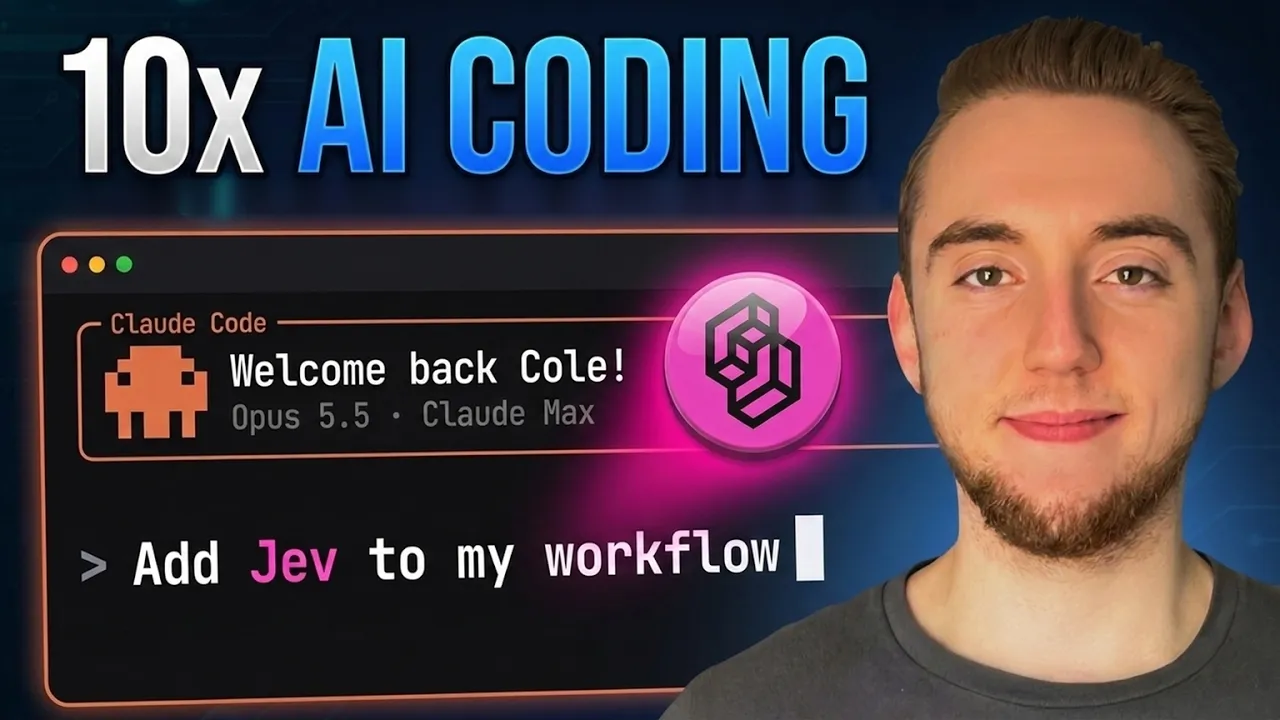
Jev is incredible. It was released recently and it popularized a type of AI model called system one models which specialize in making decisions instead of generating text. And so it's actually way different from LLMs like Claude and GPT. And so it's opened up a whole new sprawl of use cases that everyone is sharing on the internet right now. And people are sharing a lot of really fun and cool use cases with Jev. But something I'm hearing a lot, especially from people in my Dynamis community, is that the use cases are cool, but they're not always the most practical, right? There's not a lot that
109 words, the words spoken in the first 30 seconds at 218 words per minute.
Free, no signup. See how the first 30 seconds hold attention, with rewrites.
Sentence shape
| Measure | This transcript |
|---|---|
| Sentences | 204 |
| Average words per sentence | 18.9 |
| Longest sentence | 82 words |
| Questions asked | 14 |
| Sentences containing a number | 9 |
Most used terms
Filler phrases
84 in total: like 43 · kind of 13 · right? 9 · actually 7 · you know 4 · basically 3 · I mean 2 · literally 1 · sort of 1 · uh 1.
A literal whole-word count of the same phrase list the Prepublish browser extension uses, so a phrase inside another word is not counted and a phrase used in its ordinary sense still is. It is a count and not a judgement.
Free, no account. See where attention is likely to drop, with a rewrite for each weak line. The free check shows the scores and the one issue costing the most. Or run it on the words above first.
Free · No login · See a sample audit first if you prefer.
What this transcript is
Every word below is the caption track YouTube publishes for this video, pulled from the video itself and reproduced unchanged. It is not Prepublish's writing, not a summary, and not a re-transcription: it is the video's own published captions. English captions, generated automatically by YouTube, in the video’s original language. Source: the video on YouTube. A channel that would rather this page did not exist can ask for its removal through the contact page, and it is removed.
Jev is incredible. It was released recently and it popularized a type of AI model called system one models which specialize in making decisions instead of generating text. And so it's actually way different from LLMs like Claude and GPT. And so it's opened up a whole new sprawl of use cases that everyone is sharing on the internet right now. And people are sharing a lot of really fun and cool use cases with Jev. But something I'm hearing a lot, especially from people in my Dynamis community, is that the use cases are cool, but they're not always the most practical, right?
There's not a lot that you see and you're like, "Okay, I need to go incorporate this in my AI workflows right now." And so that's why I want to make this video just quickly showing specifically for AI coding for incredible Jev use cases to make your AI coding workflows faster and more token efficient, which is a big deal right now, especially with how bad the rate limits are. Now, if you follow the latest in AI, there is a very good chance that you've heard of Jev and probably even tried it out for yourself.
Now, Jev is not the first kind of decision model like this, but that's a whole another topic for another video. The point is Jev is really powerful. The way it works is you give it some kind of situation, which they call state, and then you also supply with a list of multiple choice questions, and in parallel, it's going to answer each one of those questions with a probability, which is basically its confidence score.
Now, the thing is you can already do this with large language models, especially with structured output. You can have it make decisions that you can key off of for the rest of your workflow. But what makes Jev so awesome is that it is 20 to 200 times faster than LLM at making decisions. And it's also 40 to a,000 times cheaper. Obviously, the big range here being you can use different LLMs to compare against Jev. no matter the LLM that you use, Jev is going to be more accurate, faster, and cheaper for making any kinds of decisions.
And so, at a high level, when you think of like Jev as the decision maker, that's an endless number of possibilities that you can use it for. And so, that's why I want to get really specific with you here, just quickly showing you, giving you inspiration for different ways that we can use it very practically. Now, for each one of these Jev use cases, they're valuable enough where I could make an entire video going into how to build and incorporate it.
But for right now, I just want to stay more high level. I want to keep this short and sweet, giving you inspiration here. So, you can even pick a couple of these and maybe build them out yourself. And then also in my Dynamis community this Friday, I am running a workshop getting a lot deeper into these use cases. So, check that out if you're interested. And yeah, like I said, a lot more content coming soon diving deeper into Jev cuz this is exciting for me.
I actually said this in my first video on Jev. This is the first AI model in a while that I'm genuinely excited for, and I think you'll see why as we get into these four use cases here. So, with that, let's just get right into it. My favorite use case for Jev right now in my AI coding workflows is for security. Because the thing is, and you've probably seen this yourself, AI coding assistants are way too willing to do things that they shouldn't, like read your environment variables, delete an entire folder, even if you have things in your global rules or skills to not do this, especially once you really start to bloat the context of a conversation, or if you have a prompt that kind of gives it a workaround, it's going to figure out ways to do these things.
And so that's why we need guard rails to prevent our agents from performing destructive actions. and Jev can really be that guardrail. So the most popular and effective way to implement these guardrails for our coding agents is using hooks which was introduced in claude code. But now pretty much every single coding agent has the idea of hooks where we can attach automations to run at different events that take place in the life cycle of our coding agent.
And so the most popular event is pre-tool use. So when the agent is about to perform an action like read a file or run a command, we can run an automation to basically analyze that and either block the agent from performing that action or allow it to continue. And so you can see where we're going with this here because one of the most popular use cases is having a pre-tool use hook that tries to analyze the agent's action to determine if it's going to read av file.
Right? We don't want our secrets exposed into the context of our coding agent. And so it has the opportunity to dish out an error code to essentially block that action. So the agent has to do something different like for example reading the&enb.example instead. Now the problem with this hook until jevv is that we either have to have an LLM analyze every single call or we have to have some kind of deterministic process with regular expressions.
Either way, it's going to be expensive or not very accurate. Now, let's just scrap the idea of using an LLM right away. Because if we're going to analyze every single action the agent wants to take, that's going to cost you hundreds or thousands of dollars throughout the month just to block these sensitive calls that might happen once in a while. And so, what I've done until Jev is I use regular expressions. And so, I have a hook that runs that just does pattern matching to try to figure out the agent is trying to do something like reading my Google credentials, reading my deleting a folder, whatever it is.
But the problem is there are so many different ways that an agent is able to do these destructive actions because it can read the file directly. It can write a Python script to do so or a bash command like right there are a million different things. And so we have this massive laundry list here and this doesn't even catch everything and there are also a lot of false positives. And so what I've done is I've taken this pre-tool use hook and I've replaced it with my JevGuard.
And I'll show you some stats in a little bit. This is so coste effective and reliable. So with system one models again we give it state and a list of multiple choice questions. And so for anything that can go wrong with an agent action I'm asking if it is the case right like are we exposing secrets it's going to say either true or false and we give some instructions for added context. This is part of the state and then is it destroying any data like removing an entire folder any kind of exfiltration where we're maybe sending sensitive data out like through a prompt injection attack.
And then another really cool one here is we can just analyze is the agent going off task. And so we can use this pre-tool use hook for even more than just security. Just generally having another uh sort of model as a judge making sure that we're staying on track for what we are trying to accomplish. And then as far as the state goes, the situation that's the main input to Jev. We're giving it the tool name, the effect of it, the input like the arguments to the tool and also our current working directory.
And so that gives it the holistic picture. And so when I ask Jev, I'm actually just using Jev right through open router with their new decision endpoint. And then I'm giving it this state along with all the questions that I showed you above. So I've only been using this hook for a little bit since Jev just came out, but my initial results are incredible. So my previous version of the hook using regular expressions, you can see that it didn't block that many of the risky calls.
Now, obviously risky is subjective. I've been pretty happy with this hook overall, but the main problem I've had with it is the false positives, blocking things that really shouldn't be blocked, like just writing the word.v out to a markdown document. And then going to using an LLM, it does a really good job. I mean, not that many false positives. It blocks most risky calls. But even using something really fast and cheap like Haiku, it still takes over a second.
And yeah, it's only about a tenth of a penny per analysis, but that really adds up when your agent makes thousands of calls every single day. And then we get to Jev. Jev blocks almost every single risky call, barely has any false positives. It is a quarter of a second for every single analysis, and it is a fraction of a fraction of a penny. So, it's cost-effective, and it's fast. It gives us essentially the reasoning capability of an LLM for this kind of decision, but it feels like it's free.
I mean, I know it's not quite free, but yeah, it's not like it breaks the bank in any way. All right, so our next use case is game play testing. And this really applies to any type of application that requires a model to make snap decisions or respond to things in real time. I'm just using video games as an example because it's really cool to watch Jev play the game. And it is something that I'm building myself for real.
And so with anything like a game, when you have 60 frames per second or 30 frames per second, a large language model is way too slow to respond to things. By the time it analyzes the scene to make a decision, the scene is already passed, right? right? And the character is going to be dead in the game, for example. But Jev is able to keep up. It is incredible to watch. And this is also very practical because we always want to have that validation step in our AI coding workflow.
So for a video game, you know, after we build the next feature, we want the model to be able to play the game as a user actually would. And that wasn't really realistic before until Jev. So take a look at this. I have a live example of Jev playing one of the games that I'm building a proof of concept for right now. It looks like I'm playing. The character is attacking, dodging, moving around the map. You can see the decisions that Jev is making on the lefth hand side right here with probabilities for all the different actions that we're giving as the options because again, it's all about the state, which is, you know, where everyone is in the game and then the decisions like what move are we going to do next.
And I have hands off the keyboard. It seriously looks like I am playing this right now. It is so cool. And so as it's making the decisions and processing the state of the game, we can also analyze how things are going in general and act on that, right? Like maybe we do discover bugs for real as we're playing the game. The kind of thing that an LLM could never really discover by itself just by, you know, running unit tests.
And so I've been running this for real as I've been building new features in the game. And it's genuinely caught bugs that the large language model is not able to by itself cuz the LLM can't really play the game. And yes, it can run like other tests and harnesses that I build, but that's more deterministic and it's not really playing the game as a user actually would. And so the important thing is we still have to use a large language model to build the harness for Jev, right?
Like it has to figure out how do we translate the state of the game into the input to Jev. What are the options that we give it for different moves it can perform? So we build that up front with the LLM, but then all of our testing going forward uses Jev. So, it's super fast, reliable, and cost-effective. One other thing that I have experimented with in the past for video games is making it so that the large language model can actually slow down the game.
So, it can play it frame by frame. That was kind of my way to have it actually play the game as a user would before Jev. But, as you can imagine, that was incredibly slow and expensive. Now, I hope you can also see the pattern emerging as we're going through these use cases. We are never really going to use Jev by itself. It is super powerful to use it in combination with LLMs because Jev is really good at making decisions, but it can't craft the decisions in the state upfront or really act on them.
And so the best way to use Jev is generally to sandwich it in between calls to a large language model. Like for example, with gameplay testing, we have an LLM build the harness and then act on the bugs that Jev finds when it plays the game. Or with the security here, we have the coding agent performing different actions. Jev analyzes an action and if it blocks it, then the agent, the LLM, has to figure out something else to do, right?
Jev is never really the end of our workflow. It's always just making parts of our workflows faster and more efficient. Now, another really good example of this takes us to our third use case with browser testing. Using a model to go through a web page and operate it as a user would in the validation step of our AI coding workflow. It's very similar to gameplay testing. But the thing is, large language models have typically been decent at this because unlike with something like a video game, an agent doesn't have to respond in real time to events with a website usually.
And so, it's able to take its time and analyze the page to pick the next action. But, you guessed it, it is still slow and expensive using an LLM compared to Jev. And Jev is even more reliable for this kind of browser automation. So, you probably use tools like the Playright MCP or Verscell's agent browser CLI to do browser testing with an LLM. And now we have a lot of open- source tools coming out, the same kind of thing, but using Jev instead of an LLM.
And it works incredibly well. There's a lot of cool examples here showing at different websites that Jev is clicking around. The most important thing to keep in mind is you don't always have the opportunity to use Jev for literally everything because Jev can't generate text like an LLM can. So if there's anything that requires free form text as an input to a site, typically you still need a large language model for part of the workflow.
But as much as you possibly can, you want to use Jev when you're just making decisions like what should I focus on or what button should I click. And so most of the workflow for your browser automation should be driven by Jev now. So I'll link to this GitHub repo in the description. This is the best open source project I've seen for Jev browser use, but yeah, there are a lot of them and you can also roll your own. I built my own browser automation with Jev as I've been testing it out.
Like on this app right here, this is Dino Chat, which is in production right now. You can go to chat.dynamus.ai and talk to this agent. It basically is able to search through all my YouTube content and then if you're logged in with the same email you use in the Dynamis community, it'll also pull from my workshop and course content. So, it's a really cool app. And I've tested building different features and having Jev go through them exactly as a user would.
So, I won't bore you with a full test run right now, but I do want to show you just really quickly live Jev working on this site. And so, any text that you see at input is pre-generated from an LLM, but everything else it is deciding live. The chat box to click into, the button to press to sign in, for example, and then also everything that it's doing here can be analyzed by the LLM after to figure out if there's any bugs that it needs to iterate on.
All right, the last of the four use cases here for Jev is workflow classification. And this is becoming more and more important for me over time. I want my workflows to be dynamic. For example, I don't always want to use the same large language model. It depends on the difficulty of the task. And so for the sake of token efficiency, I might want something at the start of the workflow that classifies what tier of model I need to use.
Another good example is sometimes based on the type of work that comes in, I need to be using different skills or different steps. And so a really clear example of this is when you have a GitHub issue that you want to work on. It might be a bug that you have to investigate and fix or a feature that you have to plan and build. And so I don't want to have to make that decision for myself. That's not going to scale with my AI coding workflows.
I need something to classify that and direct the workflow at the beginning. And that is what Jeb is for. And this exact workflow I'm describing to you here with the different classification steps, I have built that as an archon workflow. So, I've covered Archon a lot on my channel before. It's my open- source harness builder that allows you to build these larger AI coding workflows very easily for a lot of the different things that I've been covering in this video.
And of course, I've been incorporating Jev with my Archon workflows. And so, what you're looking at right here is the graph visualization where we take in a GitHub issue and we use Jev to classify two things. What is the tier of model that we need to knock this out? Because maybe it's something super simple. We can't just use something like sonnet 5. and then also deciding the route. Is this again like I said earlier a bug we have to investigate and fix or is it a feature we have to plan and build out.
And so this is the YAML file that makes up the entire archon workflow. And for each step where I want to call upon Jev, I just have this Python script where I give the arguments and it forms the decision, asks Jev, and then the rest of the workflow is going to act on the output of Jev. And I'll even quickly show you the Python script because we can see all the questions we're sending into Jev at the very top. It is so powerful how you can ask a ton of questions that Jeb will answer in parallel for super cheap.
So like what kind of work does this GitHub issue ask for? Is it, you know, a bug or a feature that that determines the skills that we use for the rest of the workflow? What's the tier of model that we need? Right? like based on the difficulty of the task. A fast model like I don't know GBT6 Terra, something standard like Sonnet 5 or GBT6 Soul, maybe a strong model like Opus 5.5 or GBT6 Astra. You get the idea, right?
Like Jev is making that determination. And in my testing, it does a very good job just generally understanding the difficulties of tasks and the type of tasks. And so back over to this specific run for the classification here, it figured that it is a bug that needs to be investigated. And then for the tier selection here, I'll go to the logs really quickly. I know it's kind of hard to pick out, but when the next step ran, it did investigate standard, as in it was using that middle tier of the model here.
So, whatever I have selected for that, something like a sonnet 5. And of course, I was the judge myself for all the jev testing that I did here. So I ran this archon workflow 12 times and every single time I completely agreed with the decisions with the classifications that it made up front. There's also a separate archon workflow more for pull request reviewing. And so using classification up front to figure out what kind of review do we need like is this a bigger thing that needs a full architecture review or just a light chore that has to be validated quickly.
And it wasn't perfect but still 15 out of 16 is pretty darn good. And if we look at the cost here, a fraction of a penny versus what it would typically cost an LLM. And again, 32 cents per poll request, that is really going to add up, especially with a project like Archon where we are dealing with dozens, hundreds of poll requests and issues every week. So there you have it. Those are my four favorite use cases for using Jev in AI coding workflows.
And of course, let me know in the comments if you want me to make a dedicated video for any of these cuz I could certainly go a lot deeper and help you incorporate these into your workflows as well. And so if you appreciated this video, you're looking forward to more things on Jev and AI coding, I would really appreciate a like and a subscribe. And with that, I will see you in the next video.
The words are the caption track's own and nothing is reworded or re-transcribed. Paragraph breaks are placed between sentences so the text reads as prose.
Free tools for your own script: paste a draft and see where it stands before you record it.
Paste your draft and see where viewers are likely to drop off, with a rewrite for each weak line.
Paste the first 30 seconds of your own draft for a hook score and rewrites.
Check your draft against YouTube's advertiser-friendly guidelines before you record it.
Read this channel's public videos and transcripts, and download a writing brief for it.