Getting the transcript
Reading the captions from YouTube. A video nobody has opened here before takes 10 to 30 seconds; this page fills in on its own.
Getting the transcript
Reading the captions from YouTube. A video nobody has opened here before takes 10 to 30 seconds; this page fills in on its own.
Liam Ottley · @LiamOttley
This video has no Most replayed graph yet: YouTube shows one only once a video has enough views. These are the moments viewers replayed most in Liam Ottley's most watched videos.
Most replayed moment at 5:02
5.8x that video's typical replay level
using no code tools, so there's no excuse why you can't get in there and get your hands dirty and start to build them. So, the first one is a speed to lead system. This is a simple automation that ensures that the business responds to any new customer inquiry or people reaching out to them in seconds, not hours. This
Said at 4:54
The graph counts replays. It does not show where viewers stopped watching.
Words
5,774
Runtime
22:41
Speaking pace
255wpm
Reading time
24min
255 words per minute, above the 201 75th percentile of 349 measured videos. That distribution comes from the 349-video hook study.
Opening (first 30 seconds)
Give the exact same $20 Claude account to two people. Let's call them Dave and Marcus. Dave types questions into Claude like it's a fancy version of Google. Marcus runs his entire life on it. It does work while he sleeps. It handles the boring stuff that used to eat his entire day. And when Marcus needs a tool that doesn't exist, he just describes it and Claude builds it for him. Same app, same 20 bucks, but Marcus found the superpower and Dave has no idea it's even there. And here's the thing, Marcus is not smarter than you. He's just climbed the ladder that most people don't even know exists. [music] And today I'm going to climb that entire ladder with you. I'm going to take
128 words, the words spoken in the first 30 seconds at 255 words per minute.
Free, no signup. See how the first 30 seconds hold attention, with rewrites.
Sentence shape
| Measure | This transcript |
|---|---|
| Sentences | 332 |
| Average words per sentence | 17.4 |
| Longest sentence | 57 words |
| Questions asked | 6 |
| Sentences containing a number | 20 |
Most used terms
Filler phrases
53 in total: like 23 · actually 18 · literally 4 · kind of 3 · you know 3 · I mean 2.
A literal whole-word count of the same phrase list the Prepublish browser extension uses, so a phrase inside another word is not counted and a phrase used in its ordinary sense still is. It is a count and not a judgement.
Free, no account. See where attention is likely to drop, with a rewrite for each weak line. The free check shows the scores and the one issue costing the most. Or run it on the words above first.
Free · No login · See a sample audit first if you prefer.
What this transcript is
Every word below is the caption track YouTube publishes for this video, pulled from the video itself and reproduced unchanged. It is not Prepublish's writing, not a summary, and not a re-transcription: it is the video's own published captions. English captions, generated automatically by YouTube, in the video’s original language. Source: the video on YouTube. A channel that would rather this page did not exist can ask for its removal through the contact page, and it is removed.
Give the exact same $20 Claude account to two people. Let's call them Dave and Marcus. Dave types questions into Claude like it's a fancy version of Google. Marcus runs his entire life on it. It does work while he sleeps. It handles the boring stuff that used to eat his entire day. And when Marcus needs a tool that doesn't exist, he just describes it and Claude builds it for him. Same app, same 20 bucks, but Marcus found the superpower and Dave has no idea it's even there.
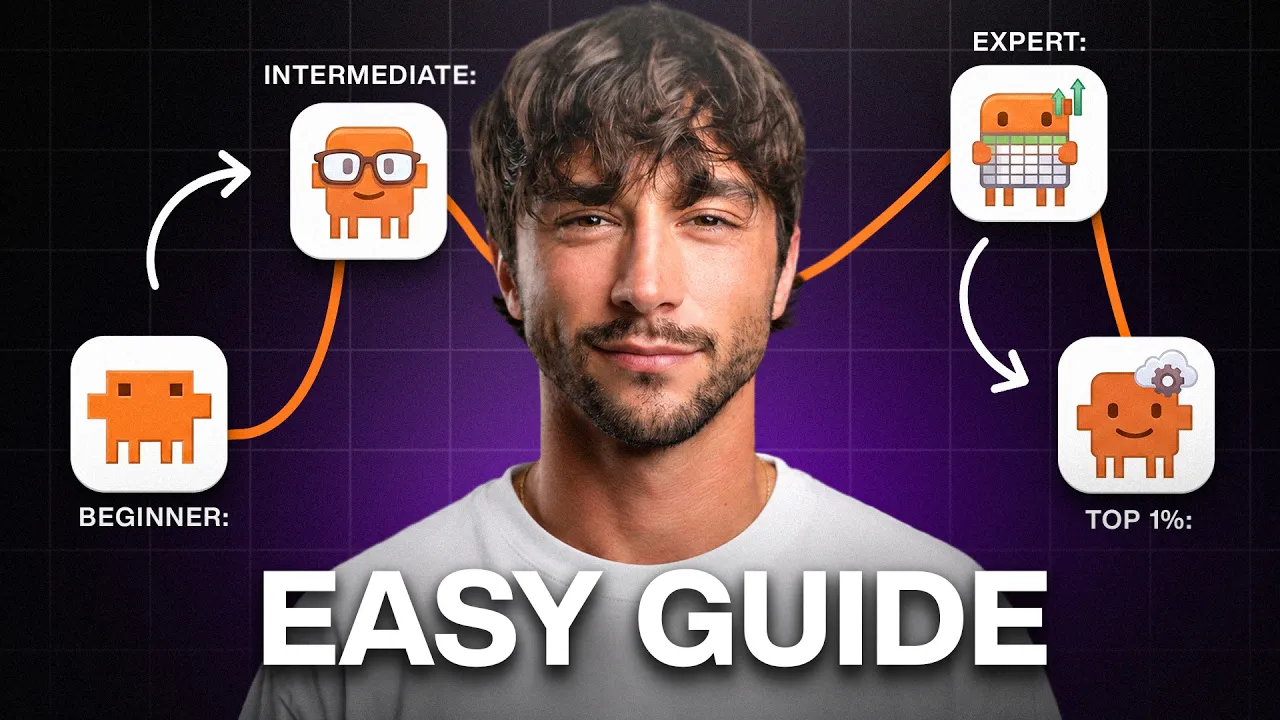
And here's the thing, Marcus is not smarter than you. He's just climbed the ladder that most people don't even know exists. [music] And today I'm going to climb that entire ladder with you. I'm going to take you from complete beginner until you can use Claude better than 99% of people. I guarantee that there are at least two things in here that no other video has shown you. I've spent the last 3 years teaching hundreds of thousands of people and businesses how to use AI and I've made more money with Claude than with anything else I've ever done.
So, at the top of the ladder, I'm giving you my entire personal Claude setup. The exact one that business owners pay me tens of thousands of dollars for. Free, ready to download and install for you. But, everyone has to start at the bottom rung, so let's get into it. Stop thinking of Claude as a website that you ask questions [music] to. Claude is your new full-time personal assistant and any assistant needs exactly two things from you.
They need to know your stuff and they need tools to be able to do stuff with. We can call this knowledge and tools. That's it. Every single thing I show you from here is leveling up one of those two things. Right now, at the bottom of the ladder, Claude's knowledge is whatever you type into the chat and its only tools are the built-in ones that it comes with. So, let's set both of these up properly. Step one is to get the real Claude app.
Most people are still using Claude in the browser tab, but the powerful stuff doesn't live there. [music] You need to download the desktop app onto your computer and the app onto your phone and in just 2 minutes, now you've got the whole thing downloaded and ready to go. Here's a quick tour so nothing on the screen scares you. This box is where you talk to it and [music] this picker here chooses which brain or model you're using.
And this row of buttons at the bottom, those are its tools. So, you have knowledge and you have tools. Now, we have the AI models or in simpler terms, the AI [music] brains. So, there's a fast brain for your quick everyday stuff, but then there's a much more powerful one for your most important work. It's essential to match the right brain or model to the right job. And while we're here, one mindset thing because I watch people get in this wrong like every single day, is that you are not buying just another app, you are buying work.
So, if you hit your Claude usage limits, upgrade your account. So, whatever you do, do not sit on the free version. That 20 or 90 dollars is going to be some of the best money you ever spend if you follow this video correctly. Next, you need to flip Claude's tools on. So, this is things like web search and the rest of them which are sitting right there in those buttons. And here's the nice part, you don't have to tell it when to use these tools.
You just switch them on once and then Claude will automatically decide when it needs to use a certain tool in order to say look something up on the internet. And while you're in your settings, here's one tip for protecting your privacy. There's actually a toggle in the settings that lets you decide if your chats are going to be used to train Claude's future models. You probably want to turn that off cuz your conversations are your business.
By switching that off, [music] it stays that way. Now, the biggest thing at this beginner level is how you talk to Claude. Here's the concept and I'm going to say it as simply as I can. Claude builds every answer out of whatever you give it. So, if you give it a lazy sentence >> [music] >> and it has to guess what you want, give it the full story and it hands you back something so good, [music] so fast that you won't believe it actually made it.
So, here are two Claude habits that you can use right now that will already put you ahead of half of everyone you know when it comes to [music] Claude usage. Habit one is to stop typing and start speaking because you speak about three times faster than you type, [music] which means three times more of the story and information for the same amount of effort. Personally, I use Glyder which is super easy to set up, it's lightning fast, and it's super affordable as well.
But, you'll be talking into Claude. I just talked at it for 90 seconds about my week, everything that happened, the numbers, the problems, all of it, and it turned all of that ramble into a clean report that I can hand off to my team. Just 90 seconds of talking and that's massively increasing how fast I can give information [music] to Claude, which is going to make me far more productive in everything I do. Habit number two is making Claude interview you.
[music] Before you prompt Claude about anything that matters, say this. Before you answer, ask me every question you need in order to do this properly. Ask it for a wedding speech Claude [music] and you get a greeting card. But, if you make it interview you first and then ask how long or funny or heartfelt, then suddenly that speech sounds [music] like you actually wrote it. You're using the same tool but giving it different input and that is the whole game here.
The third thing is something that almost no one warns you [music] about and that's that you should not trust Claude. It is built to make you happy and it will agree with you right off a cliff. So, [music] make it argue. Say, "Give me the strongest case for this idea and then give me the strongest case against it." This is called steelmanning and strawmanning. And once it has given you both of these [music] sides, it's far easier for it or you to evaluate which option is best.
Now, you're actually getting the truth instead of just having a cheerleader. And when it hands you back facts or numbers, say, "Prove it to me." Like, [music] check every claim and show me where it came from. And when you do this, it fixes what it made up and links the real sources. [music] So, if you start doing those two things, then you can actually rely on what Claude tells you. Now, a quick one that almost every beginner gets wrong and it's honestly what keeps them in the bottom end of all Claude users, is that Claude can only hold so much context [music] in its head at one time and it's called its context window.
So, the longer one chat gets, the more it starts to forget and mix things up and the worse its answers get. The fix for this could not be simpler. Every time you start a new task, make a new chat. New task, new chat. And that one habit is going to keep Claude sharp and using maximum intelligence per task. And now, the final rung of the beginner level. The first time you do this, it honestly feels kind of illegal, but it's called deep research.
Here's the idea behind why you need to be using this. So, whatever problem you have, your problem is not new. Somebody out there has already faced it, survived it and likely written about it. So, what deep research does is that it sends Claude off to read everything that humans have ever written about your problem across the internet and it comes back in a few minutes with a full report, sources and all. So, this research work that used to be a weekend of Googling and clicking links can now just be done by flicking this toggle, asking your question, then walking off and grabbing a coffee.
Then, when you come back, you can actually start your task by standing on top of the knowledge of the smartest experts alive or dead. And a little promise of what's to come, at the top of this ladder, I'm going to be showing you how I rebuilt the deep research tool to search places that it can't even reach out of the box. I use it every day and it gives me an insane advantage over beginner and even advanced users of Claude.
And that's the kind of stuff that's waiting for you at the expert level at the end of this video. But that is the basics of Claude and the honest truth is that by this point you're already ahead of most people you know. But your assistant Claude still has the memory of a goldfish. If you close that chat, tomorrow it's going to remember nothing about you. Advanced level is going to fix that [music] permanently. So you can talk to it now, but your assistant still has two problems.
Firstly, it has the memory of a goldfish and secondly, it's hands are tied. It can't see your inbox, it can't see your calendar, it can't touch anything real in your life. First, [music] we're going to build Claude's memory of you. Then we're going to give it hands. If you've been using ChatGPT for the past year, it already knows a ton about you and you're not just going to throw that away. Think of this like moving house.
You get to take the boxes with you, so you can go into ChatGPT, you can export your data, drop that file into a fresh Claude chat and say, "Analyze all of this and save [music] everything important about me to memory." Then flip memory on in your Claude settings so that it keeps learning from you and every conversation that you have from here on out. About a week from now, it's going to casually mention something you told it last Tuesday and then you'll finally start to see what everyone's saying that this AI stuff is the next big thing.
And that's good. So this is the goldfish memory of Claude dying. Next, set your rules once. You know how you tell a barista how you take your coffee one time and then never tell them again. You can do that here So in your settings, write down how you want Claude to behave in every [music] single chat. Mine say, "Be direct, skip the fluff, always ask me questions before starting anything big." And notice that last one.
That is that interview trick that we took from the beginner level and now it's going to happen automatically forever across all of our chats. So you can set these settings once and then you get it your way every single time. Now the hair remove of this whole level, which is what I call the brain dump. So if you hired an assistant tomorrow, you'd sit down with them and on day one and they would download everything that they need to know.
Here's my work, here's what I'm trying to do, here's how I like things to be done. You're going to do exactly that once using a simple voice transcription app like Glyder which I mentioned earlier. You're going to turn it on with the keyboard shortcut and then just ramble. Who you are, what you do, your family, your work, your goals. Even though Claude has its own voice transcription tool built in, using an app like Glyder was essential as it makes everything you put into your computer not just on Claude about [music] three times faster on average than typing.
And using Glyder for not only Claude but everything I do on my computer is what every single top 1% AI user I know is using right now. It is a no-brainer to increase the speed at which you can enter information into the computer. After you're done that brain dump, drop the memory into Claude and say turn this into my permanent profile and save that to memory. You are never going to have to introduce yourself again. Now we have projects and this one needs 30 seconds of theory because when it clicks, it's going to change everything for you.
So memory knows you at a high level like who you are, what you do, but a project is like a specific context bank for one specific part of your life. So you can think of it like a drawer. You can throw every document about one thing into that drawer and then any chat you open inside of that already knows everything that's in there. You never have to re-upload a file, you never have to re-explain a situation. So make one for each big thing at work and then drop in the reports, the examples, and the notes, and the call transcriptions.
And then you can make one for the personal trip you're planning with the bookings and the budgets. Right, so Claude's memory is sorted now. It is time to give it some hands. But here's the thing, your assistant is still locked outside of the building. It's brilliant and knows you well, but it's standing outside in the rain right now. It can't see your inbox, your calendar, or your files. Go to connectors and connect your email and your calendar first.
Then have a scroll through the list of all the hundreds of other connections that you can add into Claude. Because whatever apps you currently use, it's probably here. Notion, Google Drive, Slack. And the goal here and the whole philosophy of this level is to make Claude the one place where you do your work. It's simple. If you use an app, then connect it to Claude and use it from within Claude, not on their website and not on their app anymore.
The payoff for this stuff is immediate. You can just ask Claude, "What am I missing today?" and it will answer from your actual inbox and your actual calendar. You can connect it to Google Sheets and give it tons of data to analyze and pull into the chat, then easily move from analyzing that data to pushing new pages to Notion, or making slideshows directly within Claude, which we're going to touch on in a second. So, to create a weekly report like we talked about earlier, Claude can now pull all the numbers in itself now, rather than you having to manually upload or paste any information.
And I know exactly what half of you are thinking right now. Is it really safe to plug my email into this thing? And the answer is yes, because Claude will always ask before it does anything. So, it can read your inbox freely, but when it comes to writing an email, it can draft it for you and wait, and then only when you approve it and click send, will it actually be sent to the person. For everything that you connect, you can decide what it can do on its own, and what it has to ask you about [music] first.
Next up is artifacts. And up until now, everything that it gives you back is just a wall of text in the chat. >> [music] >> Artifacts is where it starts handing you back the actual thing. So, you can say, "Turn this into a slide deck." and then a slide deck appears next to the chat. You can say, "Make this a proper document." Done. Say, "Build me a little calculator for this." and you get a tool that you [music] can actually click through and use.
And you get to keep talking while it updates the thing live in front of you. So, you're not reading about your result anymore, you're looking at the finished product. Then there's the browser. So, you can get the Claude Chrome extension, and now Claude will sit next to you while you do work on the internet. It can actually see the page that you're on and then act on it for you. Read the thing, or fill in the form, or click the buttons.
And there's a feature in there that's called teach mode that literally feels like a glimpse >> [music] >> into the future. It's like training a new hire over screen share. So, say a bill lands in your email every month, and you always open your invoicing site, punch in the details, [music] and then hit submit. If you turn on teach mode, do it once while Claude watches, and the next month it does the entire routine itself.
Okay, so for everything so far, you were still in the room. The next one is the moment you actually get to leave the room. So, you see this little toggle at the bottom of your chat box? If you flip that from chat to co-work, now make a folder on your computer and point Claude at it, that folder becomes its whole world. You can think of it as a project on steroids because now it doesn't just know the things that are in there, it can do work in there as well.
You can give it a complete job, like go through these receipts, build me a summary spreadsheet, and draft the email to my accountant. And it just does it. It plans the steps, it works through them, and you get to go and make a coffee. And when you come back, you have finished files sitting in that folder on your computer. Or you can ask it for a dashboard of your numbers and it builds one that's up-to-date every single time you open it.
You can build it once and it's going to be useful forever. And notice that the safety is built in as well. It can only touch what's in that one folder. That is the entire world that it's going to be working from. Now, skills. So, pay attention to this one because this is the difference between asking for help and having a trained assistant. A skill is like a a recipe card. Anything you do more than a few times a week, you write the recipe once, and then from there Claude cooks that dish in the exact same way every time from just one word.
And here's the part that no one tells you. You don't actually write the recipe yourself. You just tell Claude, "Every week I pull these numbers, format them like this, and then send them to these people." Turn that into a skill. It then builds the skill itself. From then on, all you need to do is type {slash} weekly report and the whole thing happens automatically. Then you can put that recipe on a timer. So, set that skill to run every morning at 7:00 and your brief is going to be sitting there waiting for you when you wake up, built while you slept.
And as of recently, these things even run in the cloud so your laptop doesn't even need to be open for it to happen. One more trick is to scan a QR code in the app and now your phone is going to be paired with your computer. And this is called dispatch. So, imagine you're in an Uber on a Friday night out to have some fun, then you remember something, so you text it to your machine back home, and then it pings you when that job is done.
So, your computer [music] is back home working for you and you get to live your life. And when combined with powerful co-work folder setups, this is a game-changer. Founders pay me five figures to set up what you just watched and you got it in just a few minutes. So, let's have a look at where you are. That's maybe the top 10%. Most people watching this will never actually do it and you just did. But before you get comfortable, notice the pattern of everything in this level.
First, you did a job yourself, then the AI helped you, and then it just did it without you. Every task in your life is somewhere along that slider, and I call this the automation spectrum. And everything I've shown you so far >> [music] >> has one ceiling, and that's that co-work lives in one folder using other tools that people have built. Now, if you see that other tab in the app, the one that we've been ignoring, the one that says code, that is the last level, and that's where the ceiling comes off, and you start building your own.
Okay, so stop for a second because this last level is different. Everything up to here has made you great at using this thing. This level is about something much bigger. And here's what I actually believe from all of my years of experience in AI, teaching people how to start businesses, showing founders how to scale their business with AI. There's one thing that is blatantly clear to me, and that is that the future belongs to people who can build.
And I mean that literally, the person who can make the thing always ends up ahead of the person who can only use the thing. Steve [music] Jobs, before he had the black turtleneck, he was a real nerd building computers in his own garage with his hands. He never had to wait for anyone. He could do the thing. [music] Didn't he learn marketing and how to be a CEO? So, in the computer and internet era, he became one of the wealthiest and most influential people in the world.
[music] And that's what being a builder does. And in the AI era, becoming a builder will be the same cheat code that it has [music] always been. And thanks to Claude, it is now possible for you to become that person for everything without needing to spend 10 years of [music] learning because now you can build things by describing them in plain English. I don't have a computer science degree. I never formally studied any of this.
But, over the past 3 years, I've built AI systems for NBA [music] teams, Fortune 500s, and publicly traded companies using Claude heavily to teach me [music] and to do the work for me. And I'm not special. I have watched tens of thousands of completely non-technical [music] people become builders without ever actually deciding to become a builder because that's the secret. Build one small thing, then another one, and then one day you look up, and you're already there.
So, see that tab in the top of the app that you've been ignoring, the one that says code, ignore the word code, and I mean it. That is the exact same chatbot conversation you've been having with Claude this entire video, but now the ceiling is completely removed. In Claude chat, you are steering every message. In Claude co-work, you hand off a whole job, but it lives in that folder and uses tools that other people have built.
But in Claude code, there's absolutely no ceiling whatsoever, and it can build its own tools. So, anything you could possibly describe, it [music] can make. A workout tracker built around your exact routine, your gym, your schedule, even that knee that acts up. A meal planner that knows what your family actually eats [music] and writes a grocery list for you every week. A little tool that watches prices for the exact trip you're planning and pings you the moment they drop.
Things no app [music] store can sell you because they only exist for you. You describe it the way you describe it to a person, and then watch while Claude builds it [music] for you. Making this jump into Claude code will change your life, and I promise you that. And while we're talking about building, here's one more tool because this one is for anything visual, and it's called Claude design. It's a separate mode built into the Claude desktop app built just for making things look good.
So, you've got slide decks, posters, invitations, logos, and full web designs. So, you just describe what you want, and it comes back with something that actually looks professional, not that obvious kind of AI swap AI made look. And when you love what you see, you can hand that design straight into Claude code and build the real thing from it. The hardest part of this level is the blank screen. So, don't start from one.
This is my full Claude code workspace template. This is the exact setup that I install for the founders that I work with, and this alone is worth over $20,000, but you guys are going to get it for free. Getting this Claude code setup to work properly is all about setup. So, there's one command in there that's going to walk you through the entire setup step-by-step, setting [music] up your context, your files, your connections.
It's going to interview you, and it's going to build the workspace around you. [music] And then there's my full building toolkit for beginners, and that's five commands designed to make building anything dead simple [music] with Claude code, and that's been battle-tested by me, my team, my communities, and the founders that I work with. And this stuff really works. All you need to do is type {slash} explore to explore a new app or automation idea, {slash} create plan to plan it, [music] {slash} implement to build it, {slash} test to test it, and finally {slash} hand off to hand off to a fresh session so that you [music] can keep going.
These commands make building so easy that even a caveman could do it. It's completely free and it's going to be in the first link in [music] the description below. So, you guys will be able to download it, open code, point it at that folder you just downloaded, and then run the {slash} AIOS install command, [music] and you're going to be starting with the exact same Claude code setup that I use daily to run my life and business.
So, one quick concept while we're here and that is API [music] keys. So, you can think of these as deep connections into your favorite apps, and these are one level past the one-click [music] connectors that you've used earlier. They take a little bit more effort, maybe 5 to 10 minutes per platform you want to integrate, but they are worth every minute because they unlock connections that the simple ones just cannot reach.
So, when you run the install command with my template, Claude will ask you for a bunch of keys from your main apps, and it's going to walk you through how to get [music] them. And don't let this stuff scare you because finding these API keys and adding them in is an essential skill for becoming a builder. And if you get stuck, then you can always ask Claude to walk you step-by-step through it. Now, remember that deep research button from the bottom of the letter, and remember my promise?
Well, here it is. Out of the box, deep research mostly searches the regular web, which is great, but [music] think of all of human knowledge on the internet as a pie. The regular web and scraping web pages is like one big slice, but YouTube and podcasts are another slice, Instagram and TikTok are another. You have academic papers, you have X, you have Reddit. Any place that your deep research doesn't search is like a slice of human knowledge that's completely blind to.
So, I rebuilt the deep research skill using Claude code so that it searches all of the web, the web pages, the YouTube, the podcasts, the socials, the academic papers, X, Reddit. [music] Because the idea from the beginning level is still true, just much bigger now, because someone out there has already solved your problem. And this is especially important when you guys are going out and trying to build your own apps and automations.
Someone's already built it, you just need to find that information, bring it into your Claude session, and then be able to build from there. And now with my enhanced deep research skill, which [music] you guys are going to get, you're going to be able to find all of those potential solutions very quickly. And here's the best part. That entire rebuilt deep research skill is actually inside the template you guys are going to be downloaded.
So, it's not a teaser. You guys are going to get the whole thing. [music] This is ridiculously powerful and I use it literally multiple times per day. Now, remember that slide from the end of the advanced level? First you did your job, then it [music] helped, and then it just did it for you. Well, it's time to make that official because it's the way I think about every single [music] task in my life on that automation spectrum.
Once you've completed your step-by-step in so process and your workspace is fully set up with your context and your [music] platform integrations, you are ready to get Coda code to start automating your life. But, here's what most people get wrong. >> [music] >> There's actually three stages to this process and stage one is you do the job by hand, >> [music] >> stage two it helps you to do the job, and stage three it does the job without you.
Firstly, you do something manually in the workspace like checking your email inbox and you notice [music] you're doing it again and again and again. So, you turn it into a skill like I showed you in the last level. Now, instead of doing 10 to 20 messages back and forth with Coda, you just say {slash} inbox clear and Coda does the whole process for you while in the chat. And for the first week or two, you're still breaking that skill in.
It does the job with you, but you're correcting it and the skill is getting sharper and sharper and more accurate each run. So, that's stage two and then one day the skill is so dialed that it does a thing just right every single time. That is the moment that you put the skill on a routine and let it run on its own on a schedule in the background. [music] So, that's stage three, what I call automated. Firstly, you do the work manually, then you build a skill around that, and then you put the skill on a routine and that is the whole system.
But, for this process to work properly, you need to be in Coda code with a workspace that has full context and has all of your apps connected. And I call this an AI operating system. And here's the mindset shift that comes with an AI operating system. Your real job stops being doing the tasks and your job becomes walking the task through those stages. So, look at your week and find the thing that you repeat the [music] most and start walking it up that automation spectrum.
And in Coda, this goes all the way. Your skills can call one another. So, one command can run a whole chain of them, a full workflow, fully hands-off. And your routines stop being just timers, and they can fire the second something happens, an email lands, a form gets filled out, or a sale comes in. And you can hand it to Claude and just let it work. >> [music] >> Hours at a time, checking its own work and carrying on without you.
This is the level where work happens while you get to live your [music] life. And you can get Claude to automate almost anything by using that {slash} explore command that comes with the template. And [music] yes, you can take it with you. By using Claude remote control, you can use your workspace from anywhere in the world from the Claude app on your phone. And not just sending jobs back to your computer at dispatch, you get the [music] entire AI operating system in your pocket.
So, that is the top of the ladder, the top 1%. [music] So, let's talk about Dave and Marcus one last time. Remember, it's the same app, the same $20 a month, but [music] Dave is still typing questions into Claude like it's a fancier Google, and Marcus just watched his work build itself. And here's the truth. Marcus was never special. He's not smarter, he's not more technical, not one single thing that Dave isn't. [music] The only difference between them is that Marcus climbed that ladder.
So, here is your one move. Do not try to do all of this tonight. All you need to do is download the template that's in the first link in the description below, [music] run that install command that's included, and it's going to walk you through the step-by-step setup process, >> [music] >> and by the end of today, you'll have a top 1% AI workspace that literally gives you superpowers. Then, hand Claude code just one real task before you go to bed.
Just one. And then tell me in the comments which rung [music] you guys are starting on. And if you want to watch me build one of these systems for a real business start to finish, that video is going to be right here.
The words are the caption track's own and nothing is reworded or re-transcribed. Paragraph breaks are placed between sentences so the text reads as prose.
Free tools for your own script: paste a draft and see where it stands before you record it.
Paste your draft and see where viewers are likely to drop off, with a rewrite for each weak line.
Paste the first 30 seconds of your own draft for a hook score and rewrites.
Check your draft against YouTube's advertiser-friendly guidelines before you record it.
Read this channel's public videos and transcripts, and download a writing brief for it.