Getting the transcript
Reading the captions from YouTube. A video nobody has opened here before takes 10 to 30 seconds; this page fills in on its own.
Getting the transcript
Reading the captions from YouTube. A video nobody has opened here before takes 10 to 30 seconds; this page fills in on its own.
Nate Herk | AI Automation · @nateherk
Where viewers went back to watch this video again, from YouTube's public Most replayed graph, lined up with what was said at that moment.
Most replayed moment #1
1:464.8x the video's typical replay level
says MCP and CLI. And we're going to first of all connect this to Claude in the web. This is just your typical Claude chat that you've probably been using for months now. You're going to go to the settings and you're going to click on connectors and you're going to have to add a custom connector. So, down here you can
Said at 1:39
Most replayed moment #2
9:563.6x the video's typical replay level
improve. The image stuff, we want more control, we want to build some reusable skills, we want to build some automations, and that's where we're going to head from Claude into Claude Code. Now, don't get scared, we're going to be using the desktop app just for today's tutorial, and all this looks like is Claude. You
Said at 9:48
Most replayed moment #3
31:133.3x the video's typical replay level
want it to be product only?" And I'm going to say product only, and hopefully it should be good to go now. All right, so moment of truth, this is done. I'm going to go ahead and open it up. Let's see what we got.
Said at 31:07
The graph counts replays. It does not show where viewers stopped watching.
Words
8,248
Runtime
35:27
Speaking pace
233wpm
Reading time
34min
233 words per minute, above the 201 75th percentile of 349 measured videos. That distribution comes from the 349-video hook study.
Opening (first 30 seconds)
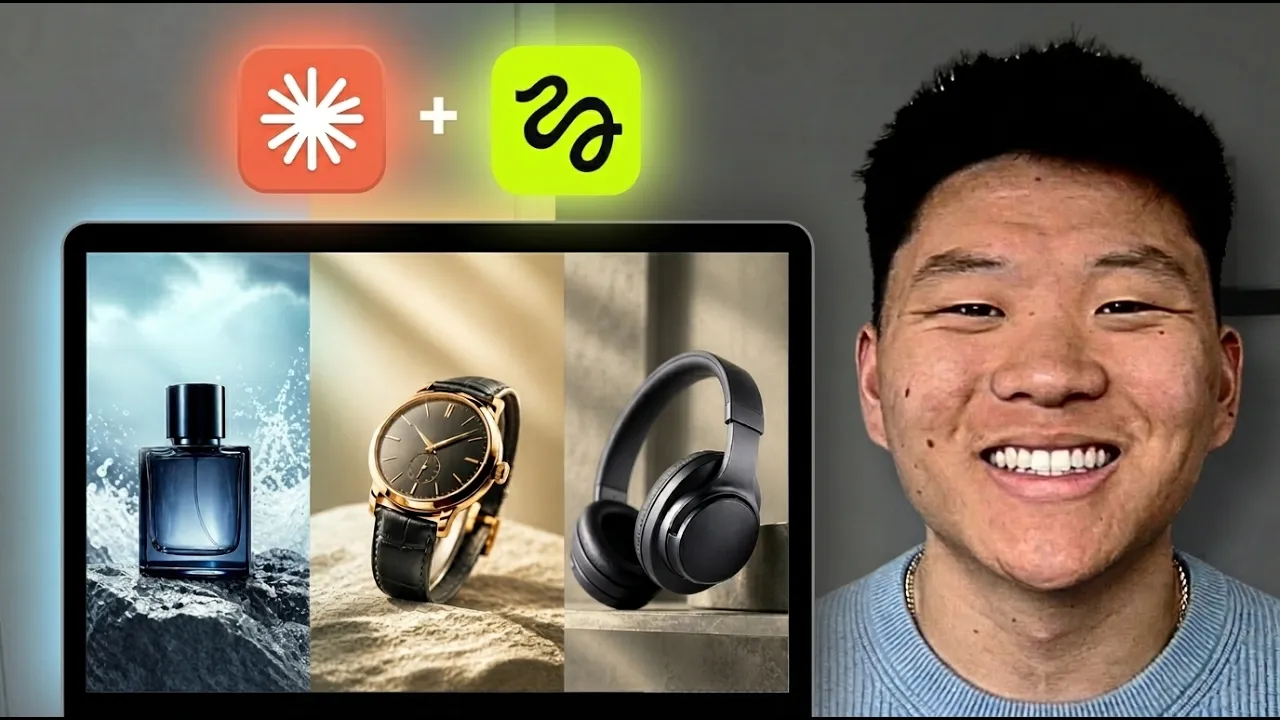
So, Higgsfield has access to all of the best AI image and video generation models. And Claude lets us talk to Higgsfield and build custom skills and agents and schedule all of these automations to run while we sleep. And when we combine these tools, we're able to actually scale up our content because we can ideate and we can generate 100 times faster than the average human could. So, today's video, I'm going to show you guys how we're able to turn Claude into a creative agency. So, real quick, let me show you guys a few examples that I was able to generate in literally 5 minutes with one prompt. >> [music] [music] >> I
117 words, the words spoken in the first 30 seconds at 233 words per minute.
Free, no signup. See how the first 30 seconds hold attention, with rewrites.
Sentence shape
| Measure | This transcript |
|---|---|
| Sentences | 506 |
| Average words per sentence | 16.3 |
| Longest sentence | 83 words |
| Questions asked | 16 |
| Sentences containing a number | 32 |
Most used terms
Filler phrases
192 in total: like 63 · actually 30 · you know 30 · basically 21 · kind of 15 · sort of 11 · um 10 · I mean 8 · literally 2 · right? 2.
A literal whole-word count of the same phrase list the Prepublish browser extension uses, so a phrase inside another word is not counted and a phrase used in its ordinary sense still is. It is a count and not a judgement.
Free, no account. See where attention is likely to drop, with a rewrite for each weak line. The free check shows the scores and the one issue costing the most. Or run it on the words above first.
Free · No login · See a sample audit first if you prefer.
What this transcript is
Every word below is the caption track YouTube publishes for this video, pulled from the video itself and reproduced unchanged. It is not Prepublish's writing, not a summary, and not a re-transcription: it is the video's own published captions. English captions, generated automatically by YouTube, in the video’s original language. Source: the video on YouTube. A channel that would rather this page did not exist can ask for its removal through the contact page, and it is removed.
So, Higgsfield has access to all of the best AI image and video generation models. And Claude lets us talk to Higgsfield and build custom skills and agents and schedule all of these automations to run while we sleep. And when we combine these tools, we're able to actually scale up our content because we can ideate and we can generate 100 times faster than the average human could. So, today's video, I'm going to show you guys how we're able to turn Claude into a creative agency.
So, real quick, let me show you guys a few examples that I was able to generate in literally 5 minutes with one prompt. >> [music] [music] >> I mean, those are incredible. I think that this second one is probably my favorite. Like, the zoom in on the product, the detail, all of the animations in the background, the music. I mean, this is incredible. Even this detail here. Think about how long this would have taken you if you either wanted to edit this by hand or, you know, shoot this with a studio and with a paid actress.
It would have taken so much more time and resources. And like I said, I was able to generate all of those outputs just by talking to Claude with a prompt that looked something like this. So, before I show you guys these conversations and exactly how I did it, let me show you how we connect Higgsfield to Claude. So, if you don't have a Higgsfield account, go to higgsfield.ai and you can sign up. You will have to get on some sort of subscription, but once you're there, you basically want to come to this page that says MCP and CLI.
And we're going to first of all connect this to Claude in the web. This is just your typical Claude chat that you've probably been using for months now. You're going to go to the settings and you're going to click on connectors and you're going to have to add a custom connector. So, down here you can see that I have Higgsfield as a custom connector. So, go ahead and click add custom connector and you're basically just going to call this, you know, Higgsfield, or if you want to call it something else, I don't really know why you would, and then you're going to copy this command right here, and back in Claude, you're just going to paste that in, hit add.
Mine says it's not going to work because I've already done that, but yours will connect, and then basically it'll prompt you to sign in. So you'll hit configure, it'll take you to the Higgsfield OAuth, you'll sign in with the account that you just created, and then you will now have Higgsfield ready to go. And then if you want to click on configure, you can basically change the permissions. So if you only want it to be able to do certain things in your Higgsfield account, you can limit it to do that, or you could come in here and you could just say, "Hey, always allow all of these.
I don't really care." So however you want to get that set up, and now, whenever you're in a Claude chat, if you go over here and you look at your connectors, you can see that Higgsfield is right there, and you can just prompt it to create you images with that, or videos with that, or whatever you want to do. Now it will be able to actually talk to Higgsfield, as you can see. So just to start off and show you guys a few quick examples, what I said here is build me a headphone brand from scratch.
I want you to do research, build the branding, build the product catalog, and for each of them, I want you to generate assets. So a product photo, an Instagram ad, and a UGC video, and I told it to use the Higgsfield MCP for all of these generations. So yes, what we could have done is done all this research on our own, or taken all this research from Claude, put it in a Google Doc, and then went over to Higgsfield on our own, and found all these different AI image and video models, and just generated all of this stuff in the interface.
We could have done that, but in today's video I'm showing you guys how you can essentially just treat Claude code, or Claude, as the interface to do all this stuff, and in a more consistent, and repeatable, and automated fashion. That's really going to help you scale much more than if you were to do this all manually. So as you can see, it does the research, it looked at the market, and now it's helped me build a brand called Murmur, and we have stuff like positioning, target buyer, voice, visual identity, and all this stuff.
And it created three different products. So an over-the-ear, which is the most expensive, we've got wireless earbuds, and we have open-back wired headphones once again. And then it just goes ahead and generates all this stuff. So all these images and videos that you're about to see were just minimal input. It was literally just, "Hey, build me a brand and build these things." And now, we have this first photo of our Halo product, which looks very nice.
We've got this Instagram ad, which came out a little bit duplicated with the text for some reason, but if we wanted to fix that, all we'd have to do is say, "Okay, edit." And then we could give it a prompt, because it knows the exact reference image, and it knows this what we're talking about, and I could just say, "Hey, you know, we have two different headers in here, remove one of them." So, you could iterate really quick on that there.
And you could also click animate. So, it's basically the same type of prompt, and we could say, "Hey, turn this into a video where, you know, the headphones are spinning in a circle and floating in the air." Whatever we want to do. So, that's the ad, and then we have this video, which is basically just a person listening to music wearing them and smiling at the camera. So, you can see though, that video looks really good.
Like, the person looks very real. So, we've got our second one. We've got the picture right here. We've got the ad right here. That one looks much better, actually. And then, similarly, we have this video with music of a person putting one of them in their ear and then smiling at the camera. And then we have the exact same thing for our final product. We have an image. We have an ad. And then we have a video of someone using the product.
As you can see. Then I said, "Take the Halo," which was the first one, and I said, "Use Higgfield's Marketing Studio to create a launch video." So, Higgfield in here has a really cool thing called Marketing Studio, where you drop in a product or a link to a product, and you can even put in your own custom avatar, and it basically turns it into a different type of format. So, hypermotion, sort of like this. It could be an unboxing.
You know, there's other styles. There's UGC. There's so many different things you can do in here for marketing. Like, these hypermotions are super super cool. I mean, look at that. So, I told it to use this Marketing Studio format inside of Claude right here. So, it looks at the Marketing Studio, it found out what to do, and it comes back with this. As you can see, it's it's cool, but it's not like the hypermotion style.
It's very quiet. We have that weird scene where the person kind of intimately touches the headset. Don't know what that's about, but it's it's [music] fine, right? So, I said, "Okay, that's a little bit, you know, not what we want. I want you to use the hypermotion variant, and I want you to make it more engaging, and I also want a 16 by 9 version. So, I wanted it to capture more attention." And then that's when it comes back, and it gives us this one, which I absolutely love.
I think this one is really good. >> [music] >> Okay. But then, for the 16 by 9 version, it said that it was sensitive content, and it refunded my credits. So, I said, "Okay, try again." It did the exact same thing. And then eventually, I was able to say, "Okay, why did that get denied? Show me the prompt. Figure out why that happened." It read me the prompt, and then it said, "Okay, I think it's because of these words, you know, all this kind of stuff.
So, I'm going to get rid of that." It does it again, and then I was able to get this version, which you guys also saw in the intro of this video. So, it's not perfect, but what we're able to do is we're able to build skills and stuff around this, so that this doesn't happen again, where we're getting sensitive content blocks. Okay, so another quick example. I drop in an image. So, let's say we already have a product that we want to start with.
I want some advertisements and stuff for that. So, I ask it to, you know, make me a couple of Instagram ready ads for this product, and if it has any questions to ask. So, it asked me one thing, and I gave it a quick answer. And then it starts generating some stuff. So, here's one picture. Now, what you'll notice is it got rid of some of the words. So, on the original photo, we had like some extra little captions and subtext right here, and it got rid of that.
So, we have to be more specific about telling it to not change the reference image at all. That's very important. But anyways, that's a nice picture. This one's also cool. It's a little bit more of like a effects type of picture. And then we also have this one, which is kind of like an Instagram story, which isn't exactly what I was looking for, but it does look good as far as like the interface and the realism. So, it said, "Hey, we have a calm one, we have a cinematic one, and we have like a real relatable one.
So now we're able to keep iterating with what we want, but I said that's not good enough. I need these to be actual ready to go advertisements across different socials, and then it comes back, it generates some more for us. So this one has text. It says, "Stop counting sheep, start sleeping through the night." It has sort of that cinematic feel. That one I thought was pretty cool. We also have this one, which I loved, "Asleep in 10 minutes, fall asleep faster, stay asleep longer, wake up refreshed." I absolutely love this one as well.
And you can see with very minimal prompting, all I said was, "Hey, create me Instagram ready ads." It understands like headlines and spacing, and I just thought that these looked really, really good. And then we had one more down here as well. So the main problem is that it didn't have the bottle appearing exactly as we wanted it to in the reference image, which is a pretty easy fix. So here's another one. You guys didn't see this yet because it's a lot slower paced, and it's not the exact like hypermotion style, but it's still a nice little animation.
And then we also have this one, which is just, you know, the person kind of looking at it. So these are decent videos, but they're not ready to go ads. So we had to be a little bit more specific again. So I said, "Give me one that's fast-paced and energetic. It has camera cuts, it has slow motion, it has close-ups." And then we got the one which you guys saw earlier, which was right down here. It took me a few more tries, and then we got this one that you guys saw in the demo with the capsules.
I thought this one was really, really good. So what's cool about this is you're able to take a super vague, high-level idea. You can say words like engaging, cool, fast-paced, things that are emotional. And Claude does the hard work of figuring out the prompting, and then sends that over to Higgsfield Marketing Studio, which has a nice like pre-trained model in the back end. And then you get stuff like this in minutes.
And then what you're able to do is you can say, "Hey, this one was a winning ad. You know, this format, this style, this colorway. I want a bunch of different versions of this to test out." And it will just go through, and it will plan out and strategize on the different versions, the different headers, and then we'll just go make all of them. And now you have so many more pieces to to test, and ultimately once you find your winning combo, you just chuck more budget at that one and really try to scale your product.
Okay, so that's how you do it in Claude. You use the Higgsfield MCP, it's super easy, it's great to get some POC done in there. Now, there's a lot of things that we want to improve. The image stuff, we want more control, we want to build some reusable skills, we want to build some automations, and that's where we're going to head from Claude into Claude Code. Now, don't get scared, we're going to be using the desktop app just for today's tutorial, and all this looks like is Claude.
You have a chat, and you have a project, and you're able to build way more power in this interface. So, I'm going to show you guys how. So, the first thing you're going to want to do is you're going to want to open up a blank folder. You're going to go to your finder, wherever you want to have it. So, wherever you want to have this, you could just have it right in your desktop. You're going to create a new folder and call that like Higgsfield Marketing Studio or whatever you want to call it.
So, in my case, this is called Higgsfield Studio. So, the very first thing that we need to do is get everything set up. So, let me show you guys the way that I would prompt this to get set up. I would go into Higgsfield, I'm going to click on MCP and CLI. And when we're specifically doing this for Claude, or if we wanted to do this with OpenClaude or Hermes or whatever, we want to do this with the CLI instead of the MCP.
Now, the reason being, ultimately, functionally, they can do pretty much the same things, but the MCP has all those tools. So, from a token perspective, it's actually more expensive to use an MCP, and the CLI is just better for agents. It's going to be faster, it's going to be more efficient. Like I said, we're going to use the CLI. So, all you have to do is copy these three commands exactly. I'm going to copy this, I'm going to copy this, and I'm going to copy this.
And I'm going to go into Claude Code and say, "This project is basically being set up to use Higgsfield, and it's going to be set up for kind of a creative studio, a marketing studio. I need you to install the Higgsfield CLI. I need you to then run the auth for me to sign in, and then I need you to install the Higgsfield agent skills. So, here below are the three commands." And there you go, I pasted all three commands, and then I just go ahead and run that, and it's going to get you set up.
It's going to install the CLI, and then it's going to do the off flow, so it'll open up a tab, and then you will just sign in wherever you created your Higgsfield account, and then it will add the agent skills for you to use. Now, here for me specifically, when it tries to install this, it's going to say, "Hey, this already exists." But yours will actually just go ahead and get set up. So, here you go. It says the CLI is working, now running off login, which opens up a browser, and as you can see right here, it's basically just asking me if I'm okay to connect Claude to Higgsfield, and you're going to go ahead and hit connect, and then sign in, and now you have been authorized.
And back in Claude, it should say, "Okay, cool. You're now connected in. I can see your account, and now I'm installing the agent skills." So, exactly like you see right here. Now, while this is getting set up, there is something I want to talk to you guys about, which is the fact that this stuff isn't magic. This stuff just lets you automate things and ideate. So, my point being, if you're not a master copywriter or advertiser, it might be really tough for you to build amazing tier-one advertisement copy and creatives.
And that's why what you can do with Claude is you can utilize other people's expertise, and you can bring that in to make Claude code the subject matter expert here. So, it's not perfect, you know, a a master copywriter is going to build a better newsletter automation than I would. So, what you can do is in your project, you can do some research. So, here's a chat that I did earlier, right before this, and I basically said, "Hey, I need you to do a deep research on the best strategies for advertising in 2026 when it comes to organic advertisements on platforms like TikTok, Meta, or X, and what captures people's attention, what converts, and how it differs per platform." So, I basically wanted it to create a full markdown file called advertising masterclass that would live in this project, and then I could have my agents look at that when they need help ideating or when they need help analyzing what's going on with our data, and it's going to help them give us better copy and give us better prompts to feed into Higgsfield.
And this is something that I do all the time. Whenever I'm building different agents or automations, I always leverage Twitter threads, YouTube videos, Perplexity research. I utilize information that's out there and proven, and I bring that into my systems. So, basically, this did all that research, it asked me questions, and then it gave me a full markdown file, which now lives in this project, as you can see, advertisingmasterclass.md.
It's 617 lines. I could go ahead and open it up right here, and we can read this, which is a master playbook for organic content. It's last updated May 2026. We have a cheat sheet, we have different platforms, and we have a bunch of information about how attention is captured. And now, all of our advertisements are going to hopefully be better because we've done a research doc like this. But anyways, now we have the CLI installed, we have been authenticated in, and we have our skills installed, so we're ready to get started trying to build some automations here.
Okay, so I cleared out that chat, and here's the first thing that I would recommend you do. So, in my Higgs Field, if you guys remember, if I go to my assets, we already have a ton of assets generated. We have 45 different assets created. We have a few different products, we have a sleep pill thing, we have a few different headphones that were generated, different UGC ads. So, here's what I want to do. Go ahead and take a look at all the assets that we've generated in Higgs Field.
I need help basically creating a log tracker of every generation that we do together, just for, you know, um visibility into our prompts and our data and statistics and things like that. And I want you to formulate this into a Google Sheet, um a few tabs if you need, but use the GW CLI in order to create this Google Sheet, and organize it based on, you know, like the product and the, you know, the prompts, maybe, however you think that this makes sense.
Ultimately, this project is being set up to become a master creative agency, so we need to have a database where everything lives, so that we can track stuff over time as we scale up how many pieces of creative media we have. So, the reason why I want to do this is because I ultimately want to get to a place where where have something like this as an example. So, I have all my generations here. We can see the product, we can see the style, we can see the image or video, the model, and we can see what we're actually generating.
We can also look at the results, and we can look at the actual prompts for all of them, which is really important. From there, we can analyze which ones of these do we like the best? Which ones actually converted the best? Which ones, you know, had the best budget or had the best spend on our meta account or whatever it is. And we can have all these other statistics like by product, by style. We can have some planning.
And then based on all this data, and especially if you bring in actual real data from your Google Ads or your Meta Ads or even just your TikTok or Instagram account, Claude code can look at it. It can use the subject matter expertise that you had it research, and then it can plan things. So, now it's planning out different versions of ads based on certain things. So, we have different value props, different headlines, different avatars, different styles.
And it gives us this test matrix where we now have a hundred different things to test, and they all switch up little different variables, and we can ultimately way more things now because we're not the bottleneck on creativity, and we're also not the bottleneck on production because I can set an agent off to generate all this stuff, and then I could go to bed, and I could wake up with a hundred different ad copies and creatives ready to go.
And then you could also have an agent that every single week generates a hundred more. So, you just have like this unlimited bank of things to test, and it's all based on data, not just random stuff. So, it was looking at the master sheet which already exists, which is this one right here. So, I'm just basically going to go ahead and say, "Hey, I actually just want to create a completely new one. That one was um good, but I'm just doing a demo, so I want you to just do it again so I can show my audience how good you are at things like that." And if you guys haven't used the GWSC live before, it's amazing.
It's another CLI just like this Higgs Field CLI is a CLI, and our agents are now able to super quickly look at Google Sheets, Google Docs, Gmail, Calendar, Drive. It can look everywhere, and it's much, much more efficient than using like a a bunch of MCP servers or a bunch of API calls. So, if you haven't tested out the GWSCLI before, it's a huge unlock. I'll drop a full video right up here where I talk about it more.
Okay, so now it has pulled all 45 of those generations, as you can see. Let me just open up this sheet so we can take a look at it. We've got all the generations right here. I'm going to go ahead and make these smaller. Okay, so we've got these 45 generations. We can also see by product, we can see by style and planning. So, really what I wanted to do there is just show you guys that Cloud Code can now look inside of Higgs Field, see everything that we've done, and not only just see it, but it can pull information like the job ID, the status, the prompt, you know, the sizing, all this kind of stuff.
That's really important. I mean, think about how long this would have taken you to manually go look at all your stuff and get it into some sort of internal database. And then, of course, this is where it's able to build on top of it, and it's able to give us tons and tons of new ideas to actually go and generate more creatives from. So, let's actually go ahead and do that. I'm going to open back up Cloud Code, and real quick, I'm going to do an at sign, which is going to let us tag certain things, and I'm going to tag the advertising masterclass.md file, which is, you know, the full breakdown.
And I'm going to say, All right, so I want you to look at all of the different generations that we've done. I also want you to read that advertising masterclass doc, and I want you to help me figure out a bunch of different variations that we could create. You know, we've done some things with different headers, with different styles, with different types of content, and I want to mix and match a bunch of different variables so we can ultimately test a bunch of these and put a bunch of budget behind this and see which one of them spends the best.
So, use your creativity here, use your best practices, and help me get a bunch of different ideas for, you know, more creatives. And once we shoot it off with that plan, I probably should have said to put that into the GWSCLI, into that Google Sheet. Hopefully, it understands that. If it doesn't seem like it's understanding that, I'll go ahead and stop it and say, "By the way, put that in the Google Sheet, but that is what we're looking for here as a deliverable.
Okay, so it looks like this is all finished up. I did have to end up telling it to put it in the Google Sheet. Wasn't that smart yet. But let me go over to the sheet and we'll see we have this new tab called creative slate. And here, this one looks better than the previous one. It didn't give us a 100. We can obviously say, "Hey, give us 100." But this one ended up giving us somewhere in the 30s. So, it also kind of showed us priorities.
So, these obviously need to go ASAP. And then we've got other ones as well for different products. see the Murmur Halo. We've got the sleep supplement. So, anyways, but now we have this database that we can look at. We could also have some sort of status so that when we are having it automatically generate these, it can mark them off as processed or done or whatever it is. And then it will create the prompts and talk to Higgsfield to create them for us.
So, it's going to be very, very cool. Sorry about the lighting. I just saw like apparently a tornado came through and it got very dark. So, I turned on my little light. Okay, so now that we have all of these examples set up, let's say that we want to generate these top five priority ones. So, rows three through seven we're going to generate. So, what I want you to do is now create the prompts for rows three through seven.
So, those first five that you created. But what we also need to do, which is really important, is we need tracking. I noticed on the sheet you didn't have any status column. So, add a status column. And what I want you to do is create the prompts for those five, go off to Higgsfield and generate them, and then mark them off on the sheet once they come back and they're done as complete or in review or whatever you want to do there.
Just mark them off so we can keep track of what's going on. So, just shut that off. If you guys are curious about how I'm talking with my voice, then check out the tool in the description. It's called Glydo. I officially have joined the Glydo team and I'm super, super excited about it. I've switched over from Whisper to Glydo. I just truly believe in the vision that we're building over here. So, if you guys want to support and if you need a voice tool, check out Glydo.
It's faster, it's private, and it is going to be way more authentic. So, join the movement. But anyways, this is going to shoot off to Higgsfield and I'll check in with you guys when we get get advertisements back to take a look at. Okay, so those five are finished. I'm going to go into the actual Google Sheets we can take a look. We can see over here that it's added a status column. It's marked these as complete. We have the result URL.
We have the job ID. So, let's take a look at just a few of these real quick. Okay, so this one is interesting. It's sort of like a meme. You know, it's 18 months no sleep. So, there's that. You can also notice that the image doesn't really look like our reference image at all. If you guys remember, I come over here, it was this one. No, not this one. Sorry. It was this one. So, that's honestly my fault. I didn't prompt it to do so.
So, we're going to have to redo another round. But, let's real quick just see what else we've got here because what you'll notice is these probably aren't going to be super consistent. And that's because we're just kind of blindly prompting. We're pulling the lever on the slot machine which is AI. And if we don't have guidelines, if we don't have recipes around it, skills, then they're not going to be super consistent.
So, this one I don't know what that is. Um this one This is a video. >> [music] >> Very generic. Okay, so what happened is in the prompt I'm assuming it basically said, "Hey, it is a blue bottle. It says sleep support on it." And that's it. So, it's creating these just random looking sleep support looking bottles. So, what I'm going to do is I'm going to have to go back into Cloud Code. I'm going to drag in the actual image.
This is our actual product image. This is a an asset that we should always be using. So, when you're creating these advertisements for the sleep supplement product, it has to appear as shown in this reference image every single time. It must appear exactly like this. Same colors, same text. Don't change anything. And I need you to go ahead and regenerate those five examples. Also, remember, the goal here is conversion.
The goal is to get someone to want to buy our product. So, go ahead and do those five again. Now, obviously we're looking for some sort of consistency. But, what's important is we have a different kind of angle. You know, this one was curiosity, this one was contrarian, this one was a pattern interrupt, a question, and a stat flash. So, that's the value of being able to generate so many different types of um angles. But, also what you'll notice here is it used different models.
It wanted to try these two with Nano Banana 2. It wanted to try these two with GPT Image 2. So, we just have a lot more to play with here. And it's obviously way more automated. So, I'll check in with you guys when we get those back. So, I thought while this is running, and apologies if you hear thunder or fire trucks. I wasn't kidding about the tornado. Um I thought that I would take a quick second to talk about skills.
Because what happened here is one of them came back with um being restricted, just like we saw earlier. And so, what we can do is start to build a bit of a knowledge bank around what prompts get restricted and why and what don't, so that it doesn't happen in the future. So, what is a skill? A skill is essentially a recipe for an AI agent. So, if someone said, "Hey, can you make me some chocolate chip pancakes?" you would pull up a recipe of chocolate chip pancakes, and you would make it, and then next time you would pull up that same recipe, and you would make the pancakes, and they'd be the exact same.
But, if you didn't have a recipe, and you were kind of guessing the measurements and guessing the order and the temperature, your pancakes would come out different every single time. So, when we give our agent a skill, it basically means, "Okay, whenever I want an Instagram ad, you do it exactly like this, and now everything feels on brand, everything feels consistent." So, if we bake into a skill, "Hey, by the way, in the past, you used these five phrases and these five words, and it got, you know, basically flagged, so don't ever use those five words or phrases ever again." And the coolest part about skills is every single time that you run your skill, that skill gets better.
Because you can run your skill, and you can say, "Okay, you just created me these five advertisements with the skill. I don't like X, Y, and Z, but I love A, B, and C. So, update the skill to make sure that next time, you know, it's better." So, while this is actually finishing up and while those generations are happening, let me just show you something. I'm opening up a new chat in this project, and I'm going to go to our Claude over here.
Let's say that we want to find one that we really, really like. So, actually, one of my favorite generations so far was this one. What I can do is I can take this prompt and I can copy this prompt. And I'm essentially what I'm going to do is reverse engineer a skill from this prompt. So, I'm going to go back into the Claude. I'm going to paste in that prompt, and I'm just going to start yapping. Hey Claude, so this prompt that you're looking at right above is my favorite output we've gotten from Higgsfield Marketing Studio.
This was a hypermotion fast-paced kind of like launch video for our product, and I loved it. It had fast cuts, it had nice zooms, it had nice details, and I want to turn this into a skill that lives locally inside of this project in the .cloud/skills so that anytime I ask for a hypermotion style video, you will utilize this, and they're always consistent, and they always have this style. So, turn this into a skill for me.
And that's basically it. I mean, obviously, the skill's not going to be perfect on the first shot, but when it comes to actually creating the skill, that's all it takes. And usually, the way that I like to build them is I like to play around with a bunch of outputs, you know, maybe generate five different things, and then I pick the one that I like the most or the two or three I like the most, and say, "Okay, how can I reverse engineer a skill from these outputs?" And that's exactly what you just saw me do.
Okay, so, these should be done now. I'm going to open up the sheets, and we're going to take a look. Hopefully now, the most important thing I'm really looking for here is that the images or sorry, the picture of our product looks exactly as it should. So, perfect. This one looks exactly like the reference image. This says 18 months no sleep, then seven nights of this. Try tonight, 60-night money-back guarantee. And this looks like an Instagram story-style ad.
According to the research that I did, this one is kind of what happens and what should be converting. Let's take a look at this next one here. We have the sleep bottle, which looks exactly as it should, which is perfect. It says melatonin does not equal sleep. Try the formula 28,000 parents swear by free shipping. So, once again, this looks like it's supposed to be sort of an Instagram um story style of advertisement.
Let's take a look at the video we've got here. Okay, so super short 5-second video. I don't love this one. I don't know if it's super engaging, but hey, this was based on the research that our agent did and obviously we would test this one. If it's not spending well, we would kill it. This one is more of a square style, so it's looks like it's only one out of five different carousel slides, but why am I exhausted at 2:00 p.m. even when I sleep 8 hours?
Advanced sleep formula, let's have to see why. Okay, so that was just really proof of the bottles actually coming through now as they should. This one has a huge stat up top. So, we can see that all of these were based on the on-screen text, based on the CTA, based on the platform fit and the notes, and all of this other stuff that the agent did research on and helped us ideate on. Now, what I want to do is let's try to make another one based on this skill.
So, once the skill has finished up, we will try to invoke it and we will try to create another um hyper motion style video from the skill right here. All right, so it created us one called hyper motion video. Now, keep in mind, when we installed our um Higgsfield CLI, we also installed the agent skills. So, even if you don't have this one and you say, "Hey, can you create me an image? Can you create me a video?" It should automatically be triggering these other default Higgsfield skills automatically.
But anyways, what we're going to do is we need to open up a new session to try to use this skill. Okay. Now, before I actually use the skill, I want to check, did it save our reference image or not? So, I'm going to go back into this. I'm going to click on files and I want to see if we have any brand assets. It doesn't look like we do. We have a bunch of data. Actually, wait, no, we do. Right here. Data assets, we have our sleep bottle image.
So, you can't see it in this preview, but But I actually open up our folder, which this project lives in, which is right here at Higgsfield Studio, if I go into data and if I go into assets, you can see that it did upload this as a reference image, which is great because what that means is in a new chat, I can tag it. So it was called sleep bottle reference PNG, so I can use that and then I can hopefully do a slash command for Higgsfield.
Oh no, but it wasn't called Higgsfield, it was called hypermotion. So if I do slash hypermotion, okay, I'm not seeing it right now. Let's try to just invoke it by natural language. So I want you to use the hypermotion skill and turn this sleep bottle image, which is the reference image I've tagged, and I want you to create a hypermotion style video in Higgsfield using their marketing studio. So that's all I'm going to say for a prompt.
I'm not going to give it anything else. What I'm watching for here is to make sure that it actually invokes the skill because every time Cloud Code invokes a skill, it will tell you that it does. So hopefully what we see is that it's searching for one and then it actually calls it. If it doesn't, I'm going to stop this generation and right now it's running the wrong skill. It's running Higgsfield generate. So this isn't the one we actually wanted it to do.
We wanted it to run the hypermotion skill. So what's happening is probably just because we just created that so it hasn't registered yet. So I'm going to go ahead and stop the session real quick. And what we want to do is check if that skill actually exists. So I'm going to go to our project. I'm going to go back to the main section. The skills will live in a dot cloud folder. So dot cloud skills hypermotion video. The skill does indeed exist.
So I'm not exactly sure why it didn't get called. Let's open it up real quick and take a look at it. This is what a skill file actually looks like. It's just markdown. It's called hypermotion video. Generate a hypermotion style premium product launch video via Higgsfield marketing studio. High energy. When to invoke, what to do, what to ask before generating, basically the template. So here are the hard rules for the skill.
So I might just have to like close out of the Cloud app, open it back up and then we should be able to see the skill. All right, so I closed out of the app and now that I'm back in, I can see the hypermotion video skill and I'm just going to say, "This is the skill that I want you to actually use." I also realized that my dictation accidentally corrected hyper motion to re motion, so that's why maybe Claude got a little bit confused.
But, it's going to look at the image, it's going to read the skill, and then we should have a pretty solid output. And because it read the skill, it said, "Okay, one quick question before I lock in the prompt. Do you want a model in the ad? Do you want it to be UGC, or do you just want it to be product only?" And I'm going to say product only, and hopefully it should be good to go now. All right, so moment of truth, this is done.
I'm going to go ahead and open it up. Let's see what we got. Wow. I mean, that's crazy good. I think, you know, obviously this is where I'm like, "Okay, that's pretty bad." But, all of this stuff, I mean, like it followed the skill, and we'd be able to say, "Hey, I like this, I don't like this." And make it a little bit better. But, I think that this is really good. I mean, I really liked the feel. It looks very real, and yeah, I am pretty happy with this output.
Now, it is a little bit unfortunate, because in the reference image, all of the words do come through perfect. So, it's not an issue with the reference image, it's an issue with the model that generated this video. Sometimes, models are going to mess up text a little bit, especially when you're doing image to video, rather than image to image. Now, one thing to keep in mind is this is the worst that AI video generation models will ever be.
Every day, every month, they're going to get better and better. So, right now is the worst it'll ever be. But, I do wonder if there's some stuff that you could do in that video, and in the prompting of the video, to actually make it a little bit more accurate. And I think if it were me, and I had that output, and I just, you know, was getting that sort of quality, but the words weren't coming through right, then I would probably just say, "You know what?
That's fine. For our videos that are this high quality, we're just going to use a different label cover, which is just the logo and the name, rather than like all the little metadata that we might not need right now. So anyways, there are some ways to work around, there's some ways to have a better positive attitude about it rather than just hating on it and calling everything AI slop. And because this was using Marketing Studio video, it said that it didn't actually use specifically one model.
It kind of used a mix because it used, you know, Marketing Studio. So, you don't choose it directly unless you would have ran it with some sort of flag. So anyways, this is kind of the main workflow, right? We're using its ID8, we're filling in a sheet, we're marking off statuses, but how do we actually start to actually automate this? Well, think about this. In Claude, we're able to set up these things called routines.
And what routines are is it basically just on a set cadence injects a prompt into Claude code. So what we just did here, this could be a routine. All we have to do is prompt it to do so. So in a routine what we could do is we could build a new one that basically says, "Okay, every Sunday I want you to look at this Google sheet and I want you to also pull in data from, you know, Instagram or wherever we're posting this stuff, and I want you to analyze what's working, what's not, and then I want you to ideate, and I want you to add on top of the sheet 50 new generations." So 50 new every single week.
And then what we do is that let's say that was that's a Sunday night. We could have maybe have a Monday morning one. That's a new routine. Okay, Monday morning you're going to go to the sheet and you're going to pick 30 videos with a blank status. And that's how we ensure that we're not duplicating efforts. So let's say it picks, you know, these 30. It's not 30, but let's say it picks all of these because there's no actual status.
It would grab all 30 of these, it would create the prompts for all of them, it would generate all of them, and then we'd wake up on Monday morning with all of these completed with URLs and with job IDs. And then we could scale it up. Maybe we're doing planning every Sunday and Thursday, and then maybe we're doing generating every Monday and Friday, and maybe we're were up from 50 to 100 or 200. And that's how you sort of push the system to the point where it's scaling way faster than you could as a human or even maybe multiple humans.
And then, if you want to take it one step further, you could actually connect this pipeline, once you actually get it in a place where you trust the outputs, to something like Potato or even maybe plug it into the Meta Ads Manager. And you're starting to schedule and post these things automatically, too, because you've built up a batch of skills that you actually trust enough to just let them run autonomously. So, that's kind of the idea.
And everyone's going to get in here and everyone's going to do it a little bit differently, but it's really, really simple to set up your routines right in here or to come into here and say, "Hey, I want you to set up a routine for me 8:00 a.m. Monday, do this and this." Because it's all very possible with natural language. So, if you guys want to dive a little bit deeper into routines, I'll tag a full video right here where I dive into how you set them up and some of the little gotchas that are in there.
But, that is going to do it for this video. So, if you guys enjoyed, please give it a like. Helps me out a ton. And as always, I appreciate you guys making it to the end of the video, and I will see you in the next one. Thanks, everyone.
The words are the caption track's own and nothing is reworded or re-transcribed. Paragraph breaks are placed between sentences so the text reads as prose.
Free tools for your own script: paste a draft and see where it stands before you record it.
Paste your draft and see where viewers are likely to drop off, with a rewrite for each weak line.
Paste the first 30 seconds of your own draft for a hook score and rewrites.
Check your draft against YouTube's advertiser-friendly guidelines before you record it.
Read this channel's public videos and transcripts, and download a writing brief for it.