Getting the transcript
Reading the captions from YouTube. A video nobody has opened here before takes 10 to 30 seconds; this page fills in on its own.
Getting the transcript
Reading the captions from YouTube. A video nobody has opened here before takes 10 to 30 seconds; this page fills in on its own.
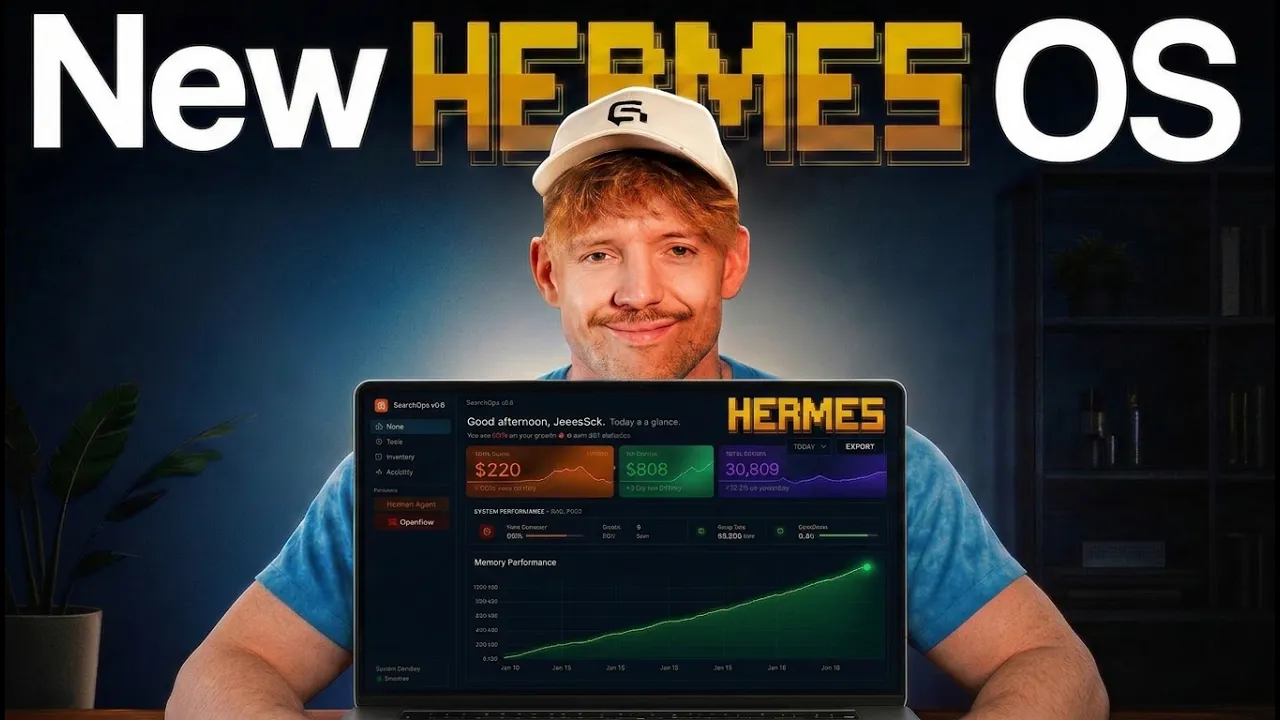
Jack Roberts · @Itssssss_Jack
Where viewers went back to watch this video again, from YouTube's public Most replayed graph, lined up with what was said at that moment.
Most replayed moment #1
11:153.6x the video's typical replay level
through it. And the idea here is that Hermes is not going to have to reread the entire blueprint every time we want to go ahead and use it. It is 82% cheaper, you'll use 86% fewer tokens, which is crazy. So, let me show you exactly what this looks like and we can go and build it. So, this is the repo. I'll put a link
Said at 11:07
Most replayed moment #2
18:233.3x the video's typical replay level
but if you want to grab this entire thing, it's down below in the school community. I'll put a link for you. The price is going up in the group on the 13th of June, just FYI. It's literally one-click download, go through the onboarding, and you will be flying. I'll also include that if you want to build this yourself
Said at 18:15
Most replayed moment #3
9:002.4x the video's typical replay level
one because what we want to do is understand an ROI on your time, so you know exactly how much time and money you're saving with skills. And again, this is an overview of the dream sequence when you want to far off, etc., etc. And so now you know exactly what an agentic operating system is and how it
Said at 8:54
The graph counts replays. It does not show where viewers stopped watching.
Words
4,561
Runtime
18:45
Speaking pace
243wpm
Reading time
19min
243 words per minute, above the 201 75th percentile of 349 measured videos. That distribution comes from the 349-video hook study.
Opening (first 30 seconds)
Hermes is the number one AI agent in the world, but when you give it an agentic operating system, you unlock capabilities that 99% of people don't even know exist. And in this video, I'm going to show you exactly how to build a visual intelligence layer for Hermes agent and Claude code, which will make using Hermes 10 times easier, meaning you don't waste your time and you will get light years ahead of your competitors. And if you're new, I'm Jack. I built and sold my last tech startup with a gazillion customers. And now I'm running my own AI businesses and I share here the stuff that actually works. So, if you haven't already, grab that beautiful coffee and
122 words, the words spoken in the first 30 seconds at 243 words per minute.
Free, no signup. See how the first 30 seconds hold attention, with rewrites.
Sentence shape
| Measure | This transcript |
|---|---|
| Sentences | 273 |
| Average words per sentence | 16.7 |
| Longest sentence | 56 words |
| Questions asked | 17 |
| Sentences containing a number | 10 |
Most used terms
Filler phrases
100 in total: like 35 · um 14 · basically 13 · actually 9 · right? 8 · literally 6 · kind of 5 · you know 5 · uh 3 · sort of 2.
A literal whole-word count of the same phrase list the Prepublish browser extension uses, so a phrase inside another word is not counted and a phrase used in its ordinary sense still is. It is a count and not a judgement.
Free, no account. See where attention is likely to drop, with a rewrite for each weak line. The free check shows the scores and the one issue costing the most. Or run it on the words above first.
Free · No login · See a sample audit first if you prefer.
What this transcript is
Every word below is the caption track YouTube publishes for this video, pulled from the video itself and reproduced unchanged. It is not Prepublish's writing, not a summary, and not a re-transcription: it is the video's own published captions. English captions, generated automatically by YouTube, in the video’s original language. Source: the video on YouTube. A channel that would rather this page did not exist can ask for its removal through the contact page, and it is removed.
Hermes is the number one AI agent in the world, but when you give it an agentic operating system, you unlock capabilities that 99% of people don't even know exist. And in this video, I'm going to show you exactly how to build a visual intelligence layer for Hermes agent and Claude code, which will make using Hermes 10 times easier, meaning you don't waste your time and you will get light years ahead of your competitors.
And if you're new, I'm Jack. I built and sold my last tech startup with a gazillion customers. And now I'm running my own AI businesses and I share here the stuff that actually works. So, if you haven't already, grab that beautiful coffee and let's dive straight in. Now, you might be wondering, am I in the jungle because of this t-shirt? I can't tell you that, but what I can tell you about this agentic operating system is why it's important and why you need one now.
And by the end of this video, you're going to be able to build anything you want to into your own agentic operating system. Now, when it comes to the Hermes agentic OS and the Claude agentic OS, the way that I want you to think about it is it is essentially one location for everything connecting together. Let me kind of explain why and how this works and what the big issue is holding you back at the moment. And that's the fact that we have tools everywhere.
We have Claude over here, maybe doing some coding on Claude. We have ChatGPT, we have Grok, Gemini, we have Open Claude, Anti-Gravity, Cursor. The point is that everything is all over the map. So, the first problem we have is what we call context isolation, data and information isolation. And so, by building an agentic operating system that looks like this, where we can bring in so many different aspects and avenues, we can what's called unify our AI footprint.
The second thing we can do, we can unlock new capabilities that you cannot get just using Claude or Hermes by itself. It's super important and it can drive genuinely new insights, stuff that you wouldn't be aware of otherwise. Now, let me double click onto this thing and give you an example of why this is so freaking powerful. It can, for example, dream. Now, one of the things that you can do with Hermes and Claude code right here, if I just show you this in the operating system here for a second, is that what this can do overnight is think and dream about everything you've done.
It has full access to your entire conversations in Hermes. You'll full access to all of your conversations in Claude, in ChatGPT, in Gemini. And based on that information, based on the skills you're using or the skills that you're not using, it will generate for you on a daily basis ways that you can improve. This might also, for example, be based on your goals. If you have specific goals, maybe you're trying to launch an email list, maybe you're trying to grow your business, get more roofing companies, whatever it is, it understands that and can give you dynamic insights by connecting these data together.
So, it can dream. This dreaming function is insane. It is literally an agent thinking about you in a nice way. We like it then when it does that 24/7, even when you're thinking about it or not. It can reread your weak surface patterns, conversations, skills that we use, what changed, what stuck, without even asking about it. It can give you a short morning brief every day with a couple suggestions, and it can compound progress um without willpower.
The second thing I want to touch on here is, you know, personas. Every persona, every skill in one view, we can isolate and look at all of our different skills that we're using on a regular basis. And then we also have cost breakdown, and I'm going to show you a skill in this video whilst we're building out that is going to reduce the amount of money that you spend using Hermes or Claude code. It's It's blowing it right now as well.
But the idea here is we can see live usage. We can see by the hour, by the day, how much money we're spending on what AI and where, and whether or not we need to downgrade our plan, whether we're wasting money, and how much context we have left. So, let me show you what this looks like in practice, cuz if you don't understand what an agentic operating system is, you're not going to know exactly what you're building, or if you're using this one, how you add onto it effectively anything that you want to.
So, if I come over to the agentic operating system here, the idea, as I say, is to unify everything together. If we look at Hermes, what I can first of all see is every connection that I have that is available to me, or if you're building this up for clients, that's available for them. I can check out what's available globally. I can check out what my Hermes agent has access to. I can see the version that's running. I can see the models.
I can see the memory and how many times it's been activated or used in this week. And then here, what we also have is the ability to chat to Hermes and say, "Hey, what day is it?" Whatever the hell's going on. I no longer just have to chat to Hermes on my phone, for example. I can chat to it in this beautiful window. I can also see all my previous conversations here on the left-hand side if I want to go back and reference it.
Something that you can't really do in Telegram, so it's great that it breaks that down for us. Then we get to the point of practically doing things. If you think about the fact that you're chatting with Hermes and you're executing, you're building code, you're building projects, that is freaking awesome. But sometimes, you know, things extend beyond one conversation, and we want a dashboard to be able to show us what our goal is and where we're at in that process.
So you can use here the essential mission control feature, which I highly, highly recommend you use. All you literally do is you come down, you copy this prompt, then shoot it to Hermes. And then when I'm in Hermes, I literally come down, I just drop in this prompt, for example. It will ask me questions, and it will build out for me a mid-term goal. That could take weeks. And it will identify, for example, what are the things that Hermes can do for us, what are the things that we need to do, etc., etc., and double-click onto what you're trying to focus on.
So here, for example, I might say, "Hey, I would like to grow my YouTube channel by 1,000 subscribers, for example." Now, the reason why this is so cool and it's so helpful to have this kind of visual intelligence lab for your Hermes operating system is you can visualize and see the questions that you've got. So Hermes, for example, with this prompt will come back and ask questions. And as you can see, it will ask further questions and clarifying questions, like what's your current subscriber count, what's the main content type and niche, how many videos you currently have, um have you run any other subscriber growth campaigns?
And then based on that, we'll build a plan for us that we can use together. And then when you come back here, over, can actually see this. So, this would be a goal for Hermes. You can go through, you can check out the brief that's given out, which is fantastic. I can come back to actions. I can even see what my role is here to record and upload the videos. It's fantastic and it works uh dynamically together. Underneath that, we've got the Pantheon.
This is the bit where basically we're going to use this to have a visual representation of our skills. Now, you can have skills in Hermes. It's a fantastic The guys have done such a great job building it. They really have. I personally like to have a visual overview of this stuff. So, for example, I can down. I can add in personas. I may go for I don't know, let's go for Athena for instance. And then once I've chosen Athena, I can pick the job description, the system prompt.
It's really cool. I think it's to pick the preferred model. So, Hermes can delegate to that specific model. Again, it does the same thing here for Mercury um where I just have like autopilot and cron jobs. I might use them over a free model because it doesn't need intelligence. So, having visualization for your personas, an easy way to connect to GitHub, also just an overview of your user profile, your agent memory, your soldermd so you can review it and amend it.
The ability to connect to your Obsidian data visually and get that connected. As well, crucially guys, and this is one of the core points here, is connecting the data lake with Claude code and Hermes agents so that both of them can basically lean in and create insights from one another. All you do is literally copy this prompt here uh and just throw it over and then you're ready to rock and roll. And then of course down here we've got um some different skills it's got.
Now, outside of Hermes, you're going to want to basically launch it and set it up with other platforms. So, here for instance, I show my AI spend across all of my different platforms which I highly recommend that you do in your operating system across Claude code, Cortex, Antigravity. This is the dreaming functionality I was telling you about where every night it dreams and finds out stuff and it's come back with some really freaking interesting um basically ideas.
And it's told me stuff like, "Dude, you don't need to be on this plan because you're using only 20% of your usage." It'll come back and tell you loads of interesting things. And it can Here it'll come down and tell you the different sources you can tell the Hermes agent and its context is relevant. Now, we've got mission control which which is reflected so we could also pick those up in Claude if you want to. We've got a list of our skills.
Then crucially, our memory, what's plugged into our stack, which is really key. Schedule tasks that we have going out, and then just just general data on how much we're using it. Now, one cool thing on memory here, this realistically is one of the coolest things about Hermes is the way that it does its memory. I've covered it on different videos on my channel, but one of the things and the reasons I love running Hermes on my on my MacBook basically is because it just makes the whole system so much simpler because one of the really cool things I can do is just see everything together in one location.
I might Obsidian, my local Claude, I can connect to my Pinecone. I can do anything, and Hermes just has all that context. Now, the idea here is that the better context it has, the better decisions it can make because it has that context. Now, for example, one of the things I added to this one as a for instance was a really clear onboard. I actually spent 7 hours on the onboarding. One of the cool things that this does is we'll go through and actually detect all the softwares on your computer.
Now, if you're deciding to build this one from scratch, you don't need to add an onboarding, but in reality, if you've got clients you want to bring on board, I would recommend having some onboarding just to make that easy so it knows the right locations to grab everything, it knows what it's looking at. Um they can add in your API keys. Um you This is a really important one because what we want to do is understand an ROI on your time, so you know exactly how much time and money you're saving with skills.
And again, this is an overview of the dream sequence when you want to far off, etc., etc. And so now you know exactly what an agentic operating system is and how it works. The next thing we're going to do is build something together on this that is going to solve a problem that you probably didn't even realize that you'd had. And that is the fact that we often build and create beautiful things with Hermes agent or Claude code, but invariably, we lose it.
We say, "Hey, build me, for example, um an overview of this or build me a plan for this." But it's like it's it's what we call the artifact, and they are temporary in nature, but there's no way to actually look and store them in one location. Now, I'm going to talk about artifacts in this kind of document visualization system, which is so freaking cool, but but this will apply to anything you want to build. You want to build a trending signal report.
For example, I built this in my community, which is a trending Instagram signal report that just shows you the trending outlier content that exists for Instagram videos, right? Let's say I want to build this. It's the exact same process. It doesn't actually make any difference in terms of the way that we're building it out. So, here's the thing. What we want to do is take the artifacts, in this example, that live in the chat.
Um what and we basically want the ability to see it now in our beautiful Claude Code operating system. So, I would like the ability, for example, in the home section here to see this wonderful update. So, I can say, "Hey, I would like a document management section." So, if I build a beautiful overview deck, if I build a presentation, if I build an invoice, I want the ability to see all that sort of stuff there. And you'll see my exact process for how I built that out.
Because the issue is is like we've got a brilliant assistant, but she's got nowhere to store it, guys. She's got no memory on the computer, no space in the filing cabinet, which is a big issue. And there's a way that we can do this to actually save you a ton of tokens with Hermes. So, for example, the issue we get when we give it a new repo, say for example, I'm giving it this to work with, right? It has to manually understand so much about the interdependencies, the inter basically how it all connects together, right?
Now, think about it from this point of view. What we can do is use a new repo called Code Graph, which is a brand new system, okay? And so, the idea with this is that before Hermes starts building, we want to basically create a graph of the dashboard that we're building together so it can easily navigate through it. And the idea here is that Hermes is not going to have to reread the entire blueprint every time we want to go ahead and use it.
It is 82% cheaper, you'll use 86% fewer tokens, which is crazy. So, let me show you exactly what this looks like and we can go and build it. So, this is the repo. I'll put a link for you down below. All I'm going to do is come down and copy this link right here. And by the way, if this sounds like I'm speaking Italian, I'll put a link for this down below, which is a full Claude Code course that takes you from beginners to power features, memory systems, Hermes apps, building anything websites.
It will get you so far up to speed. I always says I get so many messages on this course. It is the best piece of content I've ever created. I'll put a link for it down below in the community if you want to check that out. That will get you flying. Now, once we've copied this link, we're going to shoot up Hermes and we're basically say this, "Hey there, I'd like to go ahead and install this GitHub and clone it, please." Now, as we know, GitHub is just fancy speak for place we store files.
Now, what we're going to do once we've done this is we're going to point it towards our existing dashboard. I'd recommend that you use something like this whenever you're dealing with a big project. If it's kind of small, like you know, a couple pages, not too many complexities, not too much inter-interconnectivity, you don't need to use it. But when it gets bigger, it's going to save you so many tokens. So, the first thing I'm going to do is just point it towards where I'm coding.
So, I'm going like, "Hey there, I'd like you to use Code Graph to understand this project on my computer for my Hermes and Cloud Code operating system. Once you understand that, just let me know." And then I'm going to come down and I'm just going to paste and the actual um link of where that is. And again, if you don't know, and you've been building this in Cloud, you can say, "Hey Cloud, where is it?" Or just copy the link from your computer.
Beautiful. So, that was done. Now, we begin of the exact process I already use when building this out. So, let's go ahead and go on hands-free mode with Glider. Awesome. So, what I would like you to build for me is a document interface. So, the problem I'm trying to solve in is when we build any documents, invoices, HTML overviews, it exists on the chat. Maybe it exists on a laptop, but there's no visual way for me to see this in our dashboard right now.
So, in the dashboard, specifically um underneath, I would like it to go underneath the skills, but above the commands, what I would like to see, basically, is a interactive area where I can see all of the documents. Let's just have it going from left to right, maybe four to five in a column, something beautiful. I can click on it and I can visually see it there. Um and this would be anything that we build together. So, one of the ways I think we may want to do this is have a desktop file where whenever you create something, you have a Hermes folder.
And then, whatever's in that folder is reflected in the dashboard. And from that, I should be able to do any of the actions that I would like. Okay, really simple. Now, what I also like to do is this, which is before you get started, confirm that you understand my stated intention, and ask me any clarification questions. And then, what I like to do once we're past that part of the process is to spin up a mock-up in a local host for me to have a look at, and then we when we can begin the build and finalize it.
And just like that, Hermes asking some clarification questions. So, let's come and answer it. So, document types, yes, it should be let's do images, let's do any kind of document you want to. The key thing for me is that it's easy to navigate. I should be able to filter by type. I want it to be gorgeous and interactive. I might give you some assets for that later, but I I should encompass every document type. Folder location, whatever you think to, as long as you just save it and it's uniform and it fits within Hermes, that is fantastic.
Preview versus action, yes, I would like a visual preview if that's possible. I just like to think just think about how we can make it as user-friendly as humanly possible to do that. And then, in terms of live updates, yes, the second you create anything, I would like it reflected in my dashboard. I'd also like the ability to remove it there and delete it if required. And in terms of existing patterns, I would like you to follow the existing design structure that I have already created within my dashboard.
And once we've done that, guys, we send it off and let Hermes work its magic in the background. So, you see the point about it coming back and clarifying its understanding is super important. Now, I'm doing this for this feature, but as you can imagine, it works for essentially anything you want to create inside your own Agentic operating system. And then, guys, after you've done all the back and forth, I've built it and I refreshed the page, you explain what you want, and then we can check out the visual hierarchy, and look at this.
And I had it create the images for me as well and do all this sort of stuff. And so, this is what we've gotten with this beautiful document set here. So, I've got text contacts, I can click into it, I can see what it's about, I can see different ideas, I can filter by code, data, HTML, markdown, or just text if I want to, which is cool. I've got the HTML here, so if I wanted to open that up, I can click on this. This could be an invoice.
It's a fake invoice, I think I'm billing people for office hours, apparently. Pretty crazy, who knows? Then we can come back over. You've also got this delete function, which is cool, and we can also, if we want to, search. So I can come down here and go for weekly notes, and it's there. Now, question is, well, how do we sync this up? So say for example, you grab this dash one. So this one's in my community. Let's say you wanted to sync this up.
What would we do? All we do is come down to install prompt, like so. And you can see we've got everything here. I just come down, this explains everything I wanted to do, basically. The types, the data, it says all visible. And what we're asking Hermes to do, and I recommend that you do them, if you're building this, is get it to give you a five-word overview of what the thing is, and then maybe like some other logic that says add no more than 13 to 14 words underneath here.
So you can at a glance see exactly what that's about. So for example, we're going to go ahead and install this together. I go to install prompt. I just copy the prompt, and then I bring it over to Hermes. So then Hermes, I'm going to come down and just throw this by in, and let it go. And this will explain everything for me, which is super cool. So this is now saying it's become the full location for saving stuff, which is cool.
So let's give her an example. Let's say that we're building an invoice to Who do we want to work with? Let's say we want to work with, I don't know, Dana White, UFC, I'll say. Hey dude, write me an invoice to Dana White, go find out UFC's address, and make it for $50,000 um for being super duper cool with a beautiful right hook, or whatever the thing is. We're going to send that one off. All right? And basically, um this is just going to be a beautiful HTML invoice.
Uh I'm also going to do very quickly is {forward slash} steer, right? Which means it won't kick it off into say, "For this one, just use some fake details in terms of like my address and all that core information. This is just for test purposes, all right?" And then just drop that one off. And it's a nice little We're going to steer it in one direction without interrupting its flow. Of course, you can also if you want to do background tasks tasks is for separate tasks that aren't to do with the initial thing that we're asking.
Now, this works properly. When we load up a dashboard, we'll be able to see that document. And I just think this is so handy to have. Like, you're not going to lose that stuff. I also, when I wrote this, I'd encourage you to do this as well, is what you're not including. So, for example, if you're working on a Git repo, right? We don't want to include that necessarily, right? Because it's not really a document that we're creating.
And we've also got the ability to remove them. So, it's saying that the document has been created. Well, only one way to find out. Let's click on this. Full screen this bad boy. Come over to the Hermes agent. And then let's go down to the bottom and see it. This is the very first I'm testing this live with you right now. I'm going to come down here. So, this is the Aurora Labs invoice, but the one up here is Dana White.
So, let's open this one up and have a quick look. There we go. Again, I didn't give it any specifics, but you get the idea. Now, I actually want to do this. I actually have an invoice template I tend to use, which is really cool. But again, this could be done in any way. And again, now if I come down and I refresh this, as a for instance, and come all the way to the bottom, I can now view basically all of my invoices and documents that are created in Hermes.
And this is just one example, but if you want to grab this entire thing, it's down below in the school community. I'll put a link for you. The price is going up in the group on the 13th of June, just FYI. It's literally one-click download, go through the onboarding, and you will be flying. I'll also include that if you want to build this yourself as well, this installation prompt, so you can just literally feed this to your Hermes agent.
And so, we figured out how to build anything with an Arrogant operating system. The next thing you need to do is understand all of the hidden capabilities in Hermes agent, which you may not know about. And we're going to do that by watching this video right here.
The words are the caption track's own and nothing is reworded or re-transcribed. Paragraph breaks are placed between sentences so the text reads as prose.
Free tools for your own script: paste a draft and see where it stands before you record it.
Paste your draft and see where viewers are likely to drop off, with a rewrite for each weak line.
Paste the first 30 seconds of your own draft for a hook score and rewrites.
Check your draft against YouTube's advertiser-friendly guidelines before you record it.
Read this channel's public videos and transcripts, and download a writing brief for it.