Getting the transcript
Reading the captions from YouTube. A video nobody has opened here before takes 10 to 30 seconds; this page fills in on its own.
Getting the transcript
Reading the captions from YouTube. A video nobody has opened here before takes 10 to 30 seconds; this page fills in on its own.
Stefan 3D AI · @stefan_3d_ai
This video has no Most replayed graph yet: YouTube shows one only once a video has enough views. These are the moments viewers replayed most in Stefan 3D AI's most watched videos.
Most replayed moment at 4:08
7.0x that video's typical replay level
and it will also have the access to full ai apis. Now let's do some serious tests. The first test will be to do an animation of a character that will be split in parts. The first test will be to create animation. Animation of a character that will be an
Said at 4:01
Most replayed moment at 9:39
5.7x that video's typical replay level
Overall I think this guy's made really amazing job, bring it it all together and I really had a lot of
Said at 9:41
Most replayed moment at 20:36
4.1x that video's typical replay level
Just also because I was playing that game when I was kid. Okay, let me see if I remember how to play that. Let's start with the road, right? Let's try to build a, oh, there are cars. There are cars. It generated nice cars and they're like, wow.
Said at 20:29
The graph counts replays. It does not show where viewers stopped watching.
Words
2,584
Runtime
14:06
Speaking pace
183wpm
Reading time
11min
183 words per minute, just over the 181 median of 349 measured videos. That distribution comes from the 349-video hook study.
Opening (first 30 seconds)
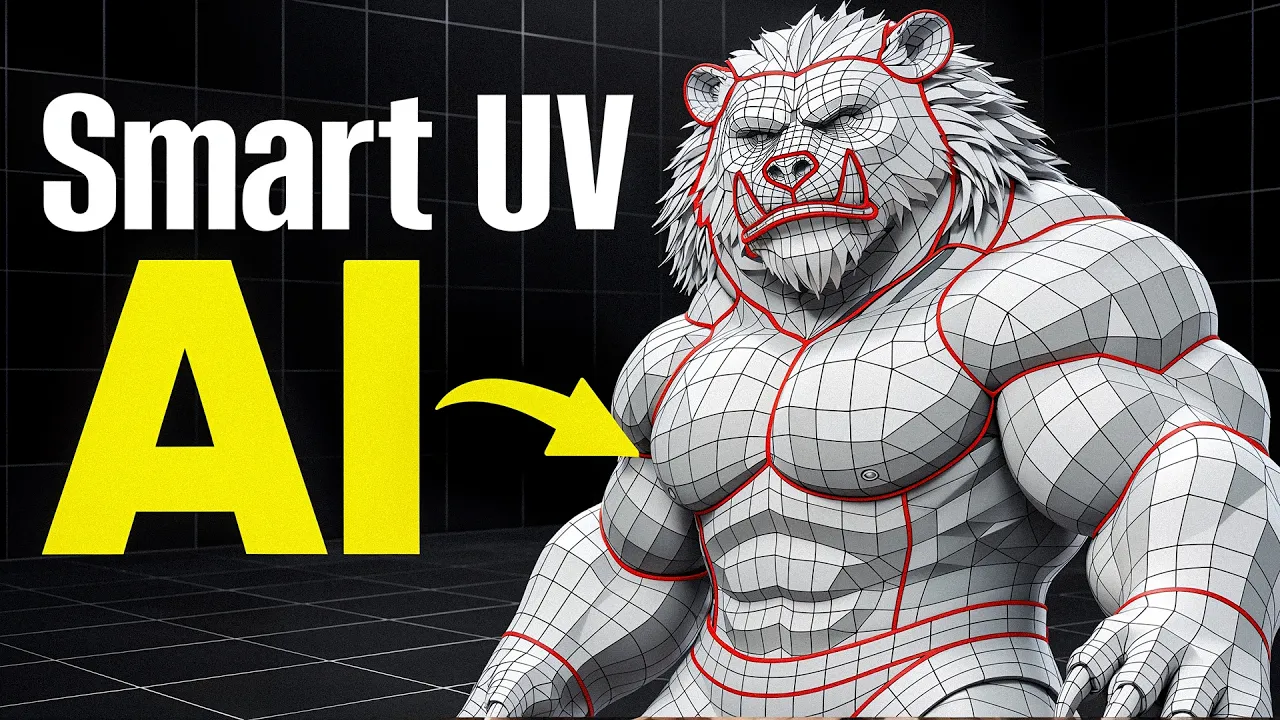
Guys, just look at this UV unwrap. Logical and clean seems in the right places like an artist made it, but there is no human behind it. This is the newest Smart UV by Tripo P2. UV unwrapping was the thing that 3D AI couldn't handle for a long time, but today we're crossing that line. So let's take a look if that's for real. And actually there is much more than that. So how do you access this new UV? It must be released in Tripo Studio here, but it only
92 words, the words spoken in the first 30 seconds at 183 words per minute.
Free, no signup. See how the first 30 seconds hold attention, with rewrites.
Sentence shape
| Measure | This transcript |
|---|---|
| Sentences | 277 |
| Average words per sentence | 9.3 |
| Longest sentence | 31 words |
| Questions asked | 7 |
| Sentences containing a number | 21 |
Most used terms
Filler phrases
149 in total: like 99 · actually 21 · I mean 17 · you know 6 · right? 3 · basically 2 · kind of 1.
A literal whole-word count of the same phrase list the Prepublish browser extension uses, so a phrase inside another word is not counted and a phrase used in its ordinary sense still is. It is a count and not a judgement.
Free, no account. See where attention is likely to drop, with a rewrite for each weak line. The free check shows the scores and the one issue costing the most. Or run it on the words above first.
Free · No login · See a sample audit first if you prefer.
What this transcript is
Every word below is the caption track YouTube publishes for this video, pulled from the video itself and reproduced unchanged. It is not Prepublish's writing, not a summary, and not a re-transcription: it is the video's own published captions. English captions, published by the channel, in the video’s original language. Source: the video on YouTube. A channel that would rather this page did not exist can ask for its removal through the contact page, and it is removed.
Guys, just look at this UV unwrap. Logical and clean seems in the right places like an artist made it, but there is no human behind it. This is the newest Smart UV by Tripo P2. UV unwrapping was the thing that 3D AI couldn't handle for a long time, but today we're crossing that line. So let's take a look if that's for real. And actually there is much more than that. So how do you access this new UV? It must be released in Tripo Studio here, but it only works with Smart Mesh or Low Poly Mesh.
You can actually upload any of your mesh and unwrap here, but there's another cool thing to mention. P2 is finally officially released, so it became much better. And now we can generate Low Poly in a batch for same price. So basically I can attach an image, select four, I can choose different type of polygons to see which wireframe actually gonna give me best results. So let's say something like this will be the most used case.
Actually, I can go lower like this and choose Quartz, of course, and hit Generate. For same price, you get four generation and you're able to choose the best one. Not to say that generation still takes like five to seven seconds. Right, my generations are ready. Just look at this beautiful results. Guys, I mean, whoever was actually testing this P2 so far, they said like, I mean, this is Crazy. This is absolutely crazy.
And actually in this video, I'm gonna also show you how I created a character for my game. It is so much faster. Just a week ago, I recorded the video saying like I actually spent an additional effort unwrapping and now it's not needed. Guys, dang, they all look so good. I don't know which one to choose. Let's choose the lowest one just to see the seams. Now you go to Smart UV tab and here's the button. It costs 20 credits, but it is extremely fast and they give you free retries.
Well, I mean, these guys, they will own this market because this is the smartest thing you can do. Right. Let's do actually a few more retries and see like what options do we get like each retry takes around five seconds. I don't know, like as we speak, guys, it's already done. Boom. So let's check it out. OK, so we can click here. Dang, like this is wow. This is just wow. I already tested it before this video and with my brother and we was like, what what's going on here?
Just look at the seams, right? And one spoiler from what I know later, you will be able actually choose some parts and define like if you want the merge, etc. And it will re unwrap as a second iteration. But to be honest, it's already almost perfect. Things like heads was unwrapped exactly the way. That like professional artists do that. Like look at this seam exactly in the middle of the head. I mean, both mesh look right and the UV look perfect, like each eyeball unwrapped right.
Like and you can see that it actually separated unrelated parts and separate UV pieces here on color. Or here I tried a complete human. Just look at this. Whoa. I mean, there are some flaws when you start digging into details. I actually spot that sometimes for whatever reason it defines like small areas into separate islands. But again, you can do the free retry and most likely you're going to get like very nice results.
And guys, I still recommend you to use this and create in some parts, some logical parts and assemble them because you're going to get absolutely amazing result that way. Maybe in three to six months, it will be completely generated at once. All logical, cool, perfect seams, etc. But so far from my test, again, there are some issues. And again, for more control, just generate it like and texture it like in separate parts here, I generated quite detailed robots at once.
And since this is a hard surface, guys, it's absolutely crazy. I mean, it's quite small view, but I tried to zoom it on edit. So look, each thing unwrapped perfectly. Like look, each leg equal space. Boom, seam exactly in the middle, each tube, each wire like look, boom, boom. Wow, crazy. It's absolutely. Crazy. And it tries to put seams in less visible area. Like let's say here we have the leg, you can see where the seams are placed is absolutely crazy.
Here's for example, here's the house that I generated again. First of all, again, like P2 also improved. So if you were using P2 before and there was some That's because it was in beta. Now it's publicly released. And what I can say like that it actually feels so much better. I can see less flaws and the overall look you see on this part, right? And you cannot see seams. That's because seams are внутри and it actually cuts it from the backside.
Each of this part is cut on the backside. I mean, that's absolutely crazy. Here's done like so this is like one space and it also calculates the UV space utilization much nicer. Also look at the hands for example. Boom, that's absolutely crazy. I'm going to create a character which is an Ursa. I was spotting like some details such as claws for example. Look how it does the cuts exactly in the less visible part of the claw like beneath thing.
Just wow. Just look each part. I actually don't know like if I was that tedious when I was unwrapping like UV. I mean, obviously the data set that you used for it like was exceptionally well prepared and this UV unwrapping takes not a minute. It takes five seconds like creating. low. Poly model for them choosing the best one and unwrapping takes less than a minute. I don't know what to say guys. And if you want to. Try Tripo by my link in the description, you're going to get extra 500 free credits or you can Grab promo code for 60. % off on first months for updated P2 and updated UV.
We also going to add it to top 3D. Arena soon because it's only going live today and we'll see how it performs. But it definitely going to perform like very nice. You might. Know that before there was poony on also with so called intelligent But guys, it is not even close. Like it's super, super far away. And not to say that this UV here takes like 10 minutes or more. But even. If that's so great, I still recommend you to go and generate it in parts.
You're going to get best results. But again, like that's not big time. Investment give you much more control and much accurate results. So actually, let me show you that actually, you know, I'm creating my game and I need. To more characters. And this is a perfect opportunity to test trip up P2 and smart UV. I'm going to create two characters. Here is. My first or so and we have a fire or so this one is more old, more mature.
They do have a shield. Basically this shield is also their attribute. This is. The like crests. Let's say I actually publish daily reports on how I progress with my game on X and YouTube. So don't mind follow. I share a lot of insights. Of course, I'm going to split him into the parts. First going to be body. You can see the body and I generated body. I definitely going to use advantage of this new option to generate for it once.
And I mean, I recommend you to do that as well, because that was the workflow I was suggesting before. Different amount of polygons give you different results and you have to decide which actually preserves the shape the most and give you exactly the shape that you need. For example, look at this version, like amazing. For example, here I created like for with planes. I don't really need that. I'm going to delete it.
But this option is absolutely great for my needs. Again, I wanted low poly, but I don't need it in planes. I want to texture realistic texture on top. UV unwrap. Look at this. Just crazy, like crazy great. I mean, big important surfaces, more space, et cetera. You're definitely going to give like fewer tries. Let's say this one actually is much better, like more cleaner seams on the sides. Crazy, crazy. I mean, like just tell me that this is a bad UV, like if even if that's a bad UV, take it to Blender, do one additional seam somewhere like it's. like. 99 .9 percent good.
I mean, I saw some artifacts, but I think that's artifacts and they're going to fix it. It was. Unwrapping like small squares randomly on some parts. I think that's more like a bug rather than just algorithms. Crazy And we take it to texture. Look at this bad guy thing. If someone told me like five years ago, it will be like. This I wouldn't believe like for real. I mean, I don't know. For me, as a tree artist with 12 years of experience, this what's happening.
Right now, it's like a sci fi movies when people like, you know, thinking and like, you know, with hands like, OK, boots here, like,. And we have the character done. It looks like this, right? Because I imagine something and I can bring it alive like that. Quick Like and again, like it almost flowless. Look at this build. I really wanted to show that it doesn't create an внутри part that will be. Aligned with the body.
That's like the smartest move possible. Like junior artists will skip that part. And this guy doesn't because. It will be aligned with body. Why do we need like to spend polygon budget there? Right. And look at this UV like it's absolutely great. So. One click, then we go and texture that absolutely crazy. Well, we're going to see other parts we created can quickly debate. On the issue that's well, now we are doomed.
Everything. is. Going to go to bed. But again, I still believe that real artists who can imagine like the idea. Of something that will attract attention of many will be even more valuable than before, because before you can create. Anything and impress it by quality. Now, quality doesn't really matter. Everyone can do good quality, high poly,. Low poly, UV and animate soon. Right. What kind of matter is ideas, stories that will.
Be the real skill. It's already happened with images, video, again, great example videos like you can create any. Video but only few can create something interesting to watch. Let me know in the comments guys. If you agree with my chain of. Thoughts In meantime, I generated all the parts. They look crazy nice. Again, like I was just reviewing each. Part and was so surprised about the logic. You know, this logic I was teaching.
I remember like I'm actually was running. Like 2D agency and I was teaching like my junior or middle artists, like how you care about optimization, how to pack like one object in. Smaller texture space, etc. And here I look at this and I just see like all these principles applied in one. Place And sometimes even I could imagine insane. Anyway, time to bring it all to Blender. And. I have 15 minutes exactly to just assemble all things together.
Again, I'm doing this workflow for a year already. And. I remember a year ago it was. taking. A day to take care about everything like texture, etc. Now it takes 20 minutes and probably in. Three to six months, it's also going to be automated. But only if you see this process as technical process, if you see it as a creative process where. You refine details, evaluate whether you place it here or there, etc. Then it's like creative process and nothing bad about it.
Like you don't need to replace that. I was reading a lot of comments that someone say like that sculpting is how they come up with the idea. Well,. Then it's absolutely right. It's like playing with clay. You build and along the process you come up with the final shape. I'm not really. Good with sculpting, but I can do the same thing with images. I can iterate, provide my feedback and that's how I can shape my characters.
Here's. How I do concepting for some creatures for videos or games. Again, it's iteration through iteration. I have something. That I envision and I try to shape it like with words step by step. It takes some time. Like, I mean, sometimes to create a. Character that I'm really happy with, it can take like 200s of images or even more. And here's my bad boy, safe and sound, ready. For my game. And I was moving so fast that I mean, in just no time already creating a second character.
And again, I just enjoy. The process. Like. everything. Is super fast. I don't really need to redo a lot. Dang, like crazy. This is absolutely crazy. So the. Second character I created even faster because I already know the process. And you know, when I was reviewing this mesh, I spot like some hole,. You know, obviously this hole shouldn't be there. And I was thinking like maybe AI intentionally keep these holes. So.
I still feel that like, oh, it still do the job. Like I'm still needed. I don't know. Do you think like it's smart. Enough just to intentionally imitate imperfection? So we actually have things to do. Well, jokes aside, but. I think again, like next year 3D will be handled by AI much better than possibly can be done by. Human that possibly can be done by any 3D junior or middle artists like this quality work, this what you.
See on the screen, like all these parts, textures, etc. could take like weeks. And usually one artist couldn't do that. Like,. I mean, I know, like some of my watchers are prodigy, but I would say like someone who can do nice mesh was not able to do such nice. Texturing I mean, texturing for me was always a quite difficult part. And now all at once, 20 minutes game ready. It. Is indeed game ready. You only need to rig it quickly.
You can do that with Mixamo. So here's the final rigged results. Like for. Me it looks just. Amazing. I might only spend a little bit more time on the materials like PBR materials. But again, I also think that soon enough generating PBR with AI will be so much better. Absolutely crazy. And I'm going to soon add them to the game and record second video how I developed my dream game. So subscribe to not miss that. That was stuff.
Let me know in the comments what you think about it, guys. And I see you in the next videos.
The words are the caption track's own and nothing is reworded or re-transcribed. Paragraph breaks are placed between sentences so the text reads as prose.
Free tools for your own script: paste a draft and see where it stands before you record it.
Paste your draft and see where viewers are likely to drop off, with a rewrite for each weak line.
Paste the first 30 seconds of your own draft for a hook score and rewrites.
Check your draft against YouTube's advertiser-friendly guidelines before you record it.
Read this channel's public videos and transcripts, and download a writing brief for it.