Getting the transcript
Reading the captions from YouTube. A video nobody has opened here before takes 10 to 30 seconds; this page fills in on its own.
Getting the transcript
Reading the captions from YouTube. A video nobody has opened here before takes 10 to 30 seconds; this page fills in on its own.
DodgysDD · @DodgysDD
This video has no Most replayed graph yet: YouTube shows one only once a video has enough views. These are the moments viewers replayed most in DodgysDD's most watched videos.
Most replayed moment at 6:41
2.0x that video's typical replay level
over it okay you can see we only Wick over it and you can see we rejected it and even if you didn't catch this in in live time it's good to notice this in hindsight okay because if we're delivering from a bearish r value
Said at 6:36
Most replayed moment at 15:22
2.4x that video's typical replay level
go like the 5-minute, nope, hourly. Okay, there is an hourly balanced price range here. Look at this. So, there's an hourly fair value gap combined with a bearish fair value gap here, which is a balanced price range. And you can see when we were inside of it, there was never a candle closure on the hourly
Said at 15:15
Most replayed moment at 1:29
1.9x that video's typical replay level
conditions right and let's say we are holding a inverse or a normal fre ra Gap so this situation right here we are holding a bullish for rally Gap well what does that mean for price that means if we're holding and we get a nice
Said at 1:22
The graph counts replays. It does not show where viewers stopped watching.
Words
11,020
Runtime
56:58
Speaking pace
193wpm
Reading time
46min
193 words per minute, between the 181 median and the 201 75th percentile of 349 measured videos. That distribution comes from the 349-video hook study.
Opening (first 30 seconds)
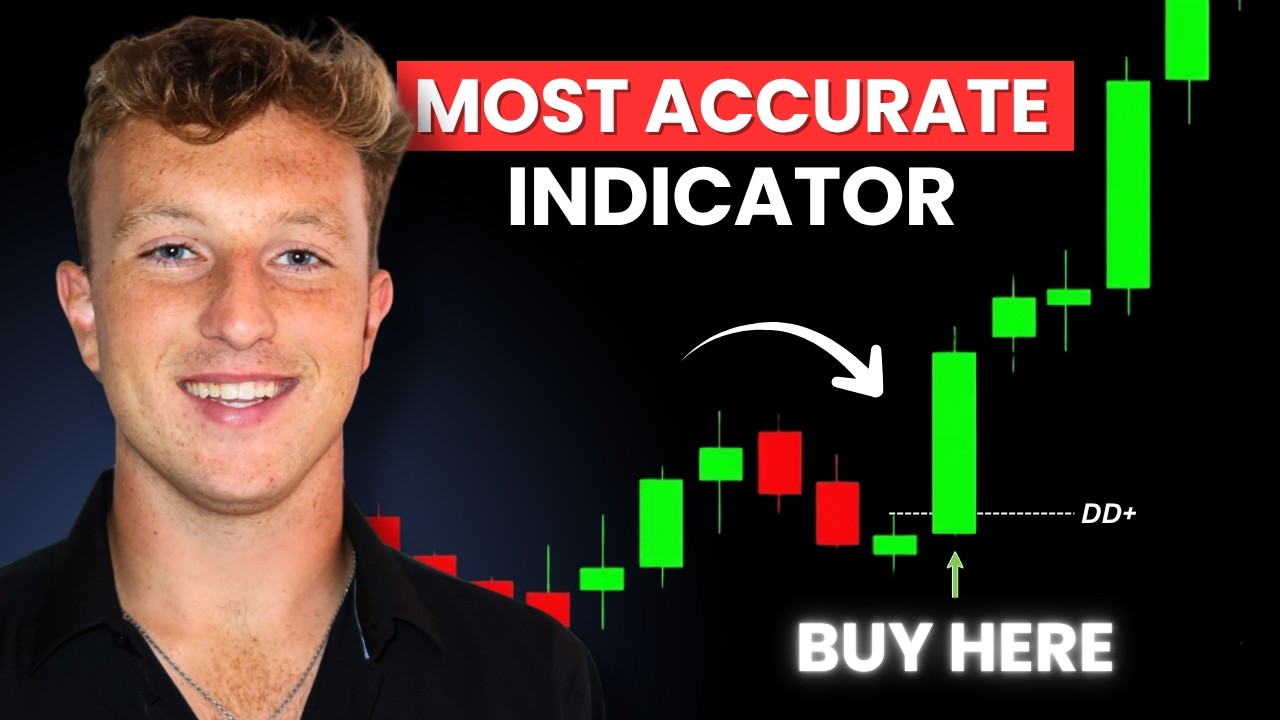
Do you know how frustrated I get when I miss a perfect A+ IPG setup in live time? Pretty frustrating. And that's exactly why I made this new ultimate indicator, which is absolutely perfect for not only people that are at work, want to see a plus setups while they're at work, but also perfect for people who struggle spotting IPG setups and want everything marked out for them. My new indicator automatically detects imbalances, higher time frame for valley gaps, deliveries, SMTs, and much, much more. No more secondguing, no more messy charts, and it's the
97 words, the words spoken in the first 30 seconds at 193 words per minute.
Free, no signup. See how the first 30 seconds hold attention, with rewrites.
Sentence shape
| Measure | This transcript |
|---|---|
| Sentences | 1,111 |
| Average words per sentence | 9.9 |
| Longest sentence | 102 words |
| Questions asked | 58 |
| Sentences containing a number | 76 |
Most used terms
Filler phrases
420 in total: like 159 · um 121 · you know 43 · right? 24 · actually 23 · basically 22 · kind of 11 · uh 9 · I mean 5 · literally 3.
A literal whole-word count of the same phrase list the Prepublish browser extension uses, so a phrase inside another word is not counted and a phrase used in its ordinary sense still is. It is a count and not a judgement.
Free, no account. See where attention is likely to drop, with a rewrite for each weak line. The free check shows the scores and the one issue costing the most. Or run it on the words above first.
Free · No login · See a sample audit first if you prefer.
What this transcript is
Every word below is the caption track YouTube publishes for this video, pulled from the video itself and reproduced unchanged. It is not Prepublish's writing, not a summary, and not a re-transcription: it is the video's own published captions. English captions, generated automatically by YouTube, in the video’s original language. Source: the video on YouTube. A channel that would rather this page did not exist can ask for its removal through the contact page, and it is removed.
Do you know how frustrated I get when I miss a perfect A+ IPG setup in live time? Pretty frustrating. And that's exactly why I made this new ultimate indicator, which is absolutely perfect for not only people that are at work, want to see a plus setups while they're at work, but also perfect for people who struggle spotting IPG setups and want everything marked out for them. My new indicator automatically detects imbalances, higher time frame for valley gaps, deliveries, SMTs, and much, much more.
No more secondguing, no more messy charts, and it's the same structure I use to trade IFGS and ICT every single day. Now built into one tool with future updates to come. So, as you guys can see, my indicator finally came out and it is better than ever. Okay, I truly believe for those of you who last use the last indicator, I've already gotten so much feedback on why and this is better than the old one. And it's absolutely insane the amount of positive feedback I've received about this indicator.
Just for example, here's a few messages to show. [Music] Now, before you send me your money because I don't want your money. I really don't want you to buy this unless you don't like it. Please watch the whole video, decide if you like it or not, and I'm going to give you my full thoughts, the best settings, and what I believe is going to truly help you. Now, remember, we are still rolling out a lot of updates. Like, it's being almost updated every couple days.
There's a lot of bug fixes still, but for now, it's really, really solid start. There's still a lot of more customizable features we have to make, such as changing the color of, you know, session lines and just different things like that. So, just stay tuned. There's a lot more coming and there's going to be a lot more settings coming including CIDs along with it and a couple other really nice confluences. Now, when you go to purchase an indicator, which is in the link in the description, okay, which please do not purchase it right away, okay?
Just watch first. You will go to your indicators tab. You have to make sure that your trading view is fully connected with uh okay? So, when you unw, make sure your trading view is connected. And then you should have in your invite only right here. Okay? Okay, it should appear somewhere in here and it will be called IPG ultimate plus dodgies DDD. Okay, that's what it's called. Now, when you first slap this indicator in your chart, there's a lot of things you can customize and I'm going to be going over every single thing in this video and what I believe the best settings are depending on your situation.
Okay, now as you can see, this was a setup we got today and it was a really good setup. It rated an A. There's a checklist at the bottom. It says setup grade. Gave it an A setup. Pretty sick if you ask me. It even gives like check marks on, you know, what we had. We had a liquidity sweep. We had a higher time frame PD PD array delivery. We had momentum, which basically just means there was a ton of volume on this. We had IPG, obviously, clear target, and we had SMT.
Now, let me go over my settings and what I'm going to personally be setting alerts for and what I think you should do based on your first scenario. And there's going to be kind of three different settings here. Now, I'm going to completely open up a new chart and I'm going to probably share this with you guys. So, I'm going to create a new layout here and I'm going to call it, okay, shared indicator template. Okay? And this is going to be a template where I'm going to share with you guys.
I'm not going to touch this and you guys will be able to, you know, copy my settings if you want. Now, when you go on to add it, just go to invite only. Click this and you should be good to go. Now, I'm going to be adding three different ones because I'm going to show you three different settings I think are going to be the best and I'm going to show you what setting you should use based on what you're doing. Okay, so for now, I'm going to make sure these first two things are off and I'm just going to customize the first one for now.
Okay, now just before we begin, you need to have the Trading View premium plan if you want alerts and you're not going to get alerts if you just add the indicator. That would make no sense. you're actually going to physically going to have to go to the more feature here and add alert on I ifg Ultimate Plus and whatever the setting is at the time that's the alerts going to be created. So, for example, in the settings, if I go all the way down and I have every single alert turned off and I create an alert for this, it will not alert you.
Some people are having trouble with that already. Make sure when you're actually adding the alert, it's already there and it's already checked off. Okay, so yeah. All right. Now, let's just get into this. Okay, I'm just going to go to this. I I kind of want to go here for now. Um, now let's just go into the first batch setting. So, detection is the first thing. So, you can either have it alert series or singles detection.
Okay? Meaning, if there's a single IVG, it alert it or if it's a series, it'll alert it. Basically, single is just like there's a singular F value gap in the leg. So, for example, like I mean, this is pretty damn obvious. There was a tiny fair value gap right here, but the indicator is not meant to see that because this is just so obvious. Okay. Um, now if you go on series, okay, and I change this to series, okay, it will show you setups with multiple fair value gaps getting closed below and above.
Okay, now keep in mind this does take a little bit to load, but you can see how series does not alert this one. Okay. Um, but if we keep going here, um, it alerts this one. Why? because there's a series of fair value gaps here. So see how this gap here is really small. Basically what the series does is it combines both of them and says okay if we close below below both I'm going to alert it. Okay. And you can see indicator does exactly that.
Now just like the single settings this alerted single and alert series. This alert single and alert series. Okay. A better example for series one would be probably um see if I can find a good example. Again, this is a pretty damn good indicator. Like there's not too many losses. So here's another example of series. There's two for value gaps here. It kind of combines them. This is a really really tiny F value gap. It's like one point, but see how it's still combining the F value gaps and it's still learning like when it gets closed below.
So that is what series means. Okay. Um, now sensitivity just basically like how big or small the fair value gap is. If you want really strict like obvious obvious for value gaps, you can go strict. If you want a lot of fair value gaps, maybe there's like smaller fair value gaps where you want to see that might not be obvious, but you might think it's, you know, a good draw liquidity. You might still want to take it and be alerted for that.
Now, as we go on forward into the video, I'm just going to be going over every single setting and then I'm going to go over the best settings for each. But you need to know what these do first before we do that. So basically for the lower sensitivity, if I turn this on very sensitive, there's a setup I took yesterday that it did indeed alert right here. And you can actually see it highlighted the SMG as well. And it also said there was a volume spike as well.
So it was a very good setup. I think it rated an A or A+, but I'm not sure. I really can't check right now. Now, here's the thing. It did not alert this on the normal strict settings. So later on when I go over the settings, I'm going to explain what you should probably have it on and why, okay? But that's just what it does. Now, remove losing setups. I usually just keep this on because to be honest, I am good enough trader to where I know, you know, losing setup is a losing setup and I would never take it anyways.
Now, if you keep this on, there's still not that many losers. I mean, there's obviously a few. So, if you keep this on, you can, but if you're already like a decent, you know, you're a good trader, whatever, this is just going to clog up your chart and it's probably going to show you some setups that are just totally invalid. Um, now I'm not going to lie, I did take this setup long here and I did take this one here. I lost on both of them, but I took this one here and it made up big time.
Okay, I held pretty far. Um, so like it would just remove these losing setups, which obviously I think these are good losers, but some of the losing setups it has just are never setups I take. Like for example, this is at 7 a.m. I never take this, right? This is a not that obvious. You know, it's not really good momentum when you close. I never take it, right? So, like there are losing setups that it will highlight that you're going to want to take off.
Like this one tiny ass for value gap. I never would have taken it. Um, so just keep that in mind. Um, but yeah, I usually just keep this off. Now, allow some to 15 candle IGS means it's just going to allow IGS to trigger if it takes more than six candles to inverse. Okay? And it's from when the first fair value gap was created. So, for example, this fair value gap was created here. After the fair value got created, if it takes one, two, three, four, right?
This triggers on four candles. So, it's going to include this. But anything more than 15 candles, it's not going to alert. So, if we really just stall here and then the 15th or 16th candle closes above, it's not going to alert. But let's say we stall here and then like the 13th candle inverses, it's going to still alert that. Okay? And I'm going to talk more about the setting later, but again, that's just what it does.
Now, this is the minimum grade to display, and I love this setting. It basically just tells me like if I only want to see A+ setups and be alerted of like A+ setups, it will do that. Now, disclaimer, this checklist is very mechanical. It doesn't actually mean an A+ like it doesn't mean like a C setup is actually C setup. I've seen some C setups that it's alerted that are actually like B plus A minus setups. Okay, so this is very hard to finagle with the indicator and make it perfect, but it's honestly pretty good.
And if you're going to change this, I would probably keep it on B+ or higher. It's just going to filter out some really, really bad setups. Um, and if you really want to be strict, probably A or higher. Okay, you can mess around with this. I'll tell you what I'm going to do later. Number of setups displayed, just the history of the amount of setups you want to see. I like having this on one a lot because I don't really like to see way back, but again, it's up to you.
[Music] Okay. Alignment mode, automatic, manual. Basically, this just means um you're aligning time frame liquidity. Automatic just automatically pairs liquidity pools. So, for example, if we get a one minute setup, it's going to probably pair it with sweeping a 15-minute low. So, like it's only going to alert it if the 15-minute, you know, has a low. But if I change that, okay, and I go to like manual and I and I'm on the one minute time frame, but I put it to hourly, it'll alert a one minute setup if we sweep an hourly liquidity.
Okay, I like automatic. It's just easier. Okay, I don't really need see any need in changing this. Okay. Now, show liquidity sweeps. Very, very obvious. You know, I would show liquidity sweeps. Sometimes it won't show them all, but honestly, it's fine because it just clogs up the chart sometimes. It's really up to you and what you want to do. Um, display session liquidity. This will display London high, Asia high, Asia low, London low if they're still intact.
If they've been taken out, it will not show it. Okay. So, if for example, if I go to um if I just go here, there's an example the other day where it showed London high. So, in this example right here, if I just go on the replay mode, it should show this as London high because it was a high form in the London kill zone from 2 to 5 a.m. Um, and yep, see it says London high. Now, we're still doing options at the time of making this video to customize this.
So you can change like how you want this to be made, you know, what what color you want it to be cuz some charts it might not appear. Um but that's basically what that does. Okay. Now, um it does have a data wick threshold too. So if you want it to mark data wicks, which we actually got one today that marked um you can change that as well. So today it we got an 8:30 data wick. It only marks the ones from 8:30 news. Okay.
Okay. So, if I just go right here, this indicator should mark both these data wicks. And it only does it when we have news at 8:30. And the wicks have to be six points or more. You can definitely change that if you want, but it's up to you. So, you can see right here. Okay. We put in a data high, took it out, and boom, it marks a data low here. It knows it's a data low, and now just is the data low. And see how it keeps moving over as the candles keep moving over.
I really like that feature. Um, you don't have to mark it now. and just it's amazing honestly because that's my favorite and most best setup that ever will ever live. Okay, the data high data low one setup for life. I do have other videos on that if you're interested in what that is, but it's a really good setup. Now, show higher time frame fair value gaps. I honestly love this because the way that this is coded makes it look clean.
It's not messy. It shows the gaps. You can dim them down if you want. I would not show the border. That's going to be way too cloggy. Um, you can say how far back you want the the fair value gap to show from. Like if I want like a four hour gap from like months ago, you could put on like 20 maybe. Okay. Um, but it's only the fair value gap that has not been mitigated. If it's been mitigated, it will not show. Okay. But if there's like a part that like is not mitigated, it should show.
It just depends. Um, but usually it's the unmititigated ones that will show. Okay. Now, you can obviously label these um if you want. Okay. Right now they're fully black and they're not really that big. I just like it that way. Um bullish color. I just I'm probably going to keep this down at like 10%. Okay. I don't want them like too heavy, but that's what I'll do. Um and again, I'll keep going over these settings later, but that's basically just telling you like how you want this gap and what opacity you want the gap to be.
See how it's now dimmed down a little bit more? It just it just doesn't take up that much, you know, space on the chart. Now, you can change the color for bullish and bearish inversions. I'm personally just going to keep it like this. I don't really care about the color. I like gray. It's simple. It's clean. Whatever. Now, displaying version, right? That's self-explanatory. Okay. Include current time frame and higher time frame PD arrays.
What this basically means is if I have this on, it will include a one minute setup out of a one minute um fail gap if that makes sense. So, right now it shows like setups that are like one minute setups out of 15 minutes, but if you have this on, it will show you setups that are like one minute inversion for value gaps out of one minute for value gaps. And again, I'm going to say my thoughts on this later and whether you should have this turned on or off.
Okay, but that's basically what it does. Enable SMT detection. So, so cool. It's based off of Coral theory. It's really cool. Um, I'd probably correlate the symbol with the S. I don't know what else you do. If you're trading gold, you can correlate it with silver. If you're trading um, you know, euro, you can you can associate with cable. Okay, it's all up to you. SMT line, you can customize those, you know, whatever.
Show entry, self-explanatory. Basically, I have long on blue, short on red. That's just how I like it. Um, label size tiny. I don't want this to clog up the charts. Okay. Show limits like limit prices. Show price in general. Show prices. There is a thing that's going to tell you when to go break even and where to stop loss. This will not always be accurate. Remember that, right? This is not my full full model because my full model is subjective.
Um, but this is super cool as well. I really like this. Um, you know, I'll tell you what I do, okay, later in the settings if I keep this on or off. Now, we are adding a macro time only, but for now, we have just alerts with sessions. So, let's say I only want alerts from 9:30 to 11:00. I'll do enable alerts for this and just only have it on during the session. It will never alert me to set up anywhere anytime else. And if it does, uh, just comment in the Discord in the indicator chat that that's a bug because that should not happen.
Okay. Now, we This is where we get to the alerts. You can turn on if you want a potential inversion. So, if we're like going to if we wick above the inverse, it will tell you again on the chart. But I'm going to be clear, it will alert a lot of setups and I'm going to give you my full thoughts on whether you should have this on or off. So stay tuned. You can also change the message on what it says. Okay? So you can change the message on what it says.
I can say like money printer if I want or whatever you feel free, you know, type what you want. Money printer. Um my recommendation would be I don't know. Make up your own thing. It's up to you. Okay. alerts on liquidity sweeps. I probably would not have this on because we have the alert when we get an inversion on and usually there is a liquidity sweep. I don't really need to see a liquidity sweep if I'm going to have an inversion alert on because why would I need alert on a liquidity sweep when I'm already have an inversion alert.
You know what I'm saying? You can turn this on, but um you know, it's up to you. You can come on the chart when this happens and maybe you'll see the inverse before it happens. So maybe that's going to be helpful, but it's honestly up to you. You're probably going to get a lot of these alert on London liquidity sweep. So if we sweep London high, it'll alert you. If we sweep Asia low, it'll alert you. Or Asia high. These are kind of cool.
Um worn on clothes. Again, if it's like um if you want to be like alerted on like uh basically like um it just says this. It says price has just closed past the IPG mitigation level. So like um basically if it's about to fail. Okay. If I would not turn that on, but it's up to you. Alert a multi-time frame version. Basically just alerts you if more than two time frames close above or below. I really do like this. Um yeah, very good, very good setting.
Okay, I love this. And alert and invalidation. It just alerts if like the message is invalidated or the indicator is invalid. Again, a lot of you guys don't know my model or some of you guys don't know my model when you're watching this. Basically, I have this thing where like if we close above or below an inversion. So, let me just show you an example. If we basically close above this, but we wick at the high at the same time, it's completely invalid.
So, let's say setup's like, oh, potential inversion forming. You get on the chart and then we hit this. It's just going to be like, oh, it's now invalid. Okay? because we hit the high before the close. It's not super concrete. Very, very hard to code. Is it workable? Yes. But probably would not turn on. It's up to you. And then display info box. That's going to be displaying this box. Or wait, that's going to be displaying this box down here where it tells you the time frame and the date and what ticker you're on.
So, I do love that. You can change the text color if you want. I don't really care. Maybe I like black with 100%. That looks pretty good. Um, so strategy checklist, just you can have this on or off. Table text size, header background, you can make this, you know, dimmer if you want. If you want to go like here and then maybe header text, white, red, it doesn't really matter. If I change this to red, it'll change this text a little bit.
Um, you know, you can change a cell, you can show the setup grade, which is right here, or you can turn it off. It really doesn't matter. And, uh, yeah. So, you can see I just changed the color of that, which is kind of cool. But um very customizable. So those are all the settings. Okay. Now let's go over the best possible settings. Okay, which again there's going to be three different templates for settings. You can use what you want and I'm going to tell you what I think is the best for what you do.
Now the first template is going to be for people who are going to be on their charts all day. They're watching the market. They're not at work. And they generally can just watch the charts. I don't care how you're going to watch them, okay? But this is going to be for those types of people. And maybe you got the indicator because you're trying to prevent overtrading. Maybe you're trying to do a challenge where if you want to take a setup, the indicator has to alert it and maybe that's going to prevent you from overtrading.
I don't know. But this is going to be for people who are on the chart already. Okay, this one I'm probably not going to create any alerts for because you're on the chart. Okay, so I'm not going to create any alerts for this one. So, this one is going to be, you know, like I'm going to be using this one probably on stream. Okay. So, I'm going to keep this one at single because single will alert almost everyone. And if I'm watching the chart, I obviously know if it's single or series.
So, by having on single, I mean, I'm going to literally be on the chart. So, let's say there are two FA gaps here. Like, yes, if it alerts this one, I'm not going to take it. I'm going to wait for this one. Right? But it's still like telling me, okay, there's a potential setup that's probably going to form. You know, it's important. So, that's what I'm going to do for that one. Sensitivity, I'm going to keep it on sensitive because I'm going to be watching the chart.
If it's a tiny ass gap and alerts it, then I'm going to know not to take it. Doesn't really matter. Okay? And I want to see as many setups as possible. And again, if it's uncensitive, here's the thing. If you're trying to prevent overtrading and it's unsensitive, it's going to show you from non non-obvious or value gaps. But at least to non-obvious or value gaps, some of them still will be valid trades. And you have to understand that it's still a model at the end of the day.
And it still technically keeps you from overtrading something that wouldn't be indicated. If even if it's indicated on sensitive, that still means there's some type of confluence there. There's some type of model there. So no matter what you have this on, I just I would keep it on sensitive. Okay, I'm more of an advanced trader though. If you really are new, then maybe keep it on normal. But I just I really know what I'm doing, so I'm going to keep it on sensitive.
I would say this is for a little more advanced traders. This is going to be for beginners. This is going to be for people who have no idea what they're doing because strict is not going to give you a lot of setups, but when it does, it's probably going to be higher probability. But for me, I'm going to keep it on sensitive bias. I'm just going to keep this in neutral for now. I'm doing a full-on class on how I'm going to make a bias shortcut.
Okay, you'll see I'm basically just going to put like presets up here. Um, so basically if I'm like super bullish for the day, I'm just going to have it on bullish. If I'm super bearish, I'm going to just keep it on bearish. If I'm watching the chart, I'm going to decide my biases that day. So, I'm going to keep it on neutral. Now, I'm going to have removed losing setups on my chart when I'm looking because I don't want them to be clogged with setups I'm never going to take anyways.
So, keep that on. I'm going to have allow seven to 15 candle IPGs on because honestly there are setups where I take that aren't fully V-shaped recoveries where honestly I like taking eight nine candle reversals because there's going to be times I'm in the market I'm trading and there's going to be chop chop chop and then all of a sudden it's going to be a giant death candle out of nowhere and I would still love that to be alerted you know especially if I'm on the chart because it's probably still important especially if like a good draw liquidity is still there.
So, I'm going to keep that on. Minimum graded display. I'm going with C. I want to see every setup here, especially when I'm on the chart. Okay. I just I want to see everything. Okay. Number of setups displayed. I'm just going to keep this on one. Okay. If a setup is a setup, I don't want to see anything in history. I want to keep my chart as clean as possible. I don't want to be trading a live time in the New York session and all of a sudden it has like 10 million setups marked.
I only want to see what's happening in live time. Number of setups displayed. Okay. Alignment mode. Going to keep that automatic. Show liquidity sweeps. I'm just going to keep this on black for now. I'm probably going to dim this down just a little bit. Probably like the 60% just so it's a little dimmed. Display session liquidity, of course, keep it on. Um I want to see where London high and Asia high is. Data wick. I'm probably going to keep this at five points just to be safe, right?
It doesn't really matter though because I could see a data wick on my own eyes. Um session liquidity color. You can change this. Just depends. Um I'm going to keep it on black for now, you know, not really big deal for me. I'm going to dim this to probably like 80%. Okay. Now, for the people who have a black background, you're going to want to change this. I have a white background, so I'm not changing that. Okay. Show higher time frame for value gaps.
Going to keep this on. Last indicator. I did not like this on. I hate it on. I think this indicator it just it makes sense and I think it just shows way better setups and you can see what we're actually delivering from. It marks out very high like easy obvious higher time frame for value gaps and I love seeing them. Okay. Show border off. Extend fair value guest back spars. Honestly, I'm gonna probably keep this at like 15.
I don't really want like fair value from months ago, but I don't want like I want fair value gas from like last week still. Okay. Like a 4 hour the 15 should still cover that. Okay. Um, now if we look at label color, um, going to keep this on black, tiny. Um, going to keep this on 10%. Bullish color. Going to keep this on 10%. Um, this is going to stay the same. 4040. You can probably dim this a little bit if you want, but I think this is fine.
Display inversion on include current time frame and higher time frame PD rates. This is going to be a 50/50 one. Some of you guys are going to like it, some of you guys aren't. I like it. I like looking for one minute deliveries off one minute setups, right? Or one minute for gaps off one minute setups. All right, if we have a fivem minutee gap and we get a fiveminut IVG off of it, I still want to see that alert, okay?
Because I do take those trades a lot. Enable SMT, of course, on I'm going to keep this on. I am going to dim this just a little bit, probably like 50%. Um, I just don't want it to be too solid. SMT label tiny. 100%'s fine. This is going to stay the same. This is going to stay the same. Now, here's where it's going to get a little more like, okay, depends on how advanced you are. I'm going to turn off this break even and I'm going to turn off the stop loss.
I've been trading long enough where I don't need to see this. The break even's not going to be even fully correct because some scenarios will not have an obvious break even if you know what I mean. And I like to pick these myself. Okay, for beginners, keep them on. for advanced traders probably don't need them. It's really up to you if you're a beginner or advanced trader. Um, enable alerts. So, this is basically, so the IFG indicator is still going to show you settings every time.
This only has to do with alerts. So, it's only going to alert you during 9:30 to 11 if I had this on and create the alert. Okay, so this says no relevancy to this first setting because I'm not creating alerts for this one. Um, and then obviously all this off because I'm not creating alerts for this one. Um, display info box on. And I'm probably gonna keep I'm probably going to do like maybe like a blue color would be cool for the header text.
Show setup grade obviously on and everything else should be fine. So, this is going to be my settings for probably when I trade on stream. I'm going to probably alternate and check single versus series a lot, but that's like the only setting I'm going to be really changing. Um, and I'm not creating any alerts for this because again, if I create alerts for this, I probably get a lot and I'm already watching the market anyways.
And I'm actually gonna change this. I'm probably just going to keep this on black for now. I think black's fine, you know? I think it's just clean. It's simple. It's plain, you know. So, I'm probably going to keep this on black. But that's going to be the first. Now, the second and third are going to be for alerts. Okay, pay attention. The first one is going to be for traders who are working. They're at work. They want alerts.
And this is going to be for complete beginners. Like a complete beginner, you know, they're at work. They don't know what they're doing. Okay? You got to learn my model still. You can't just blindly take stuff. Okay? You still have to learn my model. But this is going to be for complete beginners. Maybe you're learning my model. It just depends. Detection. Okay. I would probably keep this on series because this is going to give you the best possible setups.
Okay? Um because sometimes if we have a single and inverses, um here's the thing. If we have a single and inverses and you don't know what you're doing, you might take it and it's might not even valid. So for beginners, keep this on series. Again, this is this is for beginners. The next one will be for advanced traders, okay? Don't forget that sensitivity. I would do normal or strict. I'd probably start with normal, see how it goes.
If you need to switch to strict, do that. But I'd probably start with normal. Bias. Okay. I would do neutral. Okay. I want to change that. Remove losing setups. Have that on. Allow some to five candle IGS. I probably turn this off. Okay. I'd probably look for Vshaper setups only. This is probably the best thing to do. Minimum grade to display. I'd put this at least B+ so that you're not spamming alerts. And especially as a beginner, you don't want to be seeing alerts.
Number setups displayed doesn't really matter. Um 10's fine. I'm just going to keep it on one for now. Um alignment mode automatic's good. Show liquidity sweeps on. This is basically the same as the other one. I'm going to make this 50%. Okay. This is more for alerts, right? I don't really I'm probably not gonna have this on my chart. I'm gonna have this one on my chart. This is going to be for the alerts. Okay. Um display session liquidity.
Yes. 50%. Um, data wick probably five points. Show higher time frame fair value gaps. I'm going to keep this on. Um, keep everything the same here. Keep all this the same. Display inversion on. Include time frame and high time frame PD rays. I would probably keep this off for beginners. Okay, keep this off for beginners. You're going to get a lot of setups that this is on. Um, and yeah, enable SMT, of course. Okay, I'm going to dim this to 50%.
Okay, 50%. Um, show entry on, break even, stop loss, especially for beginners, is a must. Keep these on. Um, you can show the limits, too, to show the prices. Um, I'll probably bolt these checked if you want, but I'm probably going to keep this unchecked. Uh, and okay, this is the important part. So, alerts. If you're going to be at work, you're a complete beginner and you only want to see like three, four decent setups during AM session.
Okay, I'd probably keep this on. And if you're at work, I'd probably just put this on like 9 to like 11. Okay, now I'd probably have this at 9 to 11. And I'd probably do session two here. And I'd probably do like a PM session, too, especially if it work. And maybe you don't trade the PM session, but I still think it's like good to taper read if we like do get a really good setup PM session. So, I'd probably have both these on, right?
If we get a setup between 911 and 1:30 and 4, I'd probably leave both these on because especially for beginners, you should probably be watching the market during these times because we could still get a textbook set up. Alert on potential DD inversion. For beginners, I probably say no. You do not want to be spammed with this. You're going to get a lot of these. Um, here's the thing. I would only have this alert on if you really don't mind the notifications and you can kind of be checking your phone a lot.
If you really can't be checking your phone a lot, do not turn this on. I would only alert on the DD inversion. And let's say you get to the chart, make sure you're already logged into your broker, right? If you're not, you're going to miss it. But sometimes if we get the alert, you can actually buy like we'll pull back into the actual inversion by the time you get on the chart and you might actually get a better fill.
Sometimes it will run without you, but just skip those. Okay, you obviously might catch them if you the potential inversion on, but you're going to get spam alerts. Okay, so my thought is I'm probably going to keep this off, especially for beginners for now. Just do this um message DD inversion. Okay. Um, I would just say money like money printer. Something that stands out like I'm going to put money printer. Okay. Because to me like I want that's just like a money printer.
I'm going to go on or actually I think I'm going to change it. I think that's a better idea. Manage be like setup manage your risk or something along the lines of that. That's going to remind you to I wonder how long you make this to to be serious when you do take the setup. So setup right inversion or maybe inversion manage your risk. I like that. Okay, that's going to remind you to manage your risk. Don't trade. Be smart, right?
Maybe be smart or something like a really encouraging message. I like that. Especially for beginners. Okay. Alert on DD inversion only with volume. So, this only alerts you in versions when there's like a big volume spike. For beginners, probably would have this off. Now, I think this is a setting that advanced people are going to either turn on or off. It's really up to you. Um, you're going to get less setups, but you're also going to miss textbook setups that don't have the volume thing that are going to work well.
So, I'm probably going to keep this off. Alert liquidity sweep. Don't need that. You're already getting a liquidity sweep version. Don't need this. Especially if you're beginner. I don't want I don't really care if the L and high or low swept. I'm pro like like I said we already kind of know if we see liquidity with inversion um warn and close. Don't need that. Alert on multi-time frame version. I'd probably have it on.
Okay. I like this default message multi-time frame version found. And then I'm going to do be smart. Be smart. Manage risk. Okay. Alert and invalidation. Probably not going to have that on. you're just going to get spam. So, I'm going to have these two on for now for beginners. Okay. Everything else looks good. And uh yeah, that's going to be my beginner settings. Okay. So, I'm just going to save those. Now, to actually create the alert, we're going to go to the top left.
Make sure your Trading View alerts are actually on. If they're not on, you cannot get alerts. Okay? You need to make sure everything's on right. So, now with these settings, I'm going to go to create alert. add alert. I need training view premium. Okay. And you're going to need to create one for I would do for beginners. I do the one minute, the two minute, the three minute, the five minute, and the 15-minute. So, I would do the one minute, 2 minute, 3 minute, 4 minute or not 4 minute, 5 minute, 15 minute because sometimes the 15-minute will give you a bias.
So, for this one, I'm just going to do this one message. I'm going to be like alert name. I'm going to be like one minute. Um, wait, am I in the one minute chart? Yeah, one minute. One minute entry. Okay. One minute IG entry. Now, when you create these alerts, you're going to be creating them an NQZ205, which this contract will expire at some point. So, what I'm going to actually do is I'm going to change this to NQ1.
So, that way the alerts will never disappear and you don't have to cancel them and redo them. If you have the time to do that, just make these in NQZ. You can literally just copy paste these on NQZ or whatever contract you're on and do that way. And then you just have to change this every single time. But for this one, I'm just going to do the one minute chart to start off. Alert name is going to be like one minute inversion.
Okay, that's going to be that for that. Okay, now notifications. Make sure notifying apps on. And I do have this one on. I don't really have anything else on. You can place on if you want. You can send an email. This is more helpful if you're on the chart, but um just depends. Maybe you like emails. I don't know. And yeah, going to click create. Now we're going to go over here to our alerts tab. It should create in one moment.
There we go. So now this is just going to be active. NQ1 is a continuous contract. It never expires. So this is just going to go until the stock market shuts down or I don't know. Okay, maybe a meteor hits us. Okay, take that out. I don't know why I said that. And this is going to be pretty much active forever. Okay, now you're going to have to do this and repeat for every single time frame. So I'm just going to do a two-minute right here.
Message twominut inversion. Okay. And just make sure that you're actually creating it for that time frame. See how it says 1 minute, 2 minute, right? I'm going to go to create alert. Same as chart. This is on the five minute. I'm going to change this to three minute. Okay. Do three minute inversion. And you can make up your name. You can do M3 inversion to make it shorter. It's really up to you. Um, notifications should be defaulted here.
Okay. Add alert. This one I want to do five minute. Same as chart five minute inversion. Boom. And then last one at alert. This is going to be for 15 minute. Okay. If you want to do an hourly, feel free. An hourly. Here's the thing about the hourly. I would not do an hourly because I'm assuming you can check the chart every couple hours and there's only going to be like one hourly inversion a day if any or one already happened overnight. you probably don't need that.
You probably can check the chart once every three hours and see if there's an hourly version. So, I'd probably just go up to the 15-minute. So, that is going to be for beginners. Now, for advanced traders, this is where it's going to get there's going to be kind of two separate sides for advanced traders, okay? All depending on how many notifications you want. Um, let's just start. Okay, so advanced traders, keep it on single detection.
Um, you know, obviously for beginners, I kept it on series. For advanced, keep it on single. You're going to want as many setups as possible. You know what you're doing. You know how to trade. You're going to want to see every potential setup because you do not want to miss any A+ setup, period. You need to have like the most sensitive setting possible. I would probably keep sensitivity on sensitive. I want to see a setup.
I know what I'm doing. I know what an A+ setup looks like. subjectively. If it looks decent, I want alerted. If it's a setup, I want alerted. I want to be able to check every single setup to see for myself. Um, you know, maybe it's every 15 minutes, maybe it's every 30 minutes, but I want to be able to check the chart. And this is for people who can check the chart. Okay, you can you maybe you're at work, you can regularly check the chart whenever you get alert.
Okay, I keep this uncensitive. Bias neutral. Remove losing setups off. We know what we're doing. We don't want these on. Okay, allow someone to 15 candle if 100% on, right? As beginners, I told them turn it off. There might still be a banger setup and we might have a really obvious draw on liquidity like equal highs or equal lows and we want to keep this on. So, I would keep this on. Minimum grade to display. I'm going to keep this at C.
I want to see every setup. Like I said, number of setups displayed, just going to do one. Alignment mode automatic. Show liquidity sweeps. I'm going to be doing, you know, 50% for this. Obviously, this is going to be like the other ones. Data wick. I'm going to be doing um I'm going to be doing five. Okay. Show higher time frame for V gaps on. Right. This is all the kind of the same as before. Um same same display inversion.
Include current time frame 100% on. I want to see these ones too. Like I said, I know how to trade. I just want to be alerted of every setup and see if it's textbook or not and then decide on my own if I want to take it. Okay. enable SMT 100% on. Go down SMT line. Probably going to dim this a little bit. Um especially from work. I'm probably not going to have this on anyways, but um you know, just going to keep that there.
Correlated symbol ES. Again, if you're going to trade another ticker like gold, you can change this. You're just going to have to create a whole another indicator and just do gold only. Okay. Show entry on. I'm going to turn the break even stop loss off for me. When I go on the chart, maybe I'm going to work. I don't really want to see this. I already know kind of how to trade. If you want to see it, it's personal preference.
Okay. And by the way, there is going to be an update pushed out where you will be able to see potential targets. Okay. So, we're still going to add that into the indicator. It might be out by the time this video is done. I don't know. Um, but just stay tuned for that. Show limits. Probably just going to keep this off. Um, display additional takeprofit levels. It looks like it's here now. Okay, cool. Yeah, display additional take profit levels.
Going to keep this on. Um, honestly, you might have just added it as I'm making this video. So, that's kind of cool. Now, alerts. I'm going to keep alerts on from like like 8:00 to 4:00. Okay, I know what good price action looks like. So, I know if we should get good PA during lunch. I know if we shouldn't get good PA during lunch. I'll check if I think we do. I I won't check if I think we won't. I want to see every setup.
This is where it gets a little different. If you want to see the London session and just overnight, maybe you're chilling in Asia, whatever, turn this on. Why not? Okay, until maybe like 6:00 a.m. Okay, 6 a.m. to 8 a.m. is usually pretty dead. So, I I don't know. It's up to you. But if you want to see some banger setups and you're usually awake at this time, keep this on. I'm probably going to have this at the 8 I don't know.
I'm probably going to keep this on 1,800 for me to like I'll give it like midnight because I usually go to bed by midnight. So maybe one I'll do like 12:30 to be safe. Okay. So I'm going to do 030 to be safe, right? I'm going to keep this on because if there is a textbook setup, I might might want to take it. You know, maybe I do. Um, I do want to point out one other maybe potential setting that could be good for Asia traders.
I'll show you in a second. Um, alert on potential DD inversion. I was really thinking about this and honestly, I'm probably going to have this off. I think it was alerting way too much. Um, which is fine. But here's my thing. I still like you. As long as you're ready and you're already logged in, you're live and you already have everything ready to go, you need to be clicking the notification the second it closes because chances are the second it closes, like for this one for example, the second you get on the chart, it could you could possibly get like a better entry.
Like every single time it closes, it just doesn't go straight up. Some will and you will miss some, and I guess that's okay. But I was thinking about this and if I see a low if I see an alert for a higher time frame inversion or an inversion for value and I just get on the chart like I am going to get in right away and I could get a better entry than what I would have gotten if I was on the chart. So I might enter here but I'm going to be ready.
I'm going to be quick. You got to be quick about it. And again I'm probably going to keep potential inversion off because I am okay with the fact that I might miss something if we close and just absolutely jump and you know it's whatever because the mark's always gonna be here. So I'm probably gonna keep that off. Even as an advanced trader, I don't really want that on. It's up to you, but I'm probably going to keep that off.
Alert on DD inversion only with volume. Going to keep that off for now. Um I just I don't I mean I know what a textbook setup looks like whether it has volume or not. You know, that's not going to really change my opinion. You can mess around with this if you want, but I'm going to go over one more actually with a setting where this is going to be on. Um, liquidity sweep. Don't need to see that. Don't need to see any of this.
Um, I'm regularly checking the market. Especially if you're an advanced trader, you can regularly check. I don't really need any of these on. Honestly, I probably have London and Asia on um because those will be important. I think you should have these on. Okay. Is it especially an advanced trader? I think this will be helpful. I'm going to keep these on. Warn on close. Um, no. Alert on multi-time frame inversion 100%.
Multi-time frame inversion found. Be smart. Manage risk. Alert and invalidation. Don't need that on. If I'm in a trade, I'm not just going to get out the chart, right? I'm going to be watching to see even it gets invalidated. So, I don't really need to see that on. Okay. and then display info box on and everything else is good. So, this is going to be for the advanced traders. Okay, now last thing, make sure you have to have trading view premium, right?
So, when I add alerts here, um, right? They're only going to alert me if I have trading view premium. I'm going to do the same thing. So, I'm going to add an alert here. Start with a one minute. Actually, I take that back. I'm going to start with a 30 second. For advanced traders, I would probably have the 30 second here. Okay. Okay. So, I'm going to do the 30 second inversion. Okay. I'm going to do one minute obviously message one minute inversion.
And I actually do want the to change this one method inver. Okay. So, alert on dd inversion be inversion be smart manage risk. I'm going to change this actually so I the message will be a little more helpful, right? Because a lot of advanced traders, you know what they suck at? We're vent trading. They're event trade. So if they get this message every time, they're going to, you know, it's going to help them a lot. Um, so I'm going to actually delete this, recreate the alert with that message because I like that message.
Okay, go to 30 second. Um, I'm just going to do a 30 second inversion or you could do IG. It's really up to you. Okay. Add alert. Going to go to the one minute. I'm going to do the same thing for every time frame. Um it's this one is optional. You could do the 4m minute. It's up to you. I probably won't. Okay. It's whatever. Um sometimes I might miss something, but I'm probably going to miss, you know, whatever. Um alert name twom minute inversion add alert here uh 3m minute inversion again make sure you're changing like the interval here.
Okay, [Applause] three minute inversion and then um last one or two more five minute inversion. This should already be same as chart. Yep. Create. And then last but not least, we're going to be doing a 15 minute as well. Okay. Okay, so that should be good for now. Um, now look, two minute inversion. Inver two minute inversion inversion, be smart, manage risk. So look at how the message is here, right? Look at this. This is what it's going to look like.
Now, you don't have to type in inversion in the meth in the message. If you want to go back and you want to um and you want to um wait this is two minute version. Oh yeah. If you want to go back and you want to change the message that's maybe make it say like maybe you don't want to say inversion because you obviously know, right? The message from the actual alert is going to say it. Like you can take out this. So, you can be like, be smart, manage risk, right?
It's really up to you. Okay. Um, I probably think be smart, manage risk is better now after seeing the alert because it'll be a little more clean and it's technically saying version twice, but that's up to you. Okay. Now, last thing I'm going to do, this is going to be better for gold and you know, maybe you want to do a Frank Q. Gold is really, really good at night. Okay, like gold is unbelievably clean at night. What you can do is if you create a watch list, um, you know, you create a watch list, uh, where would it be?
Right here. And you just create like a watch list of just gold and like maybe NQ. Um, here's what you could do. I'm going to make a new watch list, right? I'm going to do gold plus NQ overnight. Okay, this is going to be something you can do. I would add GC1 gold futures and then I would add NQ1. Now, what you can do for this is you can put on indicator. Okay, and this is going to be um for overnight only. Okay. So, I'm just going to copy paste the beginner setting, I think.
So, we're going to copy paste the beginner setting. Here's what I'm going to do. I'm going to do series. I'm going to do normal. I for NQ, you can do strict, but gold. I want to see normal still. Bias, neutral, remove losing setups. Vshapes only. This is going to be a model for overnight like gold. Okay. And and Q. It's got to be less setups. Minimum grade display. Okay, I'd probably keep this on B+ number displayed one.
Everything else is good here. Okay, included current time frame and higher time frame PD rays. I'd probably have that off. Um, and now this is going to be where I'm going to change it. So, if you want to trade gold and get gold and NQ alerts for overnight, you could either have this on strict because you're not going to want to see a lot of these. You're going to want to see actual really good setups. So, keep this on strict or normal because you shouldn't be trading at this time anyways, but I know some people do.
Gold hasn't been bad, so why not try it? Um, I would probably keep this on 2000 is the best time to trade Asia into gold to midnight. Okay, if you keep it on these times, it there could be a textbook setup during these times. Alert on DDD inversion. I'm just going to be like, you know, manage your risk, be smart. Um, and maybe I'll be like gold slashNQ. Actually, no. I'm just going to do manager risk be smart. That's fine.
Um, alert on DD. So, yeah, I'm going to keep this on alert and multi-time frame inversion 100% on. And yeah, that's going to be it. Oh, and I'm going to keep this on. Alert on inversion only with volume. Up to you. You can have this off. I'm going to keep it on. I want to be as safe as possible overnight. I don't really want to be trading overnight, but dude, there are some setups where I will be looking at the market and dude, I I was looking at gold the other day.
Absolutely A+ of a rocket setup the other night and I just I took it because I just I couldn't miss out on it. Like look at this. You're telling me if you saw this and it was like 10:00, you're not taking something like this if it's like super textbook and it's V-shaped. Like that is exactly why I want this indicator to be on during this time because there are times where this might happen. Um and yeah, like look at this setup right here.
Look how beautiful this is, dude. Like if this happens overnight, I want to see that. But I don't want to see a ton of them. I only want to see like three a night if anything. So as I make this indicator, I'm going to put it on volume because I want it to be strict as possible. And if it's textbook, it's textbook, right? So that's what I'm going to do for this. Everything else good? And I'm going to click okay. And I'm going to click create alert.
And this is going to be for gold and um NQ. And I'm just going to do symbols. And I believe I just realized I don't think I have the plan where I can make it for two watch list. So yeah, if you don't have the plan where you can make it for two or more watch list, what I do is honestly just copy paste this, go to your gold chart. Okay, I just copy and paste it to the gold chart and just create an alert from there. And then if you want to just do NQ um right here, I'd probably not do not do the 30 second chart for a session for NQ.
Do not do that. You're going to get cooked. Um, I'd probably do this one minute Asia. Okay. And you can do the same thing for London. If you want a London one, you can. I don't. I'm always sleeping near London, so it doesn't really matter. One minute Asia. And again, I'm not going to add the rest on the YouTube video. Um, and then you can do the gold if you want as well, which I do have my titles off. Let me turn this back on.
Title Wait, titles for indicators. And let me just um yeah, I'm going to create this for gold. So, I'm just going to do probably one minute to 15 minute for gold here. Okay. Um but yeah, everything else should be good. B+ setups only. I don't want every single setup alerted. Add alert. And again, you want to keep it as strict as possible because you don't want to be trading this time anyways. Okay. So, gold one minute IPG.
Right. That's that's going to be my message. And then I'm going to do I'm going to start with one minute and boom. Okay. So, that's going to be it for everything. All right. I explained every setting. I explained what I think you should do for the settings. I'm going to share share this template right here. I'm going to share this. Okay. There's going to be a link in the the um there's going to be a link in the description.
Okay. These indicators are going to be for different things. because you need to watch the video to know how they work. I'm going to share with everyone. All right, it's going to just be defaulted on like the 4hour time frame. Okay, so I'm going to share. Save. Boom. Um, and yeah, that's pretty much going to be it. Um, I don't think there's much else. Um, basically I'm going to click sharing on copy link and I'm going to share this with people so you guys can copy it for those who have it.
Okay? And that will be in the description. After further thought, I'm actually going to probably keep the Asia alerts on strict only. Like I said, I really really want to be strict about that. I don't want to take normal. I don't want to read a lot of setups. Keep it on tricked only. It might show a really textbook setup like a couple times a week. Just check. you'll obviously be the judge of that. So, that is going to be it for this video.
Um, quite a long one. Definitely went longer than I thought, but this is going to be the most ultimate settings. And yeah, that's pretty much going to be it. Don't forget to use code dodgy for 80% off sale. I would recommend buying an account on Apex. Try to take indicator setting or indicator alerts on normal or strict only, B+ setups only, and see if you can pass an Eva account. I bet you there's a good chance you can.
Okay? Hey, it'd be a really good challenge. You can show off my indicator and uh any feedback. I do have an indicator section. Just literally go to indicator chat, tag indicator devs right here if you have any feedback. And yeah, we're going to get bug fixes out. We're going to take suggestions and it's going to be a really good indicator. I'm super excited to share this with you guys. And without further ado, that's going to be it for now.
Peace.
The words are the caption track's own and nothing is reworded or re-transcribed. Paragraph breaks are placed between sentences so the text reads as prose.
Free tools for your own script: paste a draft and see where it stands before you record it.
Paste your draft and see where viewers are likely to drop off, with a rewrite for each weak line.
Paste the first 30 seconds of your own draft for a hook score and rewrites.
Check your draft against YouTube's advertiser-friendly guidelines before you record it.
Read this channel's public videos and transcripts, and download a writing brief for it.