Getting the transcript
Reading the captions from YouTube. A video nobody has opened here before takes 10 to 30 seconds; this page fills in on its own.
Getting the transcript
Reading the captions from YouTube. A video nobody has opened here before takes 10 to 30 seconds; this page fills in on its own.
Stefan 3D AI · @stefan_3d_ai
This video has no Most replayed graph yet: YouTube shows one only once a video has enough views. These are the moments viewers replayed most in Stefan 3D AI's most watched videos.
Most replayed moment at 4:08
7.0x that video's typical replay level
and it will also have the access to full ai apis. Now let's do some serious tests. The first test will be to do an animation of a character that will be split in parts. The first test will be to create animation. Animation of a character that will be an
Said at 4:01
Most replayed moment at 9:39
5.7x that video's typical replay level
Overall I think this guy's made really amazing job, bring it it all together and I really had a lot of
Said at 9:41
Most replayed moment at 20:36
4.1x that video's typical replay level
Just also because I was playing that game when I was kid. Okay, let me see if I remember how to play that. Let's start with the road, right? Let's try to build a, oh, there are cars. There are cars. It generated nice cars and they're like, wow.
Said at 20:29
The graph counts replays. It does not show where viewers stopped watching.
Words
3,400
Runtime
19:27
Speaking pace
175wpm
Reading time
14min
175 words per minute, between the 160 25th percentile and the 181 median of 349 measured videos. That distribution comes from the 349-video hook study.
Opening (first 30 seconds)
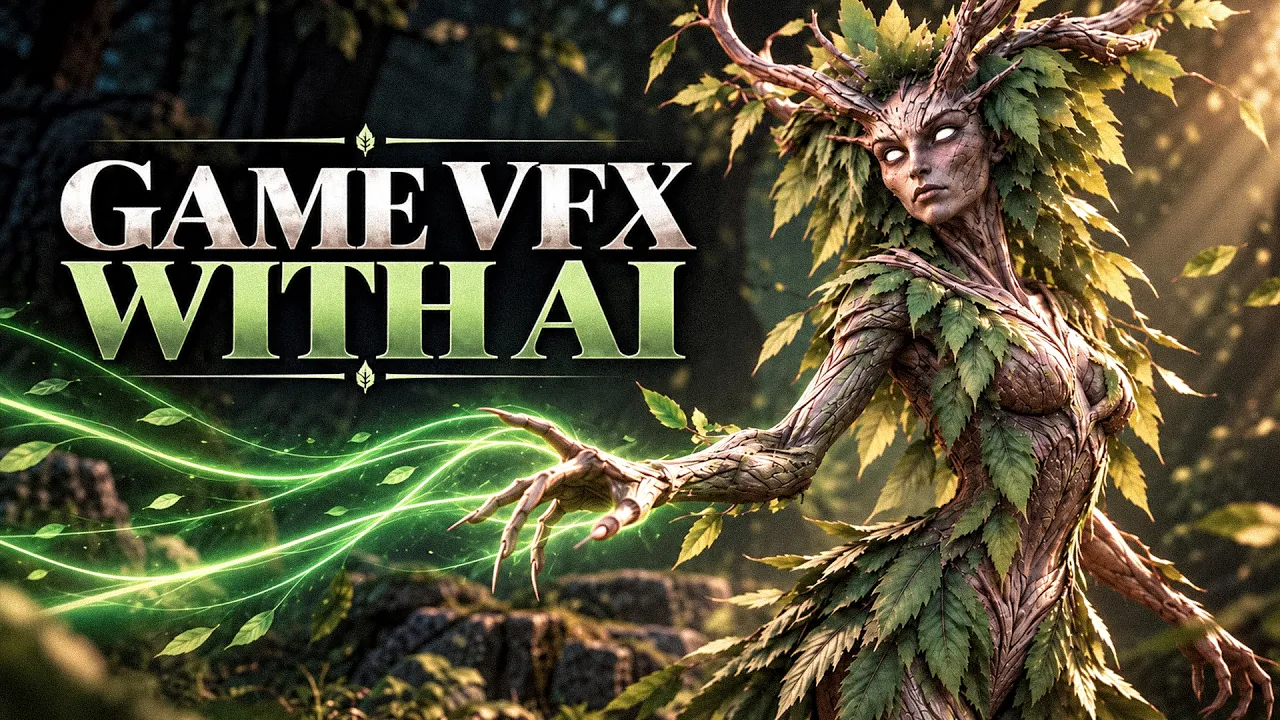
Every game is built from multiple layers and VFX is one of the most noticeable. You know, I'm building my own game and it's final time to approach VFXs. Luckily for me, we got major updates for GPT and Claws and I already used them to create this amazing VFXs for my game and characters. Both simple and complex, like this Dreya that can cast Roots on enemies or cast Shield of Leaves that will protect her, not to say about plenty of animations surrounding her. I gonna
88 words, the words spoken in the first 30 seconds at 175 words per minute.
Free, no signup. See how the first 30 seconds hold attention, with rewrites.
Sentence shape
| Measure | This transcript |
|---|---|
| Sentences | 380 |
| Average words per sentence | 8.9 |
| Longest sentence | 44 words |
| Questions asked | 22 |
| Sentences containing a number | 8 |
Most used terms
Filler phrases
177 in total: like 106 · actually 35 · right? 12 · I mean 9 · you know 6 · basically 5 · kind of 2 · sort of 2.
A literal whole-word count of the same phrase list the Prepublish browser extension uses, so a phrase inside another word is not counted and a phrase used in its ordinary sense still is. It is a count and not a judgement.
Free, no account. See where attention is likely to drop, with a rewrite for each weak line. The free check shows the scores and the one issue costing the most. Or run it on the words above first.
Free · No login · See a sample audit first if you prefer.
What this transcript is
Every word below is the caption track YouTube publishes for this video, pulled from the video itself and reproduced unchanged. It is not Prepublish's writing, not a summary, and not a re-transcription: it is the video's own published captions. English captions, published by the channel, in the video’s original language. Source: the video on YouTube. A channel that would rather this page did not exist can ask for its removal through the contact page, and it is removed.
Every game is built from multiple layers and VFX is one of the most noticeable. You know, I'm building my own game and it's final time to approach VFXs. Luckily for me, we got major updates for GPT and Claws and I already used them to create this amazing VFXs for my game and characters. Both simple and complex, like this Dreya that can cast Roots on enemies or cast Shield of Leaves that will protect her, not to say about plenty of animations surrounding her.
I gonna explain my whole workflow step by step and trust me, it's never been easier to create VFXs than now. So as I said, every game has a lot of VFXs. There can't be again like general VFXs or some fancy character attack animations with VFXs. My game is not an exception and I have a lot of them. For example, I have some aura when units are close to the building, they do have VFX. You can see here that is like a home defense, right?
It gives some additional defense when they're close to the castle. Or for example, there is a level up animation or VFX. It looks like this. So we can level up our city and all units. Whole this action with that VFXs will look absolutely flat. Or one that they recently added is that when we capture some other city, we also have some nice VFX like this, for example, boom. And pretty much for any. Significant action in game, you might want to have some cool VFX.
I even had to create a playground so I can test all of them and look how much they actually adds to the game. Like you see the Ursa actually hits the castle and there is something happening, right? Just imagine it without it and it will be absolutely different thing. I still need to work a little bit on fire. I think I can make it nicer, but I really like how this tones fall. But how do I do that? Well, you would not believe what I say, but it all starts with concepts.
Yes, you hear me right. So we're going to need to do image or 2D concepts. Again, GPT or Claude, recent models, they can handle that extremely well. Why is that so important? Because before you implement it into the game, you need to actually understand what do you want. I mean, of course you can ask it like do attack animation and you will mostly get something, but no guarantees. It will fit all together. Like I'm still not happy with this fire.
I mean, like this is better than it was before, but I still going to do some iteration and think how it can look better, what it should look like. And also I think if you approach every task in steps, it becomes more thoughtful and results become much, much better. So I asked my agent to actually. Prepare me some concepts, some interactive concepts. It looks like this And this is absolutely amazing. My first VFX was to do the Ursa attack, right?
It has like area damage. So I really wanted to show that impact. And now you can see that here now there is like a some wave, some impact. And also on the bottom, there is something. And I did it like this. First, it gave me like some different concepts and it's already enough to visualize like whether it's the right direction or not. And again, this takes way less time than implementing it in actual game. And I realized that definitely go with this one.
And only after that, I gave my another agent the task to implement it into the game. Of course, you can do correction later, but this concepting stage saves enormous amount of time. And the same way exactly I approached all other VFXs. Like here, first I created a list what VFXs are going to need to approach. There's castle capture VFX, like home shield VFX, stun status effect or healing status effect, right? And yeah, the castle attack VFXs as well.
And I did it pretty much for every VFX that I need in game, such as like level up. And you might actually be new to game development. And I really understand you. I'm not a VFX artist at all. Like until this game, I was never really approaching them. So what can be very, very. Helpful for you to realize what effects you might need, how they can look. I really recommend to. Take a look on some VFX libraries. And I actually asked a chat GPT to find me some really good reference.
And I found this cartoon. Effects by Jean Moreno. And this is absolutely brilliant thing. Like there are plenty of. VFXs And first of all, you can use them as a reference. And the second thing is that you can go through and see, oh, maybe. I need something like this. Because for most of the effects, I don't even know how to describe them. Like impact, like a wave,. Barrier dust, whatever. Like, I mean, there are plenty, plenty of things.
And I think having references like this is absolutely great. It really. Helps to get some ideas that like how it can look like. And then you can actually send a link to your. Agent and say like, I need something like this, but different color and maybe like more extruded. I don't know, whatever. You can not. Really copy it from here, but you don't really need it. You just need a reference to describe what you want. Here you can see a few more examples.
How for example, I approached Ursa Roar. When Ursa is attacked and he doesn't attack and response,. He will be triggering Roar that will speed him up. And yeah, you can see like, it also helps like to understand the timings. Here's the stun animation and here's some home defense animation you can also see. For castle damage, I also first made it here. You can see. Now I think you get the idea how it might look. And VFXs can be really anything.
I would say shooting an arrow, it's also some kind of VFX. But in this case, I actually just skipped concepting stage because it's more or less straightforward. Like, I mean, there's not much different way. There is an arrow and I just say like, okay, the arrow should stick and target and there must be some blood, right? Or for example, for wolves, I also created some simple VFX like it adds some wounds, right? So this is like rather simple VFX that you can just describe once.
And for my game, I actually created whole VFX library so I can keep track like of what kind of VFXs I already have and use them time to time. Absolutely. Like hit splashes, wounded arrows, healing. Yeah, the healing. I already have the healing and there will be much, much more coming on. But all of that is relatively simple. I can agree with that. Let me show you how I created very unique character with very unique skills and animated all of that and added VFXs.
I'm talking about my beautiful Dread. Here's where it starts. Here is the original concept and I also created animated portraits. It actually gonna be a forest race. So I. Will be also an ant later. Also, with very unique animation like, but this one will be easier than Dread, trust me. And also, she gonna need unique animations for her roots. Like, she's floating on the ground, you know, like with this roots, you know, shuffling a little bit on the ground.
And I already did all of that with To be able to animate your character and easily add VFXs and stuff, I really recommend you to prepare it nicely. If it's gonna be optimized model nicely prepared with like a right UV and right textures, you might not believe, but that all adds up in the end when AI start to process your character. For example, Astra actually helped me to rig all these roots and it was absolutely flawless job.
I mean, for real, but it only was able to made it because I kept it all optimized and roots mesh was logically separated. You might already guess I gonna use a Tripo to generate treated models. And again, with P2, it is best option right now. First of all, they recently updated and now you can generate four meshes at once. And that absolutely make perfect sense. So I usually do like that. Again, I split the mesh in some parts.
For example, here I have body alone in T pose with some roots. And I set different poly counts and then I can choose which one works the best. And you can see like, Again, like the mesh is absolutely crazy good. And this is very, very important. So you can process it later. I gonna generate also head alone. And I also gonna unwrap it new smart UV. Again, smart UV is extremely nice to have because later if it's logical, if it's clear what's actually going on with UV, you can drop that color map to AI and do color correction or you can add metallic and roughness and change stuff.
For example, in my game, I often do color correction based on this color map. And again, that only possible because I have it nicely prepared. And I also generated bunch of branches. Yeah, just branches because well, I can actually add them to her body or I gonna use it to create that VFX, right? So I need the separate branches and I can add bones on them and then as Astra to create this roots that comes from under the ground.
This is so -called multi -layer VFX. It will have 3D object on the armature animated and supported with different VFX added in the game. AI texturing is good, but it can fail on some important details. I really treat my game with a lot of love. So I gonna go to Moondiff and do some manual texturing. I mean, like it's hard to call it manual texturing because I will just like paint some areas on top with the image and when my body is ready I gonna.
Need to do one extra mile. I gonna need a lot of leaves and I need to distribute these leaves along the body. So. You can try to ask AI to do that, but it's a little bit tricky still. So I gonna do that manually. It's not gonna. Take a lot of time. Really. I just prepared some planes with leaves again, like all textures. I generated with Nano Banana Pro. And put that textures onto the plane and then like groups them a little bit.
So I have like this sort of branches. And. Also very important thing is that I gonna keep them as a separate material, like a separate object. I not gonna. Join these leaves with the main body. Why? Because later, first of all, I want to animate them like so. They're like sort of affected by wind. The second thing again, like I maybe I want to change the color, etc. It has transparency. So I better keep it like that.
And some leaves I actually gonna keep single because we gonna export. Them and give it to GPT for some VFXs such as folding leaves when she moves. Or again, there will be a shield of leaves. So we definitely gonna need these planes. Technically this part. GPT can do by its own. But since I needed to put it on Dread, I made it anyway. And guys, if you also want to learn to do. Characters like me, you're very. welcome.
To join my 3D AI course. I gonna teach you most fundamental 3D skills and best AI tools that. Will allow you to create any character in less than a week. We already have more than 100 happy students. All links will be in the. Description After I finished my character, I also had to add a rig. For humanoid part, you can either rig it through Mixamo or AccuRig. And just bring it here. So what I did, I actually took a simple skeleton for top part and transferred weights automatically.
After I positioned the armature. For bottom part, we can actually skip it and ask GPT -6 later to do that. And this. Is what I got after GPT helped me with the rigging. So I have pretty simple rig on the top part, quite simple rig on. Main branches again. GPT is surprisingly good on that. Also, I prepared again few branches and asked her to add. Few bones there and there. Like this gonna be needed for animating that VFX.
And I also asked her to. Put it on one armature because it will be just basically one object created under the targets that gonna. Be rooted. And as I said, we're gonna need some leaves for VFXs. So this is a really, really good starter pack. If something is not enough, we're gonna add them later. And before I actually start with VFX, I need to animate my Dread. Casting. Animation like this animation,. like. Shield animation.
Those are completely custom stuff. How do I do that? I actually made a video on my channel, how I create. Characters and animations for them. And the whole secret is basically the same. I do collect all. The references, generate some video references, or find some ready animations and reuse part of them. For example, I found some nice casting animation from Mik Samo. And of course, my character is not. A human, but a top part is quite humanish.
So I told GPT that we're gonna use top part as a. Reference I later, of course, corrected it a few times, but it was a good starting point. So I did for idle animation. I thought like this. Actually fits really well. This slow idle movements, like because she's tree. So I don't know, this was like really,. Really good fit and so forth. Sometimes I actually have to generate videos with C dance or mini max. To actually see how this VFX will look together.
I have good imagination, but when it comes to describing thing, I. Might actually struggle with that. So therefore I do generate some references and pick the best one. One thing that surprised me that I. Tried to do the run animation and C dance or mini mics, they were not able to do, you know, this root. Movement as I was asking, like not at all. I actually gave it as is to GPT and it did it. way. Better than the video AI.
And here are all my animations ready. It took few iterations to get them all done,. But I was extremely satisfied when I first started it. That will take a day and then like in one hour. Okay. I mean, like almost there. You're just providing the feedback, et cetera. Well, I actually asked it to create like a small plugin again, like what you. See here. And I can actually click set pose and set pose on some timeframe to better explain what.
I don't like or how I want some specific animation or our moment to here. You can see the cast animation. Like, I. Mean absolutely perfect. And the run animation was also amazing. All right. So we almost have all pieces together. One last. Thing we need before we ask GPT to implement it into the my game is a VFX concept. Well, at least this is. My approach and I think it works the best. We need some reference to explain how we expect this VFX to work.
So I actually. Asked a GPT and again, like here are some image reference. It helps like to visualize it better, like to. See whether it's this, how much lifts you need in the end of the days. Right. So it also created me this nice visualization or like. There will be moving lifts, right? Like that is simple. Then there will be falling leaves or like drifting leaves. When we. move. With the character, there will be this link when we channeling the spell.
And you can see here and even like did like. The timings, right? So we can see like, boom, roots link release for roots separate. What you. See is actually like a final version. So there were few iterations, like visually two, three, like you can say like, oh,. It's too fast. It's too slow. Or like, I don't really want it like that. And for a leaf guard is also like this. You can see. Boom. All right. Done. How it does all this 2D concepts.
No idea, but I like it. It's. Extremely useful. All right. I'm happy with these concepts. Gonna drop it all to GPT, let it cook and let's review the. Final results. Here we go. Oh wow. I mean, isn't it like one of my favorite character of all game? Like just look at her like. All leaves. They're moving, right? Wow. It's absolutely crazy. And when she moves, when she walks, like there are like leaves, it's like a trail of leaves, right?
Boom Wow. It's absolutely cool. And you know, what's cool is that they will actually hide in forest, right? So. It must be like hard to spot. So take a look on this. I actually posted it on the X like saying, like, can you find my. New character? Oh, and yeah, there's an VFX. You can see on the bottom when she's close to trees,. she. Actually gets some extra defense called mother tree. All right, let's test her abilities.
Let's test the attack first. Let me move it closer here so we can see. Boom. Let's go. This is. Absolutely insane. Well, we actually, we can add an enemy. Let's create three out here and I can add an enemy. Who gonna. Be this guy? Let it be like fire or so. Why not? Like, okay, let's put him here and attack him. Oh, let's see. Boom. And you can see there is a stun animation. Wow. And basically this spell is infinite until someone.
Actually cancel it. I'm going to show it how it works. All right. Oh dang. You see that? That's absolutely amazing. And you can see there's also some additional VFX. It looks. So much better with VFX. I mean, of course, you know that. And there is a guard. Okay. So I have button to trigger. That because it's not going to trigger in this situation. Basically guard is triggered when she's surrounded. By five or more units.
Let's actually test it in game. Five skeletons. We can actually create more. And let's attack her. Okay. This guy's approaching. What's she going to. Do. Let's boom. Wow. That's so cool. Right. But no, she will not defend them all. Of course. Okay How cool is that? And all that I created something around one and a half day. I really enjoyed the process like to going through and like. Come up with all these effects Because again, like you do that once and you really want everything to make sense the way you want it.
Right. The way you approve it. It's like, and I think with this approach, really get some good quality by the time this video goes live. I'm going to add all these skills to Mr. Mark workspace. If you haven't watched this video before, I actually dropped it on Git. And this is basically my workspace setup that I work every day. And I also drop some updates. It's very convenient for me again, like you can redesign or update it for your needs.
I'm drop some skills there. Like again, about VFX is about animations. Use it. Hope it helps to create your dream game as I do for mine. That was stuff, like and subscribe, and I see in the next videos.
The words are the caption track's own and nothing is reworded or re-transcribed. Paragraph breaks are placed between sentences so the text reads as prose.
Free tools for your own script: paste a draft and see where it stands before you record it.
Paste your draft and see where viewers are likely to drop off, with a rewrite for each weak line.
Paste the first 30 seconds of your own draft for a hook score and rewrites.
Check your draft against YouTube's advertiser-friendly guidelines before you record it.
Read this channel's public videos and transcripts, and download a writing brief for it.