Getting the transcript
Reading the captions from YouTube. A video nobody has opened here before takes 10 to 30 seconds; this page fills in on its own.
Getting the transcript
Reading the captions from YouTube. A video nobody has opened here before takes 10 to 30 seconds; this page fills in on its own.
Sharbel A. · @sharbelxyz
This video has no Most replayed graph yet: YouTube shows one only once a video has enough views. These are the moments viewers replayed most in Sharbel A.'s most watched videos.
Most replayed moment at 13:32
3.9x that video's typical replay level
built-in memory, which is great. Here is how I would think about memory providers. Memo is interesting if you want a dedicated memory layer for personalized AI agents. It focuses on extracting, storing, linking, and retrieving memories efficiently. Their
Said at 13:25
Most replayed moment at 6:37
5.8x that video's typical replay level
trading strategy. Tests it. If it's better, it keeps it. If it's worse, it discards it and tries again. So, that's exactly what I built. Okay, here's the system we have at play. I gave it two years of crypto data,
Said at 6:31
Most replayed moment at 1:53
3.7x that video's typical replay level
let's install it together. Okay, so for step one, we need to actually start by installing Bullpen's CLI so that we can actually do everything that we want to do. And for that, let's first open Claude and put in the dangerously skip
Said at 1:47
The graph counts replays. It does not show where viewers stopped watching.
Words
3,398
Runtime
22:49
Speaking pace
149wpm
Reading time
14min
149 words per minute, below the 160 25th percentile of 349 measured videos. That distribution comes from the 349-video hook study.
Opening (first 30 seconds)
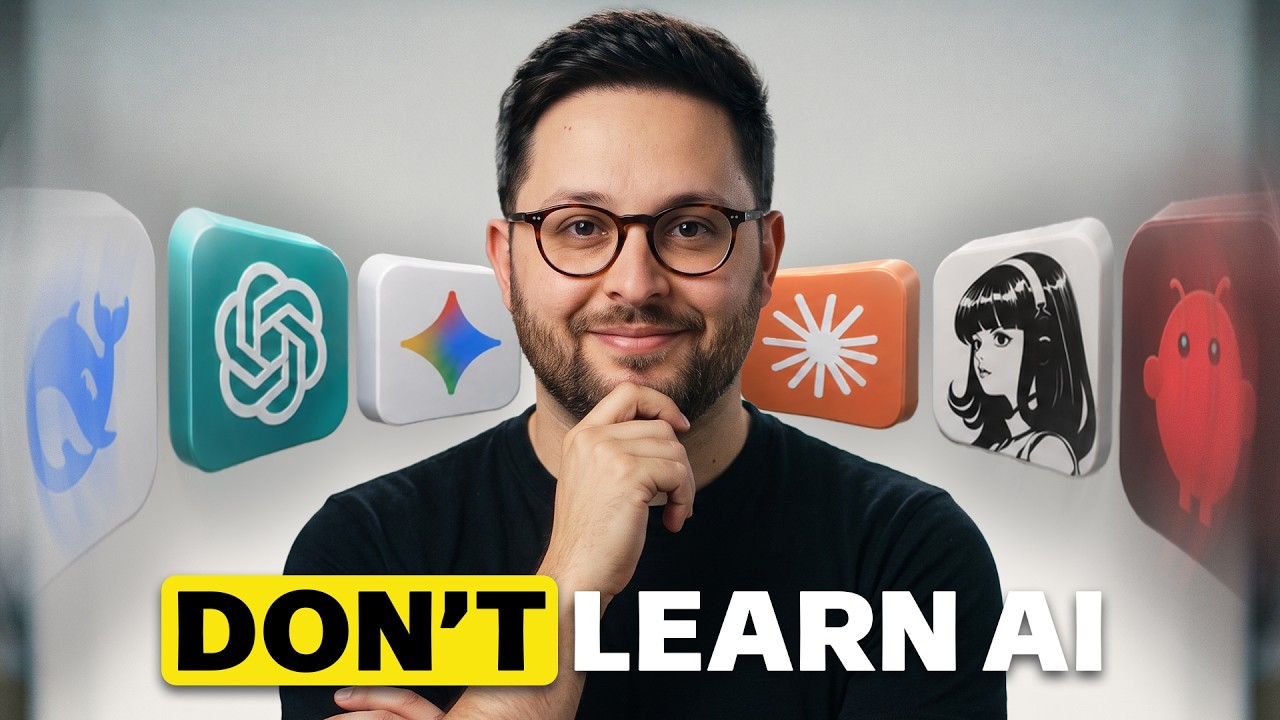
Learning AI is a trap. If all it means is collecting [music] more tools, the real skill is building AI employees, aka role-based [music] agents that own repeatable work. In this video, I'm going to show you the employees I already use for YouTube, X, emails, clients, [music] research, and planning. Then, I will show you how to choose and build your first [music] AI employee because the winners will not know every AI model.
75 words, the words spoken in the first 30 seconds at 149 words per minute.
Free, no signup. See how the first 30 seconds hold attention, with rewrites.
Sentence shape
| Measure | This transcript |
|---|---|
| Sentences | 282 |
| Average words per sentence | 12.0 |
| Longest sentence | 79 words |
| Questions asked | 32 |
| Sentences containing a number | 6 |
Most used terms
Filler phrases
42 in total: like 20 · literally 5 · uh 4 · you know 4 · I mean 3 · actually 3 · kind of 1 · right? 1 · sort of 1.
A literal whole-word count of the same phrase list the Prepublish browser extension uses, so a phrase inside another word is not counted and a phrase used in its ordinary sense still is. It is a count and not a judgement.
Free, no account. See where attention is likely to drop, with a rewrite for each weak line. The free check shows the scores and the one issue costing the most. Or run it on the words above first.
Free · No login · See a sample audit first if you prefer.
What this transcript is
Every word below is the caption track YouTube publishes for this video, pulled from the video itself and reproduced unchanged. It is not Prepublish's writing, not a summary, and not a re-transcription: it is the video's own published captions. English captions, generated automatically by YouTube, in the video’s original language. Source: the video on YouTube. A channel that would rather this page did not exist can ask for its removal through the contact page, and it is removed.
Learning AI is a trap. If all it means is collecting [music] more tools, the real skill is building AI employees, aka role-based [music] agents that own repeatable work. In this video, I'm going to show you the employees I already use for YouTube, X, emails, clients, [music] research, and planning. Then, I will show you how to choose and build your first [music] AI employee because the winners will not know every AI model.
They will know how to turn AI models into workers. Let's get started. Let me start off by showing you what I mean by AI employee because this is where most people usually get it wrong. An AI employee is not a chatbot with a cute name. It is a role-based system that owns an entire workflow. For example, I have Nova, my YouTube employee. Nova does not just give me random video ideas. She checks my posted videos, my Notion pipeline, my competitor signals, VidIQ data, transcripts, and a bunch of other metrics, and then helps me turn that into uh video ideas, scripts, upload packages, and just helpful production notes for myself.
By the way, I've open-sourced Nova for everyone so you can download and install her for free if YouTube's your thing as well. I'll leave that link in the description. But, back to the video. The important part is not that Nova can write. Every AI tool can write. The important part is that Nova has standards. She has standard operating procedures, SOPs. She knows not to pitch videos I already posted. She knows when something is competitor-validated.
When something is audience-pool-validated. When an idea is just a weak extrapolation, that is what makes it closer to an employee than a prompt. And the best part is I don't really need to ask her for anything. She already knows my workflow and does everything on her own. This is what I mean by an AI employee. I have Sage, my ex-employee. Sage looks for reaction opportunities, finds posts worth replying to or learning from.
It spots operator takes that fit within my voice, and it turns rough thoughts into sharper ex-drafts without pretending every random trend deserves a post. I also have a reaction employee. I call it a react employee. Its job is to find moments where a fast reaction matters, package them for the Telegram react topic, and keep the signal clean so I'm not wasting attention on a stale or weak opportunity. That employee is not trying to be creative all day.
Its job is speed, relevance, and taste. I have an email employee for paid partnerships. It reads the full thread, any incoming emails I receive. It checks my email history. It spots outreach, strong outreach. It drafts replies and then waits for approval before pitching rates. And that last part matters. An AI employee does not need full autonomy to be useful. The draft with the right context can genuinely save you a lot of time without risking a bad external message.
Because before this AI employee, I was wasting away at a lot of inbound emails and requests I was receiving because I didn't have enough time in my day to just scroll through all of my emails and filter and draft replies and so on and so forth. I have a client pulse employee. Its job is not to be creative. Its job is to watch for client risk, stale deliverables, unanswered questions, anything that might be blocking us, or anything that needs attention before it becomes a real problem.
That is a completely different employee from Nova, my YouTube agent. It has a different role, different memory, different quality standard, >> [snorts] >> and different output. I have research employees that look for opportunities, summarize what changed, and send me short briefs instead of making me uh dig through feeds manually. And I have assistant-style workflows that help me with priorities, reminders, daily plannings, and recurring checks.
Look, the point is not that every one of those are the perfect employee or workflow by any means. The point is that each one has a very specific job, but the reason they work is not their name or the tool. It is the management layer underneath them, and that is the part you need to understand before you build your own. That is the difference between using AI and managing AI. Using AI sounds like, "Write me a post. Summarize this PDF.
Give me five ideas. Make this email better." I could go on and on. But managing AI sounds like, uh "You own the sponsor inbox. Here is our rate card. Here are the messages that for you to reject. Here is what needs approval. Here is where the past decisions live, and here is what you are never allowed to do." That second version is completely different, right? It is not a better prompt, it's a better job design. The prompt is just one tiny piece of the employee.
The real leverage comes from the role, the context, the tools, the boundaries, and the feedback loop that enhances and makes that employee sharper over time. This is also why a lot of AI automation fails. People start with the tool instead of the job. They say, "I want to use agents. I want to use Claude. I want to use Hermes. I want to use this new cool automation platform." But that is backwards. You would never hire a person by saying, "I want to use a spreadsheet." You would say, "I need someone to manage invoices, qualify my leads, track our client risks, and prepare research briefs." So, the better question is not what AI tool should I learn.
The better question is, "What work in my life deserves an employee?" And once you ask that, the next problem is choosing the right first employee. Because if you pick the wrong workflow, the whole thing starts feeling like a gimmick. Let me help you out. This is where you might want to pull out a pen and paper. I love how I take out my phone when I say pen and paper cuz that's what we use. Anyway, here's the easiest way for you to find the first AI employee you should build.
Do not start with the coolest automation idea. Start with the work that keeps coming back to you. Look at your week. Like, seriously, look at your calendar. Or if you don't keep track of your week, make a calendar for the next 7 days and write down every little thing that you're doing on a day-to-day basis. Every single thing, even if it takes you 10 minutes. Trust me. Those little 10-minute tasks can add up into hours of your week or month.
And write down every single one of those tasks that repeats. What are the things that take the most time away from you every single week? Write those down on a list. Then, once you have that list in front of you, then score each task on five different things. Does this task happen every single week? Does it have a clear good or bad outcome? Do you know what good or bad looks like for that task? Does it need context you can give the AI?
Does it need a specific tools or access to different information? Number four, can the AI do most of the work without risking money, publishing, or talking to clients? AKA, how secure is that agent? How safe does it need to be? And number five, will a short report from this employee save your real time or prevent real mistakes? The best first AI employee is usually not the sexiest one. It is the boring one that saves you from repeating the same mental loop every single week.
One of my very first ever AI automations was a bot that I sent it all of our client and company information, how much revenue are we making, how many clients are we at, which clients are renewing, which clients are churning, every piece of data that I fed into a prompt through an automation, sent it to ChatGPT every single week, had ChatGPT analyze the state of our business, and give me a PDF report every single week. >> [snorts] >> It's not sexy.
It's not calling the clients and, you know, being a customer rep. It's literally just sending a PDF, but that PDF, that single PDF was worth hours of time for me because the opposite would have been for me to literally dig through a hundred different spreadsheets to formulate just what should I be looking at? What are the things that are in dire need of my attention before I would have the time to react. And now I literally bring this PDF report with me to every weekly meeting and that is our focal point of focus.
Let me give you some ideas. For a creator, your first AI employee might be a content research employee. It might check your niche, your competitors, your content pipeline, and your analytics before recommending you what you could film next. For an agency owner, it might be a client pulse employee just like the one I showed you earlier. It checks every account and says, "This client has not received an update. This deliverable is stale.
This question is you guys left it unanswered. What the hell? This is becoming a risk." For a salesperson, it might be a follow-up employee. It can check open opportunities. It can help you draft follow-ups or flag high-intent replies like, "Hey, you haven't replied to this, bro. They're ready to buy." And it can remind you who needs a human response ASAP. That is the filter I want you to apply. Pick the repeated workflow where a reliable report would already be valuable even before the AI takes action.
And once you have that workflow, you can build the actual employee card. This is where most people skip the parts that make it reliable. You're going to love this. Once you have that workflow that you know takes away so much of your time that makes you just hate every waking morning of your life. Maybe not that much, but once you find that workflow, the next step is turning it into an actual employee. And that is where most people mess up.
They think the prompt is the employee that, you know, you need to just copy-paste the same single prompt every single day to get the same result. It shouldn't be the case. It's not. The prompt is just the job interview. Think of it like that. The employee needs a role, just like a real employee. It needs a job description. It needs context, tools, memory. It needs a schedule. It needs approval gates, a report format, and an improvement loop.
Literally, just like a real employee. So, instead of saying to your employee, "Help me with my business. Oh, wise one, make me money. Make no mistakes." I would start with a structure like this. /goal Create an AI employee that helps me with insert your specific recurring workflow. Before you build it, ask me questions until you clearly understand the following. One, the exact outcome this employee is responsible for.
Two, what work it should do every time it runs. Three, what information it needs about me, my businesses, my past decisions. Four, what tools does it need access to? Five, what should it remember after I correct it? Six, when should it run? Manually, daily, weekly, after a certain trigger. Seven, what is it allowed to do on its own? Eight, what always needs my approval? What can it do without my approval? Uh, and what can't it do without my approval?
Nine, what a good final report looks like? 10, what mistakes would make this employee dangerous, annoying, or the worst of all, useless? After you ask the questions, create the following. [snorts] And you're literally going to just fill this out with your specific use case. Say, for example, you want a client pulse employee just like mine, then you put this and we'll hit enter. That's it. And that right here, my friend, is the whole shift.
You're not asking AI to help, you're designing a job for it to help you with. The [snorts] role answers, what is this employee called? And what outcome does it own? Its job description answers, what does it do every single time it runs? The context answers, what does it need to know about you, your business, your decisions, your mistakes? The tools answers, where does it need to look? Does it need browser access, Notion access, Gmail access, calendar access?
What does it need? The memory answers, what should it remember after you correct it, so you do not repeat yourself forever? So on and so forth. If you miss one of these, the employee usually breaks in a very predictable way. >> [snorts] >> If the role is unclear, it tries to do everything. If the context is missing, it gives generic advice. If the tools are missing, it's just guessing. It's not really giving you accurate information.
If memory is missing, it just repeats the same mistake. So, when people say AI agents don't work, a lot of the time they're not actually testing an employee. They're testing a vague prompt with no job description, no memory, no quality of standard. The pinned comment has the exact prompt structure I just showed you, by the way. Go ahead, feel free to copy it. Remember to replace the workflow with your own, and let the AI interview you before it builds anything.
But, to make this real, you will need more than just a master prompt. You will need this. Look, the biggest life hack I can give you in this video is for you to not think of this AI employee as an AI and to think of it instead as an employee. You wouldn't hire someone and expect them to be perfect on day one. This is why companies onboard their employees. They take them through a month of training. They teach them how to access the things they'll need to do their job and have them meet every single person at their office or in their team.
The first run of your AI employee is not supposed to be perfect. The first run is supposed to reveal what the employee misunderstood. Maybe the report is too long. Maybe it flags things that are not actually urgent. Maybe it misses one kind of blocker. That is not a failure and don't look at it as a failure. Look at it as an onboarding just like you would with a real employee. This is how you should think about it. The first version of an AI employee is a junior hire.
You do not expect perfect judgment on day one. You give it examples, you correct it, you sort of have to follow it around, teach it, mentor it, and turn repeated corrections into a skill so it does not make the same mistake next time. But, before you give it more responsibilities, there are a few more hacks that make the difference between a useful worker and an annoying chatbot. A few practical hacks make these employees way better.
Hack number one, give examples of past decisions. Here's what I mean. AI employees get dramatically better when they can see what you approved and rejected before. Hack number two, write anti-goals. Tell the employee what not to do. Do not recommend repeats. Do not use weak evidence. Do not send anything externally. Do not make up numbers. Defining the don'ts is just as important as defining the do's. Hack number three, force receipts.
If the employee recommends something, it needs to show the truth. It needs to show the date, the metric, the the the reason, or whatever the most important sources of truth are for you. Hack number four, make the report short. Trust me, if your AI employee sends you a giant essay every morning, you just built a homework machine for yourself, not an employee. And you do not want to be reading paragraph-long reports from five different employees once you scale this.
Trust me. Hack number five, review mistakes weekly and turn corrections into memory or skills. That is how the employee improves instead of making the same mistake forever. This is where using AI systems like Hermes agent helps, since it's already equipped with self-improvement loops. Hack number six, separate read employees from action employees. A read employee can monitor, can summarize, it can draft, it can recommend, but an action employee can change things in the world.
Those are not the same risk level. They're not the same thing, and you should not be treating them the same. Hack number seven, make the employee explain uncertainty. I do not want confident nonsense. I want the employee to say, "Hey, I checked this. I could not access it. This is strong evidence. This is weak evidence, and this is my recommendation." This is also why I like Hermes for this. Skills become SOPs, standard operating procedures.
Memory becomes preferences and decisions. Tools become work access. Cron becomes scheduled works and sub agents become specialist teammates. And then Telegram or desktop becomes the place where the employee reports back to you. But, the tool is not the magic. The magic is that the employee has a job and a standard. Without that, Hermes, law, ChatGPT, Zapier, any 10, fill in the gap. Whatever you use, they all become a pile of disconnected tricks.
And the most important standard is knowing what not to automate yet. There is one very important warning here. Do not start by giving your AI employee the most dangerous job in the company. Do not let it publish, trade, spend money, message clients, exchange life pages, or send emails without approval. The safest first employee are read-first employees. They research, they summarize, they monitor, they recommend. Then, once they are reliable enough, once you feel like they're doing good enough of a job, then you can slowly give them more responsibility.
That is how real management works and real companies. You do not hire someone on Monday and give them the company bank account on Tuesday. So, my rule is simple. If the action affects another person, money, public reputation, or private data, the AI can prepare the action, but a human approves it. That does not make the employee less useful, it makes the employee usable, which is so much more important right now. A good AI employee removes the prep work, the monitoring work, the first draft, what I like to call the donkey work, or some people call it grunt work.
And that alone is huge. Full autonomy is not the starting point. Reliable leverage is the starting point. And if you remember that, this becomes much less about chasing tools, and much more about building a team around your actual work. This is why learning AI is a trap, if all you mean is learning tools. Because the tools will change, the models will change, the interfaces will change. The hot tutorial this week will be outdated next week.
But the skill of designing work does not go away. If you can look at your business and say, this workflow deserves an employee, here is the role, here are the tools, here are the boundaries, here is the quality standard, you're learning the part of AI that actually compounds with time. Start with one employee, one boring repeated workflow, one approval gate. Run it for 7 days, correct it, and improve it. That is how you stop collecting AI tools like they're, I don't know, Pokémon cards, and start building an AI team.
Comment employee, by the way, if you watched this far. And if you've enjoyed this video, make sure to like it and subscribe, because I have a ton more content coming your way. Oh, would you look at that? The algorithm gods just told me you're very likely to enjoy this video as well. So, click it, and I'll see you there.
The words are the caption track's own and nothing is reworded or re-transcribed. Paragraph breaks are placed between sentences so the text reads as prose.
Free tools for your own script: paste a draft and see where it stands before you record it.
Paste your draft and see where viewers are likely to drop off, with a rewrite for each weak line.
Paste the first 30 seconds of your own draft for a hook score and rewrites.
Check your draft against YouTube's advertiser-friendly guidelines before you record it.
Read this channel's public videos and transcripts, and download a writing brief for it.