Getting the transcript
Reading the captions from YouTube. A video nobody has opened here before takes 10 to 30 seconds; this page fills in on its own.
Getting the transcript
Reading the captions from YouTube. A video nobody has opened here before takes 10 to 30 seconds; this page fills in on its own.
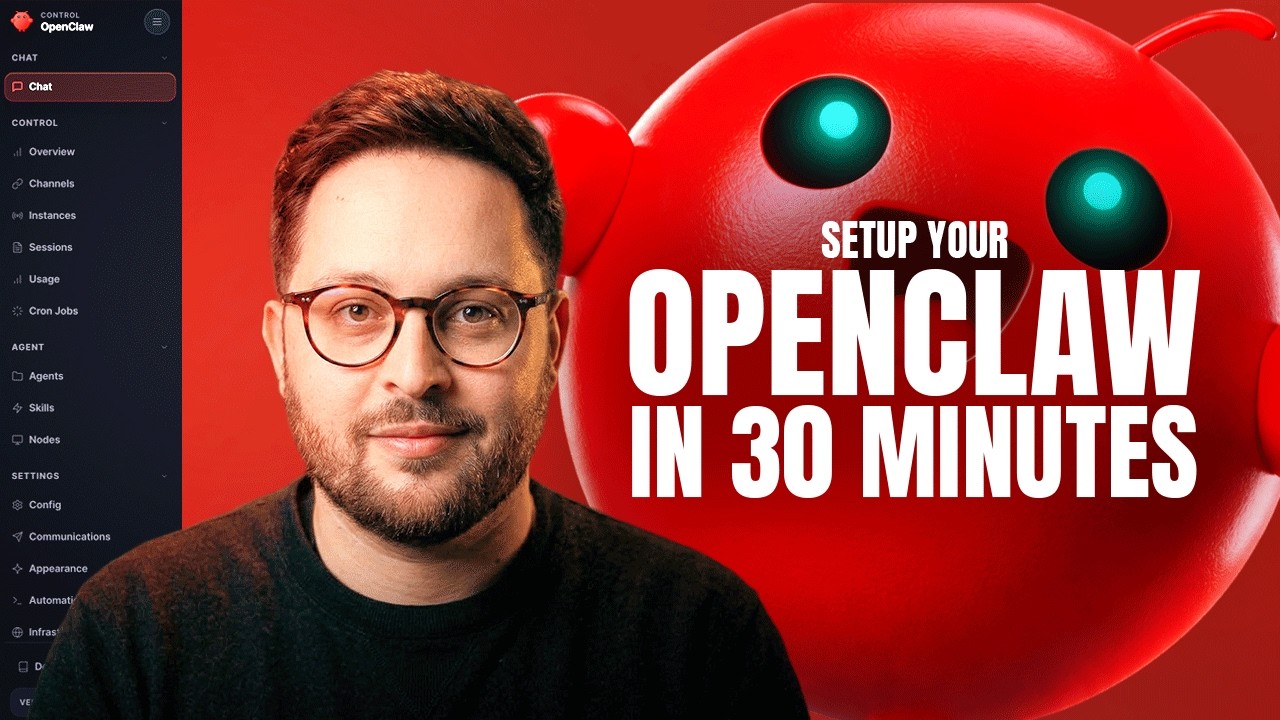
Sharbel A. · @sharbelxyz
This video has no Most replayed graph yet: YouTube shows one only once a video has enough views. These are the moments viewers replayed most in Sharbel A.'s most watched videos.
Most replayed moment at 13:32
3.9x that video's typical replay level
built-in memory, which is great. Here is how I would think about memory providers. Memo is interesting if you want a dedicated memory layer for personalized AI agents. It focuses on extracting, storing, linking, and retrieving memories efficiently. Their
Said at 13:25
Most replayed moment at 6:37
5.8x that video's typical replay level
trading strategy. Tests it. If it's better, it keeps it. If it's worse, it discards it and tries again. So, that's exactly what I built. Okay, here's the system we have at play. I gave it two years of crypto data,
Said at 6:31
Most replayed moment at 1:53
3.7x that video's typical replay level
let's install it together. Okay, so for step one, we need to actually start by installing Bullpen's CLI so that we can actually do everything that we want to do. And for that, let's first open Claude and put in the dangerously skip
Said at 1:47
The graph counts replays. It does not show where viewers stopped watching.
Words
4,106
Runtime
27:52
Speaking pace
147wpm
Reading time
17min
147 words per minute, below the 160 25th percentile of 349 measured videos. That distribution comes from the 349-video hook study.
Opening (first 30 seconds)
Every tutorial on the internet teaches you how to install Open Claw, the one-liner, the dependencies, all of that. But nobody teaches you how to make it actually work. You run the installer, you get it to work, and it feels like ChatGPT, but slightly smarter, maybe a little faster, but nothing revolutionary. That's not Open Claw's fault. You just set it up wrong. And I'm not being mean because I did the exact
74 words, the words spoken in the first 30 seconds at 147 words per minute.
Free, no signup. See how the first 30 seconds hold attention, with rewrites.
Sentence shape
| Measure | This transcript |
|---|---|
| Sentences | 379 |
| Average words per sentence | 10.8 |
| Longest sentence | 61 words |
| Questions asked | 14 |
| Sentences containing a number | 37 |
Most used terms
Filler phrases
75 in total: like 31 · literally 13 · uh 12 · actually 10 · um 4 · you know 3 · basically 1 · right? 1.
A literal whole-word count of the same phrase list the Prepublish browser extension uses, so a phrase inside another word is not counted and a phrase used in its ordinary sense still is. It is a count and not a judgement.
Free, no account. See where attention is likely to drop, with a rewrite for each weak line. The free check shows the scores and the one issue costing the most. Or run it on the words above first.
Free · No login · See a sample audit first if you prefer.
What this transcript is
Every word below is the caption track YouTube publishes for this video, pulled from the video itself and reproduced unchanged. It is not Prepublish's writing, not a summary, and not a re-transcription: it is the video's own published captions. English captions, generated automatically by YouTube, in the video’s original language. Source: the video on YouTube. A channel that would rather this page did not exist can ask for its removal through the contact page, and it is removed.
Every tutorial on the internet teaches you how to install Open Claw, the one-liner, the dependencies, all of that. But nobody teaches you how to make it actually work. You run the installer, you get it to work, and it feels like ChatGPT, but slightly smarter, maybe a little faster, but nothing revolutionary. That's not Open Claw's fault. You just set it up wrong. And I'm not being mean because I did the exact same thing.
I installed it 2 months ago and figured I'd have a genius AI by the end of the week. Spoiler alert, I didn't. Not until I changed my approach, which is why this video fixes that. By the end of this video, you'll know exactly how to make your Open Claw actually work for you, how to get it to be useful. That being said, let's get into it. First things first, we'll need to talk about hardware. There are two paths here, and I want to be clear about both because people always ask me this.
Path number one is for you to use VPS or a cloud server. Say you spin up something like Hostinger or Digital Ocean. Whatever it is, it's cheap to test and spinning up a 4 GB RAM droplet is like $5 a month subscription. >> [snorts] >> Honestly, it's perfect for getting your feet wet without buying anything. And path number two, which is the one I use, is a Mac mini, a dedicated hardware device. Specifically, a Mac mini M4, the 2024 model with a 10-core CPU, a 10-core GPU, 16 GB of RAM.
That's about $600 on the shelf. It's not cheap, but it's dedicated hardware that runs 24/7 without fighting your main laptop. Now, a quick disclaimer, you don't need to go ahead and buy the Mac mini in specific. This can be literally any dedicated device that is not your main device that you use at home. So, pick your weapon because we're moving on to step two, the installation. All right. And with that, there are two paths here, and I'll walk you through both.
You can use a VPS via something like Hostinger or a Digital Ocean or a dedicated hardware like a Mac mini. For option one, which is running Open Claw via a cloud server or VPS, I'm going to show you how to do that with Hostinger for no other reason other than the fact that they have the ability to install Open Claw in just one click. So, that being said, you go on Hostinger um or you can literally just go on Google and type in Hostinger Open Claw, and you'll probably be able to find the uh link to it just like that.
Boom. With that, the default they'll give you for a VPS plan is KVM 2, which means 2 GB of RAM. Now, you can go for KVM 4, which is 16 GB of of RAM, which is just as efficient as a Mac mini. However, I'm going to go ahead and pick KVM 1, which is 4 GB of RAM. Again, we can always upgrade, um but this is more than enough to dip our toes in the water, to try out the VPS, to try out how we feel with Open Claw. And I'm going to go ahead and press deploy.
Let's see. So, it starts with 24 month. Nope, I want 1 month. How have we gone to $20 a month? We were just at 6.5. 1 month. Okay, so when you're going month to month, it's $10. Greedy bastard. What's Nexus? Nope, I do not want that. No API keys required, so they're basically giving you API keys. They're covering the cost of the API. That brings it down to $12, $10 a month subscription with $2 tax. What the hell? But that's what we're going to go with.
I can also go with instant web scraping. That's free, so I'm just going to do it. Why not? And a daily auto backup. Nope, I'm just going to go with this exact setup and click continue. I've gone ahead and submitted my payment information, and we've just paid for the subscription. So, let's get started. Ah, I see what they've done. Okay, so we have our gateway token, which is our Open Claw instance. Everything we'll need for Open Claw is already there.
I'm not going to go ahead and reveal it so that you don't steal it from me, but with that, you can plug in your Anthropic API key, your OpenAI API key, your Gemini API key, your X API key, and whichever one of these you want to use, so the Telegram bot token, which you can get in a second. And for this Open Claw instance, I'm going to use OpenAI because it's using API keys, and I do not want to be spending Anthropic API spend on my Open Claw because that bill can run very quickly.
To fetch an OpenAI API key, it's literally mentioned here, get from platform.openai.com, which I've opened up over here. You will want to go to the API keys option, create a new secret key. You'll want to test it. Uh what are we calling our bot? Say Chloe. And we'll just create a secret key. Then you want to copy your API key, go back to Hostinger, and paste it over here. That's it. The last piece of the puzzle is for you to fetch your Telegram bot token.
For that, you'll want to go to Telegram. You'll want to go to BotFather, and you'll want to open the console for BotFather. And then click on create a new bot, name your bot. We named ours Chloe. Say um and give it a a a username. It needs to end with bot, so let's go Chloe. I don't know. Chloe101bot. And hit create. Just like that, it'll generate a key for your Telegram bot. You'll want to press copy on it, go back to Hostinger, and paste it over here.
That's it. And it's currently deploying. Now, we just need to sit and wait until it does. Something I will recommend you do on your OpenAI, if you're using OpenAI, is go to settings, go to limits, and put a limit for your spend that you're personally comfortable with. I put my limit at $50. You can put yours at whatever you're comfortable with. This is super important so that say you end up racking $1,000 in API bills, you don't actually reach that.
It tops you out. It resets you at the end of the month. So, make sure that you do that at all cost. That being said, going back to Hostinger, it looks like our bot is live and running. Then you'll want to open your Open Claw instance over here by clicking open. Here, you'll be asked to put your gateway token, which you can copy from Hostinger over here. Paste it, press log in. And just like that, boom. You are logged into your Open Claw dashboard.
Once you're in your Open Claw dashboard, click on channels, and from there, scroll down to allow from. This is who is allowed to talk to you. You'll take that Telegram ID, which is your username, your user ID, rather, and you'll want to paste it here. Scroll down to where it says save, which is right here. Click save, and just like that, your Open Claw should be live because when I sent it hi, this is what it said. Hey, I just came online.
Who am I, and who are you? You've done it, my friend. If this is what you're seeing right now, you have officially completed the installation of your Open Claw. Congratulations. Now, for option number two, if you're on a dedicated hardware, it's even simpler. All you have to do is go to openclaw.ai, and scroll here and copy this one-liner. You'll go to your terminal, open it, and literally just paste this, and just like that, it'll start installing Open Claw on your local device.
It's that simple. And there you go, it's starting the setup. Open Claw said, "I'm in." Uh I understand this is personal by default, shared multi-use. Multi-user use requires lockdown. Continue? Yes. For this, I recommend you select a quick start, not manual. So, for you to configure this later on, which I'll also show you how to do. And that's where you'll want to use your AI model. So, whatever model you're using for this, and for my personal setup, I use Anthropic.
I use the setup key for Anthropic. I'm going to choose this. Anthropic key, paste setup token, run Claude setup token on your terminal elsewhere then paste the token here. So that's what I'm going to do. I'm going to open a new window. Paste this and this will give me my own setup token. Now I'm just going to hide this cuz obviously if you have it then it's no bueno, not good news for me. I can see I wrote it wrong. Claude setup {dash} token hit enter.
And just like that opening browser to sign in. It's going to open the browser ask me to sign in. I'll click authorize and when I do authorize. Now I'm able to do that because I'm currently on the $200 subscription. This works if you're on the $100 or the $200 subscription with Claude. It doesn't work if you're on anything else like the $20 subscription. With that it's going to give you your off key. You're going to copy and paste it here.
Enter. Uh paste token over here. And here it's going to ask you which model you want to use. I'm going to go with Sonnet, Claude Sonnet 4.6 because that's the best model that you can conversate with. Then later on we'll set up Haiku for Cron's and Opus 4.6 for coding. But we'll go with that. And then it'll ask you for your Telegram bot API. You'll hit that. Enter. And it's going to take a few to set up. Over here you'll put your Telegram bot token.
Press enter. Enter your Telegram bot token. Let me fetch mine real quick. Boom. So I've copy pasted my Telegram bot token. Uh then search provider. You can use Brave or Gemini. Um I'll just go with Gemini. So Google search. For this you'll want to put your Gemini API key. With that it's going to ask you for a few more things like installing the gateway and a bunch of things. You'll just want to say yes yes yes to. And now we wait.
And boom it just opened the dashboard. Again, this is where we were with our first setup. For with this you'll want to go to channels and paste your pairing code. So if you go to your chat with your Open Claw uh press or rather click on start or send {slash} start. You'll take your Telegram user ID head over to your allow list and add your user ID to it and then scroll down. Press save and you can send it hi. It should reply to you with your first message.
That's it. It's literally that simple. The next part is where everyone else's tutorial ends. And this is where this tutorial actually begins. These files are everything. The first one soul.md. This is who your AI is. This is its identity. This is the first questions it's asked me. Who am I? I I just came came online. Who am I and who are you? So the who am I? This is your soul's.md file. This file right here this isn't what it does.
This is who it is. This file gets read before every single response, every task, every conversation. It's your AI agent's personality. Number two user.md. This is who you are. Your name, your time zone, your preferences, what you like, what you hate. Your AI reads this too before and after every single response. Then we have agents. This is your workspace setup where your files live, how your memory works, your rules, your safety boundaries.
Then number four we have tools. This is for your specific setup. This is for example like what are your cameras called if you're into video, your SSH hosts, your voice preferences, your crypto wallet addresses if you're trading. Then number five it's not currently here uh because we haven't started working with our bot yet but it's memory.md. This is your long-term memory. Most tutorials skip this part entirely. They show you how to run a command call and just call it a day.
But these files right here these are what separates a boring generic AI from one that's actually useful to you. So if you skip this your agent will feel like a random generic ChatGPT. A pro tip, something I've done with my Open Claw agent right here in its first message who am I and who are you? I've literally sent it two 15-minute voice notes. Each 15 minutes so 30-minute voice note. In the first one I've told it everything about my business.
All of our services, all of our packages, all of our prices, where we currently are, what are our bottlenecks. And the second voice note was me remembering oh by the way I forgot to tell you I about my personal life, the things I like to do, the things I hate to do, my hobbies. I love reading. I love playing the guitar. Literally a 15-minute voice note about everything that's about me. Let's move on to the next chapter.
This right here soul.md. This is the part that matters the most. This is what I spent weeks figuring out getting just right. When I first installed Open Claw I took soul.md for for granted. I thought it was just you know just flavor text. It turns out it's the DNA of your entire experience. The AI reads this before writing anything, before answering questions, before doing work. A weak soul.md file looks generic. It sounds corporate like someone wrote it for an HR handbook.
It hedges everything. A strong soul.md file has opinions. It has specific rules. And here's what I'm going to give you. The founder of Open Claw himself, one of his own personal soul.md files. He literally provided a checklist for making your soul.md file actually work. I'm going to read it to you verbatim because this is the exact thing that I copy pasted and I used uh to go from feeling frustrated to genuinely feeling like my AI agent is useful.
So this is something the nice thing. You can literally just copy paste this. Go right here and just send it to your AI agent. This is essentially what you're telling it. You're asking it to read your current soul.md file and to rewrite it with these changes. Number one, you have opinions now, strong ones. Number two, delete every rule that sounds corporate. If it could be in an employee handbook it doesn't belong here.
Number three, add a rule never open with great question or I'd be happy to help. Just answer. Number four, brevity is mandatory. Number five, humor is allowed. You want it to be humorous. You want it to be funny. You want it to feel like it is human. Number six, you can call things out. If I'm doing something wrong I want my AI agent to tell me. I don't want it to lead me on. I don't want it to hype me up when I'm just being dumb, when I'm just giving it a dumb idea, something that wouldn't work.
Seven, swearing is allowed when it lands. Eight, add this line verbatim at the end of the vibe section. Be the assistant you'd actually want to talk to at 2:00 a.m., not a corporate drone, not a sycophant. Just good. Save the new soul.md. Welcome to having a personality. That's it. Rewrite your soul.md using these eight rules. Literally copy paste and send them. I've been using Open Claw for two months now. And this one thing did more for my productivity than anything else I've done combined.
Now let's talk about the AI models that you're going to use with your Open Claw. These are your brain and your muscle. I recommend Claude Opus for your brain essentially for complex reasoning, for coding. Claude Sonnet is what I use for my day-to-day conversation. It's the baseline model. Then you have Haiku or Kimmy K2. This is your muscle, your workhorse, your cron jobs, your automations, your repetitive tasks, the stuff that just need to run automatically.
And this is how I'm able to get so much work done, so much out of my Claude subscription that's $200 a month right now. And I was able to go with the $100 a month for the past two month of me working because of this strategy. And here's the hack I want to let you in on. Anthropic subscription, the 100 bucks a month or even the 200 bucks a month one, you can use that to sign into your Open Claw with your Anthropic account just like I've shown you earlier.
And suddenly you have unlimited API access, no per API pricing just one subscription. Obviously you have a limit that you're abiding by every single week. When you hit that limit, then you can no longer use that. And the same thing goes with OpenAI. The $20 a month with ChatGPT Plus, you can sign into Open Claw with your OpenAI account, and you get GPT access without paying per API call. So, the real setup is this. Get an Anthropic subscription for Opus and Sonnet.
Use that for brain work. Set up Haiku or Kimi K2 for the muscle stuff, and you're done. Your monthly cost is predictable. You're not terrified to run automation because you know what it costs. Here's another big hack for you. A massive hack, in fact. When I set up Open Claw, I dropped everything into one flat Telegram chat, much like the one I've showed you in this setup. Just one Telegram chat, uh where I would talk about everything with my Open Claw.
My YouTube growth updates. Next, I would talk to it about my trading bot logs. Next, I would talk to it to about my X strategy. Then, code reviews. Everything was mixed in together into one general chat. So, here is the fix. Telegram topics. See, the nice thing about Telegram is you can create a group, invite your Open Claw to that group, and start setting different topics for different things. Telegram lets you create separate topics within a single group, which is amazing.
Each topic has its own isolated context window. Your AI sees the topic, understands the domain, and responds specifically to that context. For example, for me, YouTube topic is for everything YouTube related. Everything about my subscriber count, watch time, retention. Your agent learns the patterns. The X topic is for Twitter strategy, tweet metrics, engagement analysis, drafts, different context, just different rules in that chat.
The trading topic is for market updates, bot logs, position sizes, strategy updates. It's completely isolated. Set this up on day one. I highly recommend this. Don't wait. Create your topics. Now that you have your Open Claw setup, you can literally create the group and ask your live Open Claw agent, like, "Hey, I want to set this up. I've just created a group. I invited you to it. Let's migrate over to there." And just like that, now it can just do things and figure things out on its own and prompt you and guide you on how to do that.
Another very big hack that I've learned over the last 2 months, and I'm giving you this one because I love you. At the end of every single complex prompt that you give your AI agent, suppose like you're asking it for a big build, a web app, a website, uh a mission control, just anything that you feel like it would probably take it a couple of minutes to complete, say this at the end of the prompt. "Ask me any questions until you reach clarity." This forces your agent to ask clarifying questions instead of making assumptions.
Now that you finally have your Open Claw setup, now that you have your Telegram topics ready, now that you have everything configured, here is the next big unlock. Skills. Skills are tools your agent can use. Imagine your agent is a person. Skills are what you teach them to do. You can go to clawhub.ai, browse what's available, and trust me, there's a lot. Don't go ahead and install everything. That's a mistake, essentially.
Too many skills means too much context bloat. Your agent can get slower, and responses get worse. But, here's a good starter. You can install the Google Cleary, uh which is Google Workspace integration. That's calendar, Gmail, Docs, Sheets, web search, summarize, which grabs content from URLs and videos, weather for local stuff. Just go ahead and browse it yourself, and see what it is that you like. See what it is that you need your AI agent to know.
There are literally skills for everything. Social media management, analytics, API integrations. But, you install them as you need them, not all at once. At least, that's what I recommend. The rule is install selectively. You want your agent sharp and fast. Start with web search and summarize, and add stuff when you have a specific use case for them. Now, this is a feature that almost nobody talks about. This is what I discovered by accident after like 3 weeks of using Open Claw.
Sub-agents. Your main agent, right? That's you talking to Open Claw. You ask it questions, you have conversations. It's living in your sessions. But, did you know you can also spawn sub-agents? Entirely separate agents for specific tasks. They run in the background. They have their own context, their own instructions, even their own personalities. I have five right now. Nova, she's my YouTube agent. She literally writes and helps me come up with most of my YouTube videos, just like the one you're watching right now.
She's got her own instructions. When I need a video script, I spawn Nova. She does the work, writes the scripts, saves it. I don't have to manage it. She just exists for that purpose. Then, I have Sage, which is my X content agent. He searches Twitter, finds relevant discourse, and brings back to me what matters. I have Knox, which is my trading bot agent. He runs market analysis and manages all of my trading automation bots in complete isolation from everything else.
I also have Pixel, which is my web app developer and specialist, who runs, manages, and fixes all of the issues with my web apps. And obviously, my beloved main agent, Max, which is the one that I talk to every single day. That's it. That's how you set up Open Claw right. One liner install, five files, soul.md personality, you've selected your model, and you've found your subscription hack, your Telegram topics, your voice notes, your selective skills, your sub-agents for specialists.
That is the difference between an AI that feels like uh plain generic ChatGPT and an AI that's actually useful. In the next video I'm about to upload, I'm walking you through the exact YouTube growth agent I built. This thing took my channel from 600 subscribers to 3,000. That's not because I got better at making videos. It's because I automated the thinking around growth, the analytics, the script optimization, the post timing.
I'm going to show you the exact setup, the prompts I use, the metrics I track, the cron jobs that run automatically. If you watched this video and thought, "Okay, I've got Open Claw setup, what do I actually do with it?" The next video answers that. It shows you one complete working example. So, hit subscribe because I'm dropping that next. And if you're a founder, and you want to actually build your presence online without spending 3 hours a day writing tweets, that's what we do at Unfungible.
It's called the timeline takeover. Go check it out if that's something that sounds interesting at founderfunnel.com. Anyway, I'll see you in the next video.
The words are the caption track's own and nothing is reworded or re-transcribed. Paragraph breaks are placed between sentences so the text reads as prose.
Free tools for your own script: paste a draft and see where it stands before you record it.
Paste your draft and see where viewers are likely to drop off, with a rewrite for each weak line.
Paste the first 30 seconds of your own draft for a hook score and rewrites.
Check your draft against YouTube's advertiser-friendly guidelines before you record it.
Read this channel's public videos and transcripts, and download a writing brief for it.