Getting the transcript
Reading the captions from YouTube. A video nobody has opened here before takes 10 to 30 seconds; this page fills in on its own.
Reading the captions from YouTube. A video nobody has opened here before takes 10 to 30 seconds; this page fills in on its own.
Trading with DaviddTech · @DaviddTech
Where viewers went back to watch this video again, from YouTube's public Most replayed graph, lined up with what was said at that moment.
Words
2,994
Runtime
17:09
Speaking pace
175wpm
Reading time
12min
175 words per minute, between the 160 25th percentile and the 181 median of 349 measured videos. That distribution comes from the 349-video hook study.
Opening (first 30 seconds)
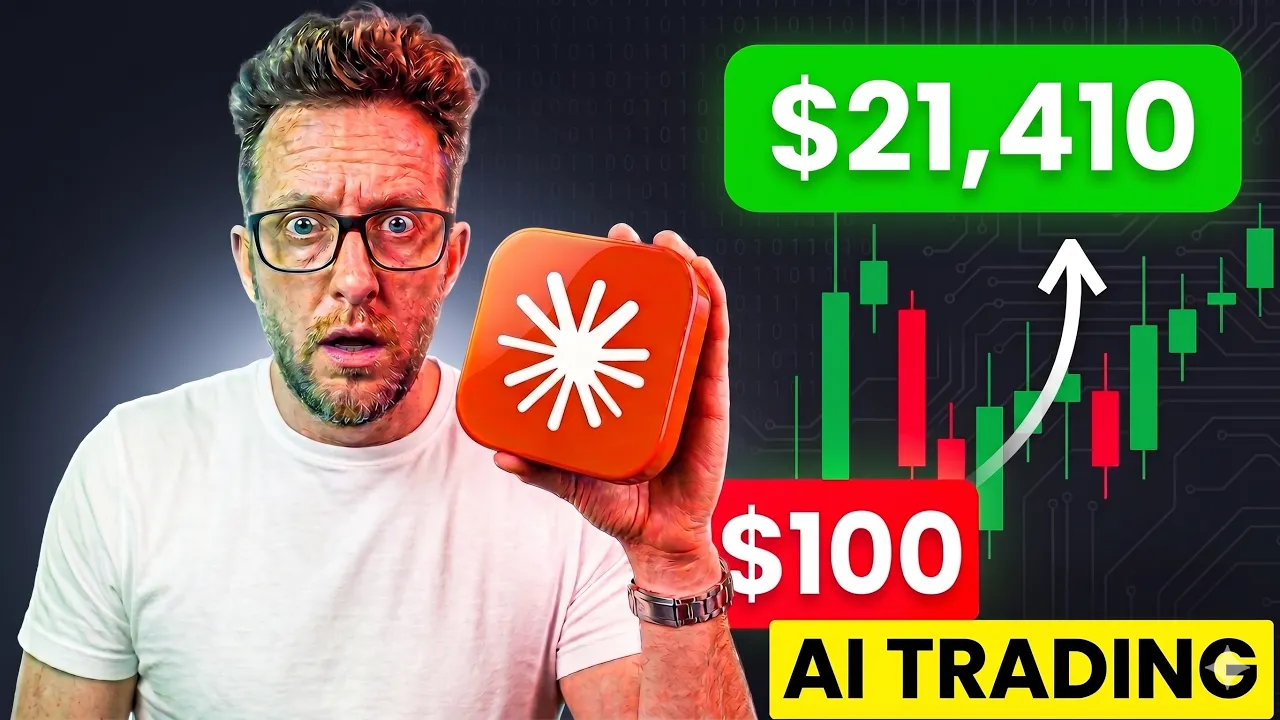
I used Claude code to build this 5 minute scalping bot and it made $21,000 in less than 90 days. And in this video I'm going to show you exactly how to build the same thing for yourselves in less than a weekend. By the end you'll know why every AI prediction bot on Twitter is fake and you'll have the exact prompt workbook and code to build your own working version. And guys, if you don't know who I am, my name's David. I've been building trading
88 words, the words spoken in the first 30 seconds at 175 words per minute.
Free, no signup. See how the first 30 seconds hold attention, with rewrites.
What this transcript is
Every word below is the caption track YouTube publishes for this video, pulled from the video itself and reproduced unchanged. It is not Prepublish's writing, not a summary, and not a re-transcription: it is the video's own published captions. English captions, generated automatically by YouTube, in the video’s original language. Source: the video on YouTube. A channel that would rather this page did not exist can ask for its removal through the contact page, and it is removed.
I used Claude code to build this 5 minute scalping bot and it made $21,000 in less than 90 days. And in this video I'm going to show you exactly how to build the same thing for yourselves in less than a weekend. By the end you'll know why every AI prediction bot on Twitter is fake and you'll have the exact prompt workbook and code to build your own working version. And guys, if you don't know who I am, my name's David.
I've been building trading systems for over 20 years. Top traders on Bybit are running my strategies right now and I've been backtesting and making videos for over 5 years here on YouTube. I'm now using AI to improve my profit as the AI space is full of noise and my job is now to cut through it. And so if that sounds good, don't forget to subscribe. I do videos every single week about AI and trading. Okay, so this is the dashboard that I built.
It runs on AI prediction markets on Polymarket. Specifically on the Bitcoin and Ethereum 5 minute and 15 minute up and down markets. This AI has one single job to predict the next candle and the bot trades the prediction. And unlike everything else you've seen on Twitter, this one actually works. Not because I'm special, but because this AI is the right AI for the job. But before I show you how to build this, I need to tell you why I built it.
Because I wasn't trying to build anything, but more in a way I was actually trying to prove something was fake. Here's the thing, every single AI trading bot you've seen on Twitter this year is basically the same thing. Someone, somebody, somewhere wrapping ChatGPT or Claude and calling it a trading system. That's not a trading system, that's a chatbot holding a calculator. My X feed over the past couple of months has been absolutely rammed with all of this kind of stuff.
Every single day, Claude made me $40,000 this week on Pony Market. I automated Pony Market with Chat GPT and now I'm retired. Screenshot after screenshot of dashboards that probably don't exist and wallet balances that definitely don't. Actually, while you're here, I want to show you exactly how easy is to fake one of these. Just watch this. Okay, this is Claude design. I'm going to give Claude one prompt telling it exactly what I want, giving it a screenshot that I found on X.
I'm not in the business of teaching people how to scam each other. I so I'm not going to be sharing this prompt this time. Okay, so I'm going to hit send just here. It's going to go away and code exactly what I'm looking for and in the meantime, I'm just going to explain to you why this doesn't work. LLMs like Chat GPT and Claude are not built for predicting financial markets. They're built to predict the next word in a sentence.
Asking one of them to predict the price of Bitcoin is like asking a poet to solve a physics equation. It'll give a beautiful answer but it'll probably be completely wrong. What actually works is a different kind of AI, time series models. The same architecture that forecasts weather, traffic, and climate. Anywhere that you need to predict something with the next number of sequence. And boom, there you have it coded in a couple of seconds, a dashboard that has a zero utility other than being able to create a screenshot for X.
Potentially, the person that's putting it on X is actually there to scam you. So, I'm going to be connecting exactly the same sort of dashboard over to Kronos and we're going to be trying to test it over a 30-day period to see whether or not it can actually predict the markets and be profitable. Like I said, you'll be able to follow along all of this. Everything is free, and you'll be able to get access to all of my wild boots.
Just comment AI down below, and I will send everything to you. And look, guys, I'm not above you. I've followed and commented on so many Twitter traders and clicked on threads. I've commented AI on all of these arbitrage bots, or whatever you call them, to try and find my own edge on Polymarkets. Most of them are arbitrage bots, which try and find a price gap between Polymarkets and centralized exchanges like Bybit, which potentially could work and does work until you add things like fees and the competition starts to grow.
And then you're just in a rat race to see who can buy the biggest, the fastest, and the strongest machine to make sure that they get the first entries. The rest is just straight-up fake screenshots. It pissed me off enough to spend a whole weekend building my own version. I'm not sending anything. I'm just here to prove to myself that this is total bull. Funny thing happened after a couple of days of testing. I came across a guy on Instagram who was talking about Cronus.
And somebody from my community called Vlad has actually been talking about Cronus for about two or three weeks now. Okay, let's get back over to my screen and let's go through step-by-step the workflow that I put in place to build my own dashboard that helps me predict on Polymarket and which turned €100 into €2,000 in less than 30 days. Okay, before I show you how to build this yourself step-by-step, let me quickly show you the dashboard and how everything works.
So, you get a hands-on feeling of how things are actually put together. Okay, so to this system, as you can see, this is the dashboard. It's called a Crow Terminal after the name of the AI that we're using. The dashboard is put together by several parts. First of all, we have our Chronos chart here, which we can see the current price of Bitcoin and its prediction on what it thinks the price will go to. Here in the middle, we have our Chronos signal, which is going to tell you what the prediction is, its confidence, and all of the other indicators that we put in.
We have an edge of 3%. Now, on this part, it's vital because it tells us we have an edge using Chronos, but not only that, we need the odds to be in our favor so that we can actually make money. Further down, we have a little bit of news, but that's neither here nor there, but this is where we can see our equity curve and how it is growing. Now, we have our engine at the bottom here, which where we can see the actual equity curve growing live day by day, hour by hour, minute by minute.
So, as you can see, to make the edge a little bit better, let me just scroll back up here. We have tested that this on 200,000 trials. There was 15,000 bits in total, 7,000 wins, and as you can see, the best model was actually the Chronos with a couple of indicators. What I did here is I added some ATR bands and added kind of a gate to stop us taking so many trades. We've used the ATR to make sure there's enough volatility in the market and the ADX to make sure that we're not sitting in a sideways moving market.
Next, a little bit further down, we have our position size. Position size, as an algo trader, I've actually found to be one of the most important parts. You never want to bet on a lower probability trade as much as you do on a high probability trade. So, here we've used Kelly ratio here to give us a better edge, and that has transformed our equity curve immensely and gave us $12,300 of profit in 3 months. I also wanted to try a betting system called Martingale.
Martingale isn't really the best of ideas. What it is is as soon as you make a loss, you double your position size. So, we made a Martingale plus Kelly here, which has actually come out to make even more money. This has made over 90 days 23,300 dollars, which is absolutely insane. So, let's have a look very, very quickly. As you can see on both Bitcoin and Ethereum on the 5-minute, we did 50,000 trials and on 15-minute as well.
From the research, I found that the 5-minute scalping has been absolutely a killer and the 15-minute hasn't reacted quite as as well. So, to build all of this, as I said earlier, we're relying on Claude code to build this and a GitHub repository called Chronos. Now, Chronos was built, as I said earlier, on time series data, which is an AI which is actually built for predicting numbers and not words. And this one here has been particularly trained on financial data.
If I scroll down, you can see the models that are available. They are all open source, as you can see. I used this a base model here, which I was also able to run on my Mac Mini and my MacBook Pro without any problems. So, the installation of this is pretty simple. You can use Python or something like that, but I have made you this absolutely wonderful, fully detailed workbook, so you can go through building your own dashboard and installing it just by prompting Claude.
All right, I'm about to walk you through the four steps of the full workbook, every prompt, every line of code, every API setup. And if you want the workbook, don't forget to drop AI down in the comments down below. It's free and yours to use, so you can follow along or build this a bit later. Here's how long it took me. I mean, this workbook is tons and tons of information and lots and lots of steps. The guide, you have the creation of the database, the creation of the dashboard, the creation of the actual connector over to Chronus.
But, it is simple. I'm going to show you these steps to get your AI to build this for you. The first step, we're going to go over to Claude design and we're going to download that dashboard we made earlier. Now, if you don't remember how to do that, we just literally go over to Twitter, find somebody else's, take a screenshot, and literally put it in there and ask it to copy that design. I'm then going to go over to the share button over here and download the standalone HTML.
Now, of course, you don't want to just take somebody else's design. You will be able to modify and change this as you go along, but this is just a quick way of getting started. While that is actually generating, it will take a couple of seconds. As you can see on the side here, the Claude is actually building the standalone version. We're going to open Claude code. So, to do that, we need to go over to our side board here and just click on Claude code.
If you don't have Claude code already, it's pretty simple to find. Just go to claude.com/download and you'll be able to download Claude for your OS just here. I'm on Mac, so I'm going to be using the Mac version just here. Next, we're going to open Claude and we're going to navigate to the code section just here and we're going to open a brand new folder. Next, download our standalone HTML version and we're going to upload that to Claude.
Finally, we're going to go over to our workbook just here and we're just going to press Ctrl A, Ctrl C on the actual keyboard. Going back to Claude code over here, and we're going to control V at that in there. That's going to give Claude code all of the information it needs to build out this dashboard and connect it over to Chronos. So, I'm going to first of all give it a quick prompt. Hey there, buddy. Right, today you're going to be building a dashboard of powered by a Chronos and AI, which is going to help me predict 5-minute and 10-minute charts on Polymarkets.
I'd like you to read the spec below, which is a workbook, which gives you all of the information to get started. I've also included a HTML page, which will give you the style of the dashboard that I'd like you to build. Remember that you are a top 0.1% developer, and your objective is to blow my socks off. Take a breath, take a couple of seconds, think about it, and execute. Right, we're ready to go. We're going to hit that enter, and we're going to trust our workspace.
Okay, so that is step number two. So, we've created our dashboard, which we did earlier in the design section. We've given our workbook and full prompt over to Claude code. He's going to go through all of those steps, build out your dashboard, and connect it over to Chronos. Let's connect, press okay once, and let's leave it in the background actually working for us. Okay, let's go back to our workbook. Now that Claude is coding your dashboard for us, we're going to have to run a couple of commands.
The first being the backtester. The backtester allows us to download all of the data from Polymarkets and do some tests. You're probably here for a reason. Like me, you didn't trust anything on Twitter that you've seen over the past couple of months. And backtesting is the only way for us to actually prove that potentially this strategy will work on a live markets. And so, in our workbook, we have a full section about how to backtest this strategy.
It's very simple, it takes a little bit of time, but you literally have to go into the folder where Claude code is installed and run this command. In the background, that will then run a back test that will probably take at least an hour if not a little bit more, and look something very much like this. What this is doing here is comparing data to historical data to see how well or not your strategies will work. Now, included in this, there are four strategies that I put together for you guys.
The first one is Kronos with a ditch naked signal, no other confluence whatsoever. I then added a second one, which is Kronos plus some indicators, which will try to gate keep some bad entries, and then the other two are the position sizing that I talked about earlier, Kelly ratio and Martingale. All of them can be back tested. Like I said, it'll take you about an hour or so to back test all of them for around 3 months of data.
Once you're done, you'll have a dashboard that will look like this with the back testing results. Okay, after about 30 minutes, Claude has finished coding, as you can see just here. We have our URL, our link to our new dashboard, and even the instructions on how to launch the back testing version live trading. So, I'm going to click here, and we're going to open the browser, and we'll have a dashboard that looks like this.
As you can see, it looks nothing like the first one I showed you. We have some dummy data in there as well, and we have our price data already populated. We have almost everything that we had in the dashboard that I did before. We just need to go to search and type terminal, and then drop in the code of from Claude just here in our terminal, and that will start the back testing process. And once the back testing is done and you're happy with the strategy, inside the workbook, you'll find how to convert over to live trading.
Guys, talking about a prediction market bot is one thing, but actually seeing one work in real time is completely different. And if you enjoyed this video and found that it was helpful, if you don't mind just giving it a good old thumbs up, really helps spread the word about the channel. And don't forget you can get the full workbook with instructions how to set everything up step by step for free. The link will be in the description.
Or just comment AI and I will send it to you for free. I said there were there was four steps. The fourth step is creating your own personalized dashboard. I've given you the baseline. I've given you the startup project. Now it's for you and your imagination to add and improve this dashboard. You can add things like copy trading, finding smart money wallets on chain on Polymarket, and actually getting alerts when those people actually take trades.
And all of these are wonderful things can be added to your dashboard just by speaking natural language to Claude, who will actually work everything out from A to Z for you, so you don't even have to learn to code. So guys, that's it. You have my workbook. You have my prompts. You have absolutely everything to get started hopefully building yourself a profitable AI driven Polymarket bot. Without further ado, guys, I'm going to wish you an absolutely wonderful day.
Take care. Keep safe. Trade like a boss, and I will see you in the next one. Goodbye. >> Come on, David. And once again, he's gone to code a new strategy. He'll be back in just 5 minutes. RSI and MACD.
The words are the caption track's own and nothing is reworded or re-transcribed. Paragraph breaks are placed between sentences so the text reads as prose.
Free tools for your own script. No signup, no login.
Paste your draft and see where viewers are likely to drop off, with a rewrite for each weak line.
Paste the first 30 seconds of your own draft for a hook score and rewrites.
Check your draft against YouTube's advertiser-friendly guidelines before you record it.
Read this channel's public videos and transcripts, and download a writing brief for it.
Most replayed moment #1
9:164.8x the video's typical replay level
installation of this is pretty simple. You can use Python or something like that, but I have made you this absolutely wonderful, fully detailed workbook, so you can go through building your own dashboard and installing it just by prompting Claude.
Said at 9:09
Most replayed moment #2
14:553.5x the video's typical replay level
browser, and we'll have a dashboard that looks like this. As you can see, it looks nothing like the first one I showed you. We have some dummy data in there as well, and we have our price data already populated. We have almost everything that we had in the dashboard that I did before. We just need to go to
Said at 14:48
Most replayed moment #3
9:572.6x the video's typical replay level
creation of the database, the creation of the dashboard, the creation of the actual connector over to Chronus. But, it is simple. I'm going to show you these steps to get your AI to build this for you. The first step, we're going to
Said at 9:51
The graph counts replays. It does not show where viewers stopped watching.
Sentence shape
| Measure | This transcript |
|---|---|
| Sentences | 183 |
| Average words per sentence | 16.4 |
| Longest sentence | 42 words |
| Questions asked | 0 |
| Sentences containing a number | 19 |
Most used terms
Filler phrases
46 in total: actually 21 · like 16 · kind of 3 · literally 3 · I mean 1 · basically 1 · sort of 1.
A literal whole-word count of the same phrase list the Prepublish browser extension uses, so a phrase inside another word is not counted and a phrase used in its ordinary sense still is. It is a count and not a judgement.