Getting the transcript
Reading the captions from YouTube. A video nobody has opened here before takes 10 to 30 seconds; this page fills in on its own.
Getting the transcript
Reading the captions from YouTube. A video nobody has opened here before takes 10 to 30 seconds; this page fills in on its own.
AI Engineer · @aiDotEngineer
This video has no Most replayed graph yet: YouTube shows one only once a video has enough views. These are the moments viewers replayed most in AI Engineer's most watched videos.
Most replayed moment at 11:58
4.6x that video's typical replay level
issues. Uh I also invented OS certification. I just close the tracker whenever I want, so I have my life back. So, does this work? Yes, sort of. >> [laughter] >> Which leads me to act three, slow the down. Everything's broken.
Said at 11:52
Most replayed moment at 18:45
4.8x that video's typical replay level
that they're they're changing they're changing things in the database not yet. You want to run them through the ontology first and make sure that works. Okay. I only got an I've got I've got another I've just a short time. I'm going to try to show you some of the things that um that you can
Said at 18:37
Most replayed moment at 16:13
3.6x that video's typical replay level
method signatures, the program layout and the call stacks. So here's some examples. I don't think you'll be able to read this one, but this is like the level of abstraction we're at. It's how we're actually going to lay this stuff out and how these systems are going to interact. Dylan Mulroy from Cloudflare talks a
Said at 16:06
The graph counts replays. It does not show where viewers stopped watching.
Words
3,308
Runtime
18:43
Speaking pace
177wpm
Reading time
14min
177 words per minute, between the 160 25th percentile and the 181 median of 349 measured videos. That distribution comes from the 349-video hook study.
Opening (first 30 seconds)
Cool. Hello everyone. Welcome to our talk. It's like one of the last talks of uh the conference. So, thanks for coming. U this talk is called MCP doesn't suck, your agent does. My name is Han Chern. I'm the founder and CEO of Appify. And I don't know if you've seen the these ones around here. Maybe I'll zoom here. Actually, we went great lengths to uh bring people to this talk. Uh didn't quite work out. But anyway, thanks for coming. So, as you know, uh MCP
89 words, the words spoken in the first 30 seconds at 177 words per minute.
Free, no signup. See how the first 30 seconds hold attention, with rewrites.
Sentence shape
| Measure | This transcript |
|---|---|
| Sentences | 148 |
| Average words per sentence | 22.4 |
| Longest sentence | 222 words |
| Questions asked | 24 |
| Sentences containing a number | 8 |
Most used terms
Filler phrases
334 in total: like 149 · uh 62 · actually 32 · you know 30 · basically 22 · right? 19 · I mean 8 · kind of 5 · sort of 5 · literally 1 · um 1.
A literal whole-word count of the same phrase list the Prepublish browser extension uses, so a phrase inside another word is not counted and a phrase used in its ordinary sense still is. It is a count and not a judgement.
Free, no account. See where attention is likely to drop, with a rewrite for each weak line. The free check shows the scores and the one issue costing the most. Or run it on the words above first.
Free · No login · See a sample audit first if you prefer.
What this transcript is
Every word below is the caption track YouTube publishes for this video, pulled from the video itself and reproduced unchanged. It is not Prepublish's writing, not a summary, and not a re-transcription: it is the video's own published captions. English captions, generated automatically by YouTube, in the video’s original language. Source: the video on YouTube. A channel that would rather this page did not exist can ask for its removal through the contact page, and it is removed.
Cool. Hello everyone. Welcome to our talk. It's like one of the last talks of uh the conference. So, thanks for coming. U this talk is called MCP doesn't suck, your agent does. My name is Han Chern. I'm the founder and CEO of Appify. And I don't know if you've seen the these ones around here. Maybe I'll zoom here. Actually, we went great lengths to uh bring people to this talk. Uh didn't quite work out. But anyway, thanks for coming.
So, as you know, uh MCP is a standard to securely access tools and resources, right? Basically, standard for agentto tool interaction and it's been introduced by by Antropic about almost two years ago and actually it took the world by storm, right? And actually last year MCP became the darling of the AI world like really like like a lot of people build their servers uh I think like now there's like 10 to 15,000 servers right a lot of clients adopted it and actually it became a standard you know like used by cloud or chpt to plug tools and connectors to your to your AI agents.
There was like even so many MCP uh servers that that people had to create registries of MCP servers and there were so many registries that people have to create even MCP server registry registries. Pretty wild times, right? So when MCP connects agents with tools, everybody loves MCP, right? Right. Well, not exactly. Actually, especially last year, there have been a lot of hate about MCP. Like for example, Antropic admits that MCP sucks from to MCP is the wrong abstraction.
Antropic is trying so hard to fix MCP. MCP was a mistake. Long live CLIs, right? MCP is dead in the water. Open Claw has shown me that API and CLI will will win. There is a reason I didn't add MCP support to Open Claw except via MCorter MCP to CLI converter. Oh, that's interesting. MCPS are mostly useless. I'll die on this hill if I have to. Every MCP could have been a deterministic CLI. That's what I'm going to do next year.
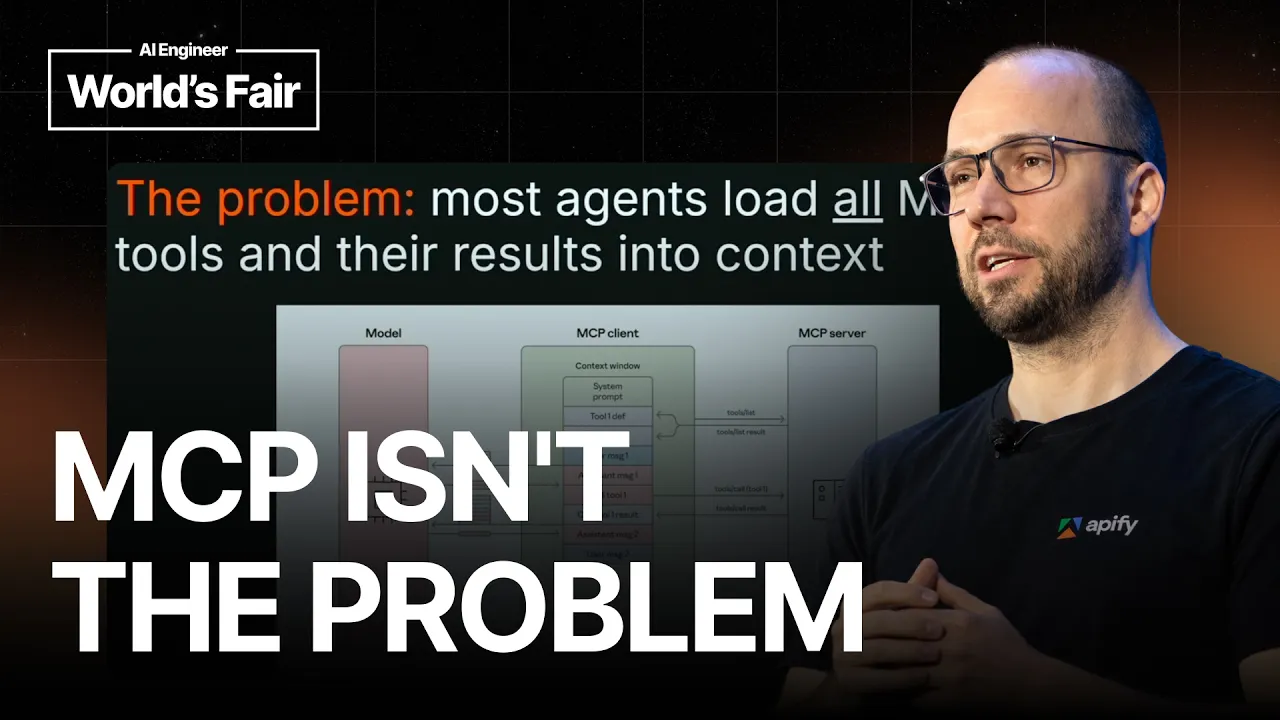
And from Gary Tan who's going to speak today as well, MCP sucks honestly. Oh my god. And uh Peter levels, thank god MCP is dead. So I'm like what's happening? Why are everybody hitting MCPS, right? This is crazy. So first like let's look at the problem like what are people talking about? So the most slighted problem was like hey MCP eats too much context and actually that's true. I mean the first like way how agents implemented MCP was very naive right they were like hey MCP gives you tools so there is like if you have 10 MCP servers you just like 10 MCP tools so there's like 100 tools and agents would register all these tools in the context right away so before you actually even ask any question MCP would like eat like 100 like you know tools in in your context maybe like onethird of your context would be gone without actually like doing any work and honestly this is pretty crazy I mean if you think about it right and then you would be calling tools basically adding to the context the results would be added back to the context again and basically the context would just like grow very long and the wrote over time you lose accuracy it cost a lot of money and so on it's very ineffective way how to do that but that's not the problem of MCP that's problem of of the harness and if you look at the MCP specification what it says about like how you should design the harness like it says absolutely nothing it's up to the implementation right so it's your job when you're building your agent to make sure you use MCP effectively.
It's not a problem of the protocol, right? So what are the solutions of this? So first solution like fairly naive is like hey let's split the context into sub agents. So if there's some task you can basically delegate it to a new sub agent it own context. So basically it doesn't pull you the main context window. I mean that's great but you still have to pay money for those tokens. It doesn't go away. And the problems like u before are still still around.
For example, if the MCP tool uh returns some some sensitive results like password, basically it stays in your context and it can be abused by other other tool calls or basically like u application, right? So basically context is is is a really bad place to uh pass sensitive value or like large data and sub agents only push that problem a little further but still don't remove it. So what's the solution number two? Uh I think it was end of the last year.
I think first uh Antropic and then cursor introduced something which is called progressive tool discovery. And uh I mean it's it's so simple that it hurts even that like people have to you know like do this. But uh the idea was like hey if we put all the tools into the context it just consumes too much tokens. So how about we put those tools into the context progressively only when you need them right? So for example, Antropic uh in cloth introduced this like tool just called like tool search tool and basically that tool helps you find other tools and only add those to the context when needed, right?
And it kind of makes sense. I why would you like add all the 100 tools in your context all the time if you rarely need them? Like typically you just like need maybe one or two and actually this way you can save like huge amount of context right away. basically makes it more effective, cheaper, you know, faster to run and so on. So it kind of makes sense, right? So like every everybody should be doing it. No. And then solution number three also introduced uh end of last year by Cloudflare.
It's called code mode, right? And the big idea is like hey let's not treat MCP tools as you know like functions like that you you know you would have to the context but treat them as as a code and actually models are really good at writing and and analyzing code because you know they can use tools like grab they can find the right you know definition like they can navigate the code pretty well and that way they can navigate also the two descriptions and information about the tools and so on.
So it's it's a pretty like simple idea very straightforward that so let's convert tools MCP tools and servers into into code and treat it as code right pretty simple but extremely effective right because it it turns out models are better at writing and calling code code than than than calling tools because cool tool calling is an artificial construct basically that we have to teach the the LLMs to do it's like it doesn't exist like in a in a real world like in real training data like this those has to like syn syn synthetized and put into the model.
But unfortunately uh even cloud implementation of code mode is like very difficult to use. It's like very like tied to their platform and it's it's not really straightforward you know. So not a lot of people are actually using code mode you know uh except few examples right so still most agents are living in the dark ages and this they don't they don't support these features you know and most mcp clients and it's a pity because the protocol has evolved a lot a lot of new things but the clients don't support it so how are CLI different you know why people compare CLI to MCP well actually agents never load the full CLI into context it's not like the agent would explore all the all the commands of the CLI tool like find a help and put it in the context.
No, no, it does it it it's doing it progressively by default. So the agent uh is calling the CLI tool only when needed and sometimes actually it knows the tools by heart like so for example the basic Linux commands the agents already know because they have seen it training data since you know forever but also they can like learn about the tools uh the CLI tools from help because there is help and actually uh agents run CLI tools uh as code by default right so in order to run CLI tools you have to have some runtime like sand sandbox or machine that you can like run the commands in.
So and when you like invoke these like CLI tools I mean it's code mode by by default you you run it as a code it's like bash code but it's still code so you know it's basically like code mode like uh is available to to CLI from scratch while MCP only had to like sort of like grow into it you know and this is important like agents know the shell by heart I mean Linux shell Linux or Unix has been around from like 1969 when uh Ken Thompson and Dis Richie actually created Linux and when you look like the basic terminal that black box of like 80 columns and I don't know 25 rows it's like really like condensed representation of what's happening in the computer right like like every bite every every character there is is optimized you know like over 40 years to really convey only the most important information right so it's really really like optimized you know for for people but it turns out like agents like this as And agents actually know shell by heart.
They really know like how to do call call C cli commands, how to pipe them. They really know like how to use a shell well because they have seen it in so much training data. Plus for for the AI labs, you can actually synthesize like infinite amount of training data from using shell, right? You can just like pipe different commands together, explore the commands, extract information from your manual pages and basically feed this all to the models.
So they know the shell really really well. But CLI are a local black box with no standard outend transport protocol. So basically I mean they are literally a black box. It's a black terminal thing right and you don't see what's happening inside. So for example if you wanted to like you know instrument like these like CLI uh in your enterprise you would have to sort of like in introspect the protocol and like uh oh are they using API or websockets or you know you don't know you cannot inject their credentials into that.
So basically CLI are great for local interface but for remote access MCP is better. I mean I have yet to see uh some agent like using CLI connectors it doesn't exist because it doesn't make sense. You have MCP connectors. So how about we use MCP for standard remote access and CLI for local agent access or local agent interface with all the goodies like uh that I described. Well, that way you can provide all the protocol features of MCP through a simple tool call that all the agents already know which is called bash right.
So basically the full complexity of MCP is hidden behind single tool call bash and you don't need to worry about the sessions authorization all out nothing. So uh ladies and gentlemen let me introduce you uh MCPC which is like our universal CLI client for MCP. uh we this started as a hobby project uh during the uh December so or also known as winter of cloth and u from a hobby project it actually like u you know evolved into probably the the most uh featurerich uh MCPC like cline on on the market.
So you can install it like through npm or ban and how it works right. So the design goes for MCPC where hey we really want to support support like everything the MCP protocol has to has to offer you know task resources proons basically everything right and maximum compatibility to make it really easy to run anywhere anytime. MCP is like super lightweight. There is no LLM. It's just a a wrapper. It's a CLI wrapper over the MCP protocol that sort of like abstracts away the protocol thing but nothing else.
It's very it's supposed to be easy to use for both agents and humans obviously and it needs to support code mode all the way and actually every command in MCPC has like a option to run with D-JSON which returns just like pure JSON representation of the data again MCP specification compliant. So actually you can compose the different like uh CLI calls together with tools like jq pipe them together and really build like a sequences of of of of tools uh of tool calls in code.
So I'll show you how it looks like uh just a quick demo u we still have some time. So here is the basic interface of mcpc right. So it has help actually the help like we optimized a lot the help to kind of like make it really easy for agents to pick up right away without any external skills. Right. So uh first let me connect to uh a local server. Oh no no no. Uh so it supports stddio which is like the local processes uh running on your computer.
So here I'm connect to MCP server called file system FS and when I connect I can suddenly like see the server name protocol capabilities tools and available commands right so for example I can get a list of the commands of the of the file system server I can get them get them in JSON format so again this is like something you can use as a code because it's JSON right and then I can also connect uh to remote MCP servers So first I need to uh login.
So let's say appy mcp server. I it opens a browser where I run authentication. So just like pick some uh pick some account. So now uh the MCPC is is is logged in and basically it's it securely save the credentials into your local OS keychain. So we can now use them like uh to connect securely to to different resources. So uh let me connect to Appify MCP server. I hope this works. All right. So now I get like the basic information about the server including instructions.
You know actually MCP protocol has instructions where server kind of explains what it does but most clients still don't support this basic primitive right which is kind of crazy. MCPC are supported of course then it can list the tools available commands and so on. So now when I run MCPC I see I have like three MCP sessions. Actually MCPC purses those sessions right? So basically if I go away it keeps those sessions alive and I can come back to them later right?
So basically it keeps a state for you and actually you can just connect or set up once and then like let your code cloud code or codex use it without you sort of having to worry about it and sharing the configuration between these different agents. Basically the agent just just just use the same setup. And uh I was mentioning the progressive tool discovery, right? Uh so MCPC has this command called grap and I can for example like look for all tools or servers that contain the word find, right?
And I see there is like the the the FS the fast system MCP server has like three tools that match this this uh this the search string and API has four right. So I can you know try another command for example I can try to run a tool called ampify regular browser which is like one of our tools to search web and actually MCP protocol has like this new feature called asynchronous task again most clients don't support it but here I just like add task and I run this task asynchronously that means like it starts on the server and I can like you know do locally other things you know and then just like pick up the results later and you know check the progress and so So we can see it's running in the background and then eventually I can get the results or I can actually detach you know and do something else.
So again like MCPC is one of the few clients that supports uh it supports uh asynchronous task which is pretty cool and you can get it right away in your in your uh browser. Okay, I'll detach and for example okay I'm running out of time a little bit so I'll continue with the presentation there. So we did some demos here and actually you can use the the d-JSON command to uh return everything in JSON and then pipe these together to create like basically like like shell scripts that run MCB servers in the background without wasting your your your context tokens.
By the way, recently we added support also for X4 X42 because it turns out uh there are not too many like tools to manage your local wallets. U so we added it to to MCPC as well. So because like we want we are we are supporting X42 now. So uh it's actually one of the coolest tools like you can use for X42 now. uh there are like special commands like for example proxies for sandboxing you know I will not go into detail there but also we wanted to to to understand what is the performance of the MCP MCPC and versus like native CLI right so we will we build this like new uh framework called connector evals and like typically like evals or you know this like benchmarks uh compare like different agents like hey for example like terminal bench is comparing whether codeex is better than cloud code and so But we sort of like flipped it and we built a framework to to compare like how different connectors compare with each other, right?
Is it is it more effective to UCLI or MCP or MCPC or whatever tool. So here are a few results actually and you can see that like the this is I think uh these all these tests are using cloud code with sonet 5 and you can see that for example this is this chart the x x is is the time how long did it take to finish the task and y chart is the cost of tokens right and you can see that like mcpc and cli are actually performing pretty similarly while row mcp finish faster for whatever reason but actually consume more tokens.
It's like another test. Again, MCPC and CLI are fairly comparable. Raw MCP like performs wars. And there's another one again similar result, right? So, actually these tests are still like fairly early. Uh but like uh yeah, be happy if you come and check it out and um contribute. So, please stop saying CLA is better than MCP because MCP plus CLI is the best. Thank you very much for your attention.
The words are the caption track's own and nothing is reworded or re-transcribed. Paragraph breaks are placed between sentences so the text reads as prose.
Free tools for your own script: paste a draft and see where it stands before you record it.
Paste your draft and see where viewers are likely to drop off, with a rewrite for each weak line.
Paste the first 30 seconds of your own draft for a hook score and rewrites.
Check your draft against YouTube's advertiser-friendly guidelines before you record it.
Read this channel's public videos and transcripts, and download a writing brief for it.