Getting the transcript
Reading the captions from YouTube. A video nobody has opened here before takes 10 to 30 seconds; this page fills in on its own.
Getting the transcript
Reading the captions from YouTube. A video nobody has opened here before takes 10 to 30 seconds; this page fills in on its own.
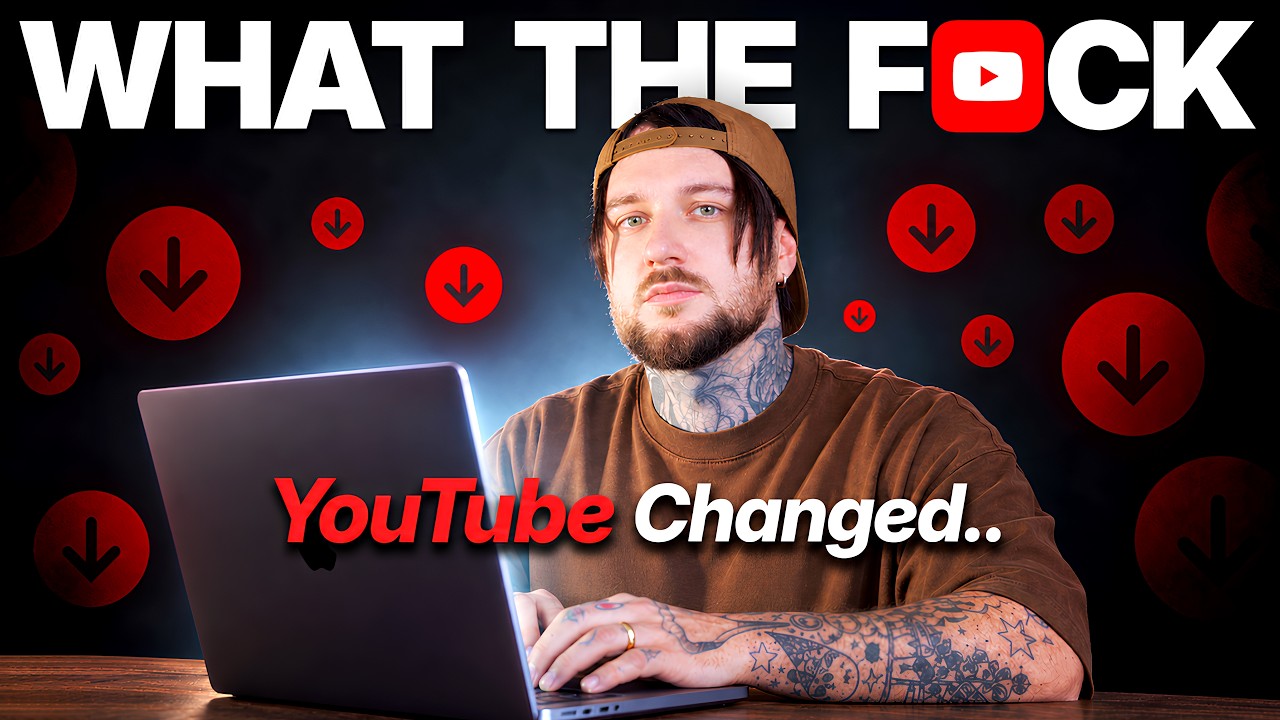
Danny Why · @danny_why
This video has no Most replayed graph yet: YouTube shows one only once a video has enough views. These are the moments viewers replayed most in Danny Why's most watched videos.
Most replayed moment at 4:13
4.1x that video's typical replay level
just a little part of the script. If you copy the entire script, it's going to generate you more than 100 images, which is absolutely insane. You're You're basically going to have footage for your video every few seconds. And this process over here literally takes you like 10 minutes. And basically, this is
Said at 4:05
Most replayed moment at 7:47
6.9x that video's typical replay level
don't post consistently. You upload one video, then disappear, then you upload again, then disappear for weeks or months. Viewers don't know when to expect your next upload, and YouTube doesn't either. That confusion hurts your channel. YouTube wants consistency.
Said at 7:40
Most replayed moment at 9:31
4.9x that video's typical replay level
over here, Cloud Code says, "I'll generate all the 24 images." And it's using different terminals to generate each image. You should have a folder, like this one, on your computer over here. And inside the folder, we're going to have each image based on each timestamp inside our script. So, if we click on an image,
Said at 9:23
The graph counts replays. It does not show where viewers stopped watching.
Words
3,016
Runtime
15:02
Speaking pace
201wpm
Reading time
13min
201 words per minute, above the 201 75th percentile of 349 measured videos. That distribution comes from the 349-video hook study.
Opening (first 30 seconds)
All right. So, in the last few months, YouTube has slowly changed forever and it's hard to notice because every change has happened gradually. So, viewers don't feel overwhelmed. But if you create content, these changes are affecting you. And if your videos are getting stuck below 2,000 views, these changes might be the reason why your videos are getting stuck. So, if you have a small YouTube channel and you want to grow on YouTube, you have to listen to this video because inside this video, I'm going to show you all the changes and how to adapt to them
101 words, the words spoken in the first 30 seconds at 201 words per minute.
Free, no signup. See how the first 30 seconds hold attention, with rewrites.
Sentence shape
| Measure | This transcript |
|---|---|
| Sentences | 211 |
| Average words per sentence | 14.3 |
| Longest sentence | 43 words |
| Questions asked | 17 |
| Sentences containing a number | 25 |
Most used terms
Filler phrases
31 in total: like 12 · basically 8 · right? 4 · actually 3 · sort of 2 · I mean 1 · literally 1.
A literal whole-word count of the same phrase list the Prepublish browser extension uses, so a phrase inside another word is not counted and a phrase used in its ordinary sense still is. It is a count and not a judgement.
Free, no account. See where attention is likely to drop, with a rewrite for each weak line. The free check shows the scores and the one issue costing the most. Or run it on the words above first.
Free · No login · See a sample audit first if you prefer.
What this transcript is
Every word below is the caption track YouTube publishes for this video, pulled from the video itself and reproduced unchanged. It is not Prepublish's writing, not a summary, and not a re-transcription: it is the video's own published captions. English captions, generated automatically by YouTube, in the video’s original language. Source: the video on YouTube. A channel that would rather this page did not exist can ask for its removal through the contact page, and it is removed.
All right. So, in the last few months, YouTube has slowly changed forever and it's hard to notice because every change has happened gradually. So, viewers don't feel overwhelmed. But if you create content, these changes are affecting you. And if your videos are getting stuck below 2,000 views, these changes might be the reason why your videos are getting stuck. So, if you have a small YouTube channel and you want to grow on YouTube, you have to listen to this video because inside this video, I'm going to show you all the changes and how to adapt to them to grow.
Now, one of the craziest changes that some people didn't even notice is that we went from having almost 20 videos on the homepage to only having three. And the other row below is now with short form videos. If YouTube can only show three videos on the homepage, it needs to show videos that are already performing well or that are created by big creators. YouTube can't risk showing a new small channel on the homepage because if the video isn't good enough, the viewer might leave the platform and that's not what YouTube wants.
So, your chance as a small creator of appearing on the homepage is extremely low. So, how do you get views? How do you grow as a small channel? Well, you have to start optimizing your videos for the suggested tab. Let me explain. When a viewer enters YouTube, they see three videos on their homepage. Sometimes they even see an ad as their first video, dropping the total number of videos they see to only two. Now, below these videos, YouTube is showing short form content.
As I said, these two or three videos are probably already viral videos from big creators. YouTube shows them because the algorithm knows the viewer will probably watch them. YouTube doesn't just want the viewer to watch one video. YouTube wants the viewer to stay on the platform for longer. So, after the viewer clicks on one of these three videos and finishes watching it, the algorithm tries its best to keep the viewer on the YouTube platform by suggesting similar videos on the right side of the video they just finished watching.
This is also where the second change comes in. Recently, YouTube started showing more and more videos from small channels in the suggested tab. But here's something most of you didn't notice about the suggested tab. So, when you watch a video on YouTube, on the right side, the first suggested video will probably be from a big creator that already has a lot of views. The second suggested video might be another viral video from a big creator, but now the third suggested video will probably be from a midsized creator with a decent amount of views.
But then a video with only 300 views or 1,000 views from a random small channel will appear. And after suggesting the small video from this small channel, the algorithm keeps showing big videos, only viral videos below it. So YouTube tries to help small channels by squeezing in this brand new video from a small channel next to these big creators. And that is amazing news for small channels like you because this means every small channel now has an opportunity to grow.
All you have to do is package your video the right way and make sure that whatever you show inside your video is interesting enough for viewers to watch. But the problem is that you probably have no idea how to package your video and how to optimize your video. So, let me help you out. Now, this is a brand new theory and it works with any niche. It doesn't matter what videos you post, what topics you post. It works with any type of channel.
Here's how it works. So, pay attention. As I said, a viewer enters YouTube and it's greeted with three big videos. Now, let's say one of these videos, it's called why bananas are good for you. So, this viewer clicks on this video and watches the entire thing. But on the right, there are suggested videos. And as I said, these suggested videos already have a lot of views. But there is one slot for one small channel. And that's where you as a small channel need to learn how to sneak in into the viewer's eyes.
Let me show you how to do it. So, how can you appear as a small channel in this tiny slot? What can you do? Should you just post a random video and hope the algorithm will bless you? I don't like that. It feels like I have no control. That is why I found an interesting way to make sure I do appear there. So, here's how this tactic works. You basically have to create some sort of follow-up to the video the viewer is already watching.
The best way I can explain it is think of it as creating the episode two of someone else's video, right? It sounds pretty interesting, right? And I haven't seen other people talk about it, but they will after they see my video. For example, if the current video a viewer is watching is called Why Bananas are good for you, your video can be called why bananas are bad for you. And this is why this is different from the outlier theory because you're not recreating the same idea.
Imagine a viewer has just watched a 20inute video about why bananas are good for you. When they look at the suggested tab, they see your video there called why bananas are bad for you. It feels like the second episode of that video. And since the viewer already watched a 20inute video about why bananas are good for you, the chances of the viewer clicking on your video is very high because your video really feels like a follow-up video to that video.
And this is a great way to make a viewer interested in your content by using a video that's already popular. And this is so important to understand because before this, the tactic everyone used to grow on YouTube was the outlier theory. So what creators used to do and what they're still doing is this. They see a popular video called why bananas are good for you and then a hundred other channels create the exact same video.
They just change the title a little bit. They change the thumbnail a little bit, but they essentially make the same video. And this is what the outlier theory is. And it has been dominating YouTube for the past 5 to 6 years. It's what every single creator has been doing. But recently, because of all these new YouTube changes, the outlier theory has slowly stopped working. And this is why a lot of channels have stopped getting views or feel stuck because the outlier theory is slowly dying.
And there's a good reason for it. The outlier theory relies too much on copying people. And now because of AI and with the help of AI, creators can copy each other faster and better. And this is a huge problem for YouTube because when a lot of content feels the same, the platform starts to feel boring. And if the platform feels boring, a lot of viewers exit YouTube. And as I said in the beginning of my video, YouTube doesn't want that.
YouTube wants viewers to stay as much as possible on the platform. Because if viewers stay on the platform, that means YouTube can show more ads, can make more money, right? So if the platform becomes boring and viewers leave, YouTube makes less money. And so this outlier theory has become a huge problem for YouTube. And that is why YouTube introduced something into their algorithm called semantic ID, which basically detects your entire script, your format, your title, and what you're talking about, what music you're using inside your video.
This new AI algorithm from YouTube understands your video on a much deeper level, almost deeper than you do. And because of this, it can easily notice if your video is inspired from another video. And if the algorithm detects that your video is a little bit too inspired from another video, it's going to stop sending viewers to your video because your video is not original. And this is also another change YouTube is going through.
It wants more original content. The old advice is slowly dying. That's why if you want to grow on YouTube nowadays, I'd suggest using what I'm going to call the follow-up theory. And the reason why I like this so much is because as a small channel, this gives you a system to follow. You don't just randomly post videos and hope to grow. You actually have a system you can follow, which in my opinion makes YouTube easier because the worst part about it is when you just post random videos and hope it works.
So, if you want to grow faster, I would suggest using the system. But even if you appear in the suggested tab, you still need to make sure your video is interesting enough to click on and you need to make sure your video is interesting enough to watch. And that's where you probably fail. And I think that's because you don't understand what good enough means. What's a good enough video on YouTube, right? What would viewers and what will the algorithm consider a good enough video?
Well, let me help you with that as well. I think the most helpful thing I can do for you as a small channel is to explain what is the average click-through rate and the average view duration you should aim for. So, I'm going to use a 10-minute long video because it's easier to calculate. Let's say you post a video on YouTube and it's 10 minutes long. For this video to get more than 10,000 views, 50,000 views, or 100,000 views, you want a click-through rate of 5% to 10%.
This does fluctuate a little bit depending on your niche and your topic, but overall if you hit 5% to 10%, that is good enough for your video to get even 100,000 views. But here's the confusing part. As your video gets more impressions, your clickthrough rate drops. So, how low should your click rate drop for you to know that your click rate is still good? Well, I think the best example I can show is my videos. For example, if a video reaches 100,000 impressions or 500,000 impressions, my clickthrough rate is still around 5%.
Sometimes six, sometimes four. So even if you get 1 million impressions, you want your clickthrough rate to still be close to 5%. Now, if you start getting 2 million impressions or 10 million impressions, obviously the clickthrough rate is going to drop below 3% or 2%. But you get the idea. But as I said, clickthrough rate is not the only thing you want in order for your video to get views. You also need a good average view duration.
So, for how long on average should the viewers watch your video for your video to grow? Based on my experience of creating content for more than 10 years and owning multiple channels, the average view duration that usually pushes my videos beyond 10,000 views or 50,000 views and sometimes even over 500,000 views is 3 minutes. So, if the video is 10 minutes long, viewers watch my video on average for 3 minutes. That is a retention of 30%.
And honestly, that's not so bad. That's actually super easy to achieve. Now, if your video is 20 minutes long and your average view duration is still 3 minutes, that is too low. As I said, 3 minutes only applied to a 10-minute video. So, the longer your video gets, the higher that average view duration needs to be. Whether your video is 15 minutes long or 25 minutes long or 30 minutes long, you need to hit a retention of 30%.
But how do you do this? How do you get a clickthrough rate of 5% to 10% and a retention of 30%. Well, let's start with clickthrough rate. For that, you need a good thumbnail and a good title. Now, the title is pretty easy to come up with, but what about the thumbnail? Well, this is where things get tricky. Recently, AI has gotten extremely good at creating thumbnails to the point where you can't even tell whether they were made with AI or not.
I use AI to create thumbnails myself, and my recommendation is that if you want to stay ahead, you need to use them as well. Not for all of your thumbnails, but you should incorporate AI when it comes to creating thumbnails. Now, to help you out and keep things as simple as possible, I'm just going to show you how I create thumbnails for my channel so you can simply just learn from me. So, recently for my thumbnails, I've been using Hickfield a lot.
Hickfield is an AI platform where you can choose from different models to generate images and videos. And here's the entire process. I basically go to Hickfield and under dashboard at the top, I click where it says image and then I click create. I choose the model I want, which is usually the CHAGBT model. And then I just tell it what I want to create. Sometimes I can also add a reference photo with myself if I want to generate myself with different backgrounds or different angles.
After that, I just send the prompt and within a minute I have a thumbnail that looks pretty insane. So, for example, on the screen, this is a thumbnail I created with Hicksfield. It basically looks identical to me. It has perfect lighting, perfect shading, and if I don't like it, I can just go ahead and create another one with a different background or a different angle. It's very fast and it's very efficient. And this is the reason why I recommend using it because it speeds up the process quite by a lot.
And if you don't use it, some other creators like me are going to use it and we're going to stay ahead. And now, basically, after I have the final image from Hickfield, I usually just drop it inside Photoshop. I add text. I fix a little bit of the lighting. And here's how the final thumbnail looks like. On the left side, you can see the image created with Hickfield. And on the right side, you can see the image after I added text and done some modifications to it.
And to go one step further and show you why this works so well, check this out. I used this thumbnail in this video, and this video got 1.6 million views. So, it's up to you if you want to create thumbnails like this or not. There's going to be a link down in the description where you can try Hicksfield yourself and start creating better thumbnails. But now, we need to talk about retention. How do you get viewers to watch at least 30% of your video?
Well, based on my experience, there are two things that seem to help increase retention. First, visuals. different scenes, graphics, text, animations, B-roll, whatever you can add to your video to make the footage more interesting, add it. But don't overwhelm the video with too many graphics or too much B-roll. Just add it when it makes sense. And you can still use AI to help you create some of these animations and motion graphics.
For example, I also use Hicks Field to create some 3D visuals for my video or to create specific motion graphics. And it's very useful. A lot of creators are afraid to use AI in their videos because they're afraid to be categorized as AI slop creators. But the thing is with AI, you can actually create some cool looking things. I mean, just look at the thumbnail. Does this thumbnail look like AI slop? It literally got 1.6 million views.
So the problem is not AI. The problem is the people who use AI to create these things. But now, what's the other thing that can help increase retention to 30%. Well, that's storytelling. And honestly, I think it's the most important one because storytelling is what basically makes a viewer think, "Wait, what's going to happen next?" No matter your niche, no matter your topic, you need to have some sort of storytelling in your video.
But a lot of you have no idea how to add storytelling to your videos. So, let me show you a very basic example. Let's say you make a video about prehistoric humans. And your script, your video sounds like this. They hunted animals. They gathered food. They made fire. They stayed in the rain. They were cold. They were walking. They were dying. They were blah blah blah. You see, you're just listing things. It gets boring.
There's no storytelling inside your video. Now, watch what happens when you turn this into an actual story. They didn't eat all day. So, they had to go and hunt, but they couldn't find anything to hunt. So, they were very hungry. The rain started. It got worse. And because it got worse, a lot of them died. So, I don't think you notice, but I'm basically saying the same thing. I just use words to make it sound interesting.
Now, if you're really serious about growing on YouTube and getting more views, I suggest you watch this video over here because inside this video, I'm going to show you how you can add storytelling the right way to your videos. It's basically episode two of this
The words are the caption track's own and nothing is reworded or re-transcribed. Paragraph breaks are placed between sentences so the text reads as prose.
Free tools for your own script: paste a draft and see where it stands before you record it.
Paste your draft and see where viewers are likely to drop off, with a rewrite for each weak line.
Paste the first 30 seconds of your own draft for a hook score and rewrites.
Check your draft against YouTube's advertiser-friendly guidelines before you record it.
Read this channel's public videos and transcripts, and download a writing brief for it.