Getting the transcript
Reading the captions from YouTube. A video nobody has opened here before takes 10 to 30 seconds; this page fills in on its own.
Getting the transcript
Reading the captions from YouTube. A video nobody has opened here before takes 10 to 30 seconds; this page fills in on its own.
Leila Gharani · @LeilaGharani
This video has no Most replayed graph yet: YouTube shows one only once a video has enough views. These are the moments viewers replayed most in Leila Gharani's most watched videos.
Most replayed moment at 2:55
2.1x that video's typical replay level
a hash to reference the spilled range. Let's just close the bracket and do a "-1" because I want to exclude the header. That's it. Close the bracket, press Enter, and I get a dynamic numbered range.
Said at 2:49
Most replayed moment at 9:44
1.8x that video's typical replay level
Name and for Location. Well, I need to fix this because these values should be filled down. So, I'm going to do both at the same time. So, select the first column, hold down Ctrl, select the second column, right-mouse click up in
Said at 9:40
Most replayed moment at 12:13
3.7x that video's typical replay level
this prompt is from Microsoft's prompt library, which I really encourage you to check out. So, if I go and create a new chat, here under See More, when I scroll down, you can get to the prompt library. And you have tons of prompts here. You can use these filters to quickly find the type
Said at 12:10
The graph counts replays. It does not show where viewers stopped watching.
Words
873
Runtime
5:33
Speaking pace
157wpm
Reading time
4min
157 words per minute, below the 160 25th percentile of 349 measured videos. That distribution comes from the 349-video hook study.
Opening (first 30 seconds)
So, I have an empty Excel sheet, and I'm going to ask Copilot to build me a simple table. I'll just give it this prompt: Create a table on a new sheet with three columns, Date, Name, and Status. Fill the Date column with all weekdays only. So, I want to skip the weekends for Q1 2027. Leave the other columns empty, cuz I want to use it as a template. Add a title "At the Office" above the
79 words, the words spoken in the first 30 seconds at 157 words per minute.
Free, no signup. See how the first 30 seconds hold attention, with rewrites.
Sentence shape
| Measure | This transcript |
|---|---|
| Sentences | 78 |
| Average words per sentence | 11.2 |
| Longest sentence | 29 words |
| Questions asked | 4 |
| Sentences containing a number | 2 |
Most used terms
Filler phrases
4 in total: like 3 · you know 1.
A literal whole-word count of the same phrase list the Prepublish browser extension uses, so a phrase inside another word is not counted and a phrase used in its ordinary sense still is. It is a count and not a judgement.
Free, no account. See where attention is likely to drop, with a rewrite for each weak line. The free check shows the scores and the one issue costing the most. Or run it on the words above first.
Free · No login · See a sample audit first if you prefer.
What this transcript is
Every word below is the caption track YouTube publishes for this video, pulled from the video itself and reproduced unchanged. It is not Prepublish's writing, not a summary, and not a re-transcription: it is the video's own published captions. English captions, published by the channel, in the video’s original language. Source: the video on YouTube. A channel that would rather this page did not exist can ask for its removal through the contact page, and it is removed.
So, I have an empty Excel sheet, and I'm going to ask Copilot to build me a simple table. I'll just give it this prompt: Create a table on a new sheet with three columns, Date, Name, and Status. Fill the Date column with all weekdays only. So, I want to skip the weekends for Q1 2027. Leave the other columns empty, cuz I want to use it as a template. Add a title "At the Office" above the table, centered. Let's send this off and see what we get.
Okay. So, it's right here. It did the job well. But do you know what the first thing is that I do right now? Yeah. I would go to Table Design, and I would get rid of this ugly table formatting, and then I'll add my own formatting. I want to have thin light gray borders here. I would probably also remove the gridlines on the worksheet. And for dates, I prefer to have day first and then month and then year. So, I would change this around.
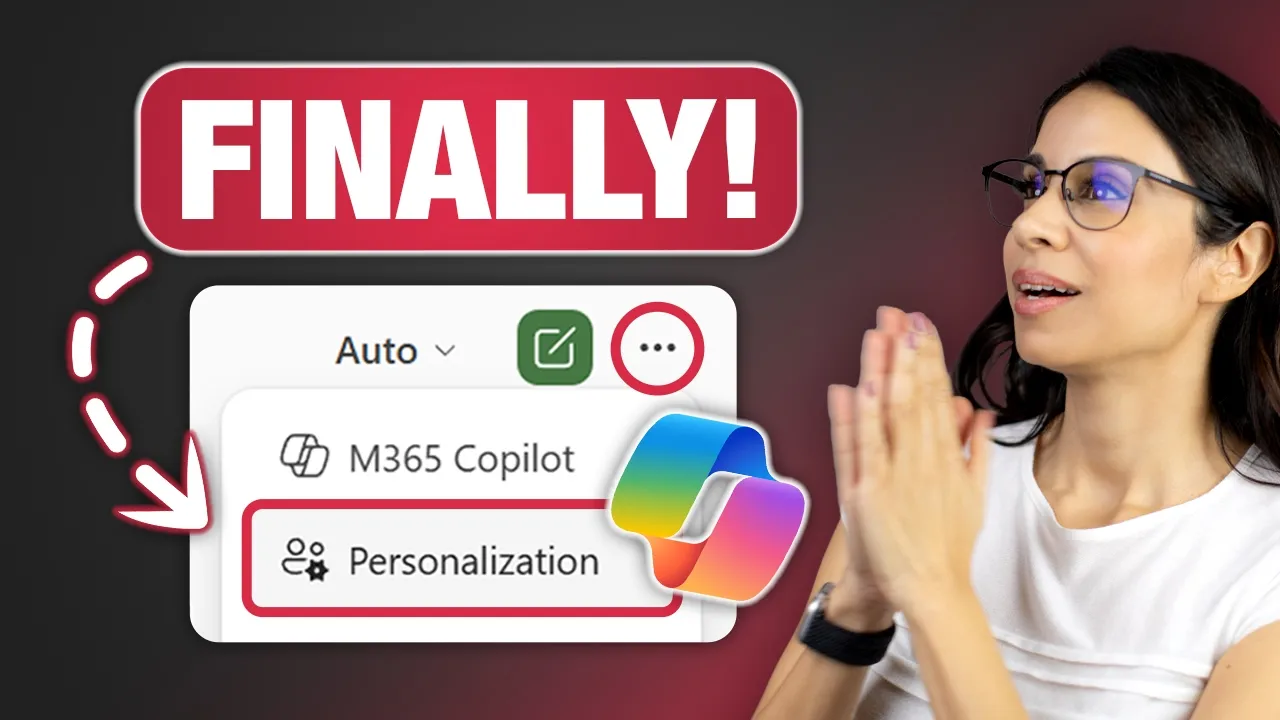
And did it use Merge & Center? Yeah, it did. This one drives me crazy sometimes. Guess what? Microsoft just added personalization to Copilot in Excel. You just tell it once how you like things, and then you get it how you like, hopefully. Let's test it out. Up here in the Copilot pane, I'll go to Settings. So, these are the three dots, and there it is. Personalization. Here, you can tell Copilot how you like things, not just for one task, but for everything you do from now on.
So, one thing I'm going to add is to use the date format DD-MMM-YYYY - Then I'm going to add how I want tables to be formatted. So, no background fill for headers and values. No borders except thin horizontal borders in light gray, and a bold header and a thick black bottom border. Next, I don't want gridlines, so remove gridlines on newly inserted sheets. And I prefer Center Across Selection instead of Merge & Center.
So, notice I'm setting the how, how I want things returned. A couple of things while we're here. So, this saves to your account, not to the file. So, it follows you to any workbook on any device that you're signed into. And it doesn't get baked into the file that you send your colleagues. So, they won't even see it. Let's save, and let's see if it kicks in on my next prompt. I'm just going to go ahead and ask it to do the same for Q1 2026.
Okay, let's see what we get. It's adding it in. I can see it's reapplying manual styling. The dates look right. The style looks right. It did get the date formatting correct, but not so great for the table formatting. So, somehow Excel wants me to use this ugly table format. It got part of it right, but not the headers, cuz I'm pretty sure I was specific there. In Personalization, I said no background fill for headers.
Now, I have to say that when I ran this test before I recorded, it did get it correctly, but for some reason, it's not doing it during recording. What about this bit here? It's not using Merge & Center. So, that's good. I hope it is using Center Across Selection. Let's go to Format Cells. And yeah, it's doing it right. Okay, so it mainly respected my choices. By the way, if you're wondering why I prefer Center Across Selection over Merge & Center, I cover it in a separate video.
I'm going to link it below as well. Although I do use Merge & Center on the top row. So, if I have a title of the worksheet, I usually use Merge & Center because I'm too lazy to get to Center Across Selection. I really hope Microsoft would add a button for it right here, but I avoid it in the middle of the sheet. So, these four are just some personalization examples of mine, but you should be able to fix almost anything Copilot does that annoys you.
So, here are a few ideas worth checking out. For example, when it comes to PivotTables, ask for proper headers. Instead of Sum of Sales, ask for clear, friendly names. When it comes to numbers, tell it to format percentages with one decimal place or round numbers to whole numbers unless I ask for decimals. Show negative numbers in red and in parentheses. Format currency with the euro symbol and two decimals. When it comes to formulas, prefer XLOOKUP over VLOOKUP when creating lookup formulas, or prefer SUMIFS, COUNTIFS, and AVERAGEIFS over older single-condition formulas.
When it comes to reporting, when comparing periods, include the absolute change and the percentage change. For charting, avoid pie charts unless there are maximum three categories and the comparison is simple. Okay, just some ideas that you might want to check out. Well, that's it. That's Copilot Personalization. Share your own personalization choices in the comments so we can all get some ideas from each other. Thank you for being here, and I'm going to catch you in the next video.
The words are the caption track's own and nothing is reworded or re-transcribed. Paragraph breaks are placed between sentences so the text reads as prose.
Free tools for your own script: paste a draft and see where it stands before you record it.
Paste your draft and see where viewers are likely to drop off, with a rewrite for each weak line.
Paste the first 30 seconds of your own draft for a hook score and rewrites.
Check your draft against YouTube's advertiser-friendly guidelines before you record it.
Read this channel's public videos and transcripts, and download a writing brief for it.