Getting the transcript
Reading the captions from YouTube. A video nobody has opened here before takes 10 to 30 seconds; this page fills in on its own.
Getting the transcript
Reading the captions from YouTube. A video nobody has opened here before takes 10 to 30 seconds; this page fills in on its own.
BridgeMind · @bridgemindai
Words
4,592
Runtime
22:44
Speaking pace
202wpm
Reading time
19min
202 words per minute, above the 201 75th percentile of 349 measured videos. That distribution comes from the 349-video hook study.
Opening (first 30 seconds)
This video is going to be a complete step-by-step guide to my vibe coding workflow I'm gonna show you what tools I'm using, what subscriptions I have, and most importantly, the actual process that I go through when building production software. For those of you that don't know, Bridgemind is currently at $18,000 in MRR, and gross volume over the past three months is at $74,000, and this is all from vibe coding. If you wanna learn how to do this for yourself, just watch until the end of the video, and make sure that you drop a like and subscribe
101 words, the words spoken in the first 30 seconds at 202 words per minute.
Free, no signup. See how the first 30 seconds hold attention, with rewrites.
Sentence shape
| Measure | This transcript |
|---|---|
| Sentences | 237 |
| Average words per sentence | 19.4 |
| Longest sentence | 64 words |
| Questions asked | 18 |
| Sentences containing a number | 17 |
Most used terms
Filler phrases
78 in total: actually 28 · like 27 · uh 5 · you know 4 · kind of 3 · literally 3 · right? 3 · um 3 · basically 2.
A literal whole-word count of the same phrase list the Prepublish browser extension uses, so a phrase inside another word is not counted and a phrase used in its ordinary sense still is. It is a count and not a judgement.
Run the check on the words above: where attention is likely to drop, with a rewrite for each weak line. The free check shows the scores and the one issue costing the most.
What this transcript is
Every word below is the caption track YouTube publishes for this video, pulled from the video itself and reproduced unchanged. It is not Prepublish's writing, not a summary, and not a re-transcription: it is the video's own published captions. English captions, published by the channel, in the video’s original language. Source: the video on YouTube. A channel that would rather this page did not exist can ask for its removal through the contact page, and it is removed.
No Script X-ray for this video: YouTube shows a Most replayed graph only once a video has enough views.
This video is going to be a complete step-by-step guide to my vibe coding workflow I'm gonna show you what tools I'm using, what subscriptions I have, and most importantly, the actual process that I go through when building production software. For those of you that don't know, Bridgemind is currently at $18,000 in MRR, and gross volume over the past three months is at $74,000, and this is all from vibe coding. If you wanna learn how to do this for yourself, just watch until the end of the video, and make sure that you drop a like and subscribe to Bridgemind to learn even more in the future.
The first thing that I wanna talk about is the subscriptions and the tools that I'm using to actually power my workflow. And one thing I wanna note is that you guys do not need to be using the same subscriptions that I'm using. Everybody has their own budget. I am a power user, and I'm using these tools, like, 12 to 16 hours a day. So for me, I do not want to hit any limits, so I have multiple subscriptions from multiple providers, and here is what they are.
So I have a $200 a month Claude subscription, OpenAI subscription, Cursor subscription, and Perplexity subscription. Now, I label these as AI subscriptions because I use Perplexity for research. I use Cursor for some different tools that they have, and I'll get into that in the video. I use OpenAI to access GPT-5.5 through Codex, and then I use Claude to be able to access their frontier model, Claude Opus 4.8, via Claude Code.
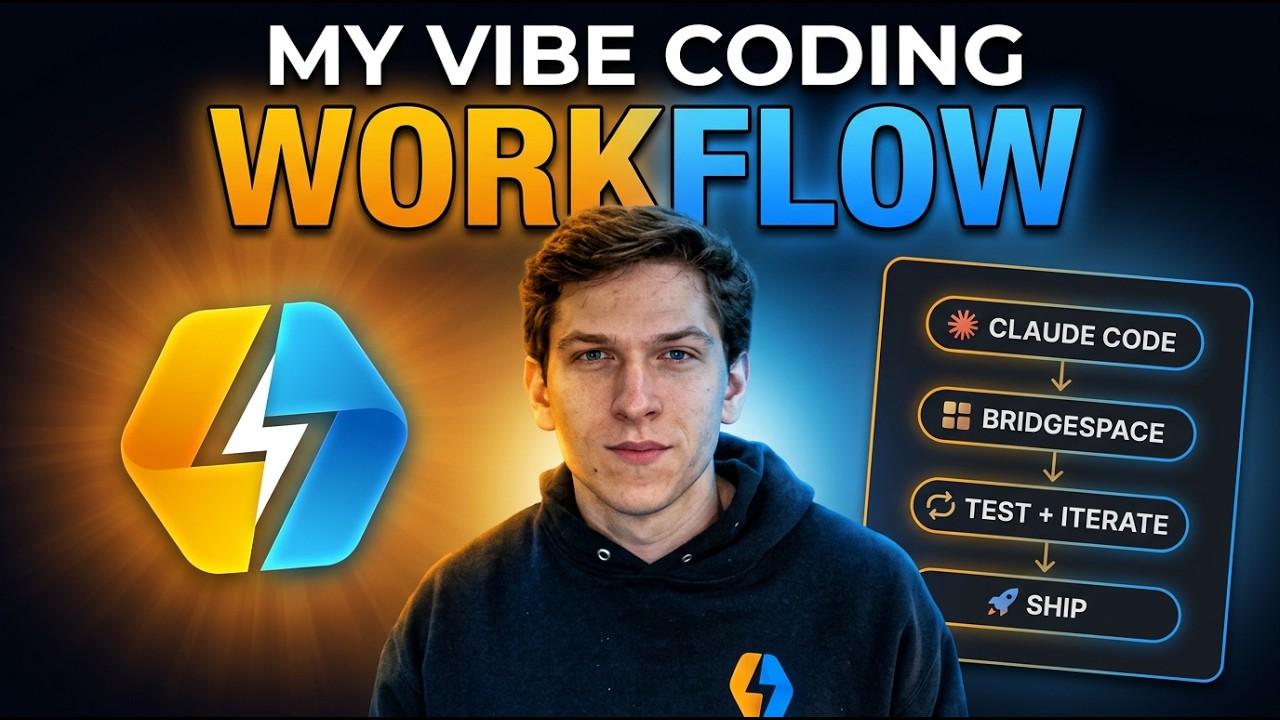
Now, those are the AI subscriptions that I use to actually get the access that I need to the models, but there are tools that you should be using if you are a vibe coder. The first tool that you need to be using in your vibe coding workflow is an agentic development environment, and I'm gonna show you the agentic development environment that I use, which is Bridge Space, and it looks like this. So as you guys are familiar with Claude Code and Codex, one thing that you need to know about these tools is that you are able to work on multiple tasks at the same time.
What has become incredibly important for workflows is that you get really good at passing off tasks to multiple agents and then managing those agents until the completion of those tasks. This is the way that I approach it. As a task gets more difficult, that will make it so that you need more agents and also need a plan. So for example, hey, if a task has a difficulty level of one, you just need one agent, and you don't even need a plan.
For example, like, a task with a difficulty of one is like, "Oh, I need to go change the color of a button," right? Or, "Oh, I need to change, like, this copy," or, "I need to change this text," or, "I need to adjust this here." You know, this is not something that's gonna need more agents, and it's not something that is gonna need a plan. You can just speak your intent with your voice-to-text tool, and it's gonna be able to get it done.
Now, as that difficulty goes up, like let's say to a level five, you're gonna need more agents so that they can kind of like gain in a better understanding of the code base and then work together to be able to get that task done. A plan might be needed, but if you go to a level two- 10, hey, you're gonna need a lot of sub-agents, and you're definitely gonna wanna, you know, abstract away from the initial prompt. You're gonna wanna create a plan.
So I wanna show you guys how I do this from scratch. So I just opened up Bridge Space, and what I'm gonna do is I'm gonna select this right here, Bridge Space. I'm gonna click on this, and I'm just gonna open up a preset which is already set to a particular directory on my computer, Bridgemind. And I'm gonna open up another workspace because I'll work with multiple workspaces at the same exact time. So now, what I wanna do is now I wanna CD into, let's CD into Vibe Academy, okay?
So now I'm in Vibe Academy, and let's say I wanna launch eight agents. And let's say I wanna do, uh, I wanna do half Claude, and then I wanna do half Codex, okay? So I'm gonna launch four Codex, four Claudes, and we're gonna open up these in an additional workspace. I'm about to start prompting these agents, so I just want to highlight another tool that you really do need to have in your Vibe Coding workflow, which is a voice-to-text tool.
I use Bridge Voice. So I'm gonna go back over to Bridge space here, and I'm gonna begin prompting my Claude Code agent. I need you to launch three deep dive agents to do a thorough review of the website's landing page, and note that we need to add in sections for demo videos for Bridge Agent, Bridge Voice, and Bridge space. Note that currently we do not have sections on the homepage For demo videos, so I need you to use the front end design plugin to create these new sections, which should have the icon of the app and the name of the app, and then the iframe below.
For now, it can just be a placeholder. Okay, so you guys just heard my prompt, and then what I'm gonna do is I'm going to @ the website directory that I'm actually working in, okay? And you can even go as far to do an ultra think as well. And I'm gonna submit this prompt, but I wanna show you guys that, hey, this launched three deep dive agents, and this'll work for about the next five to ten minutes as it reviews the website, comes up with a good way to design it, and there's a couple things I wanna draw your attention to that I did when I prompted that, okay?
One important thing is how I'm organizing my workspace. So if you look over here, you can see that in this Bridgemind directory, there are a ton of different projects. There's Bridgemind API, there's the Bridgemind app, there's the Bridgemind MCP, there's the Bridgemind UI, and I do this for a purpose. I do this because it makes it very easy for me to then go to that particular directory on my machine, and then I'll just do an @ Bridgemind UI, an @ Bridgemind API, an @ Bridgemind MCP, and then I would be able to just prompt, and Claude would know that, okay, these are the directories that are being referenced.
So watch this. When I enter this, you're gonna see… Did you see how it says, "Listed directory, listed directory, listed directory"? So if you do an @ and you @ a particular folder or directory or file, it makes it so that the instance, your coding agent, has the context that it needs to be able to properly pull all the files that it needs. Now that we have some of the basics out of the way, like setting up your workspace, speaking your intent, and adding context, I now want to work on a fairly challenging sprint that I've been planning on doing for a while now.
So we're gonna be working on BridgeBench V3. This is the world's number one vibe coding benchmark. It's been reposted by Elon Musk four different times. And building out BridgeBench V3 is actually a goal on my August 31st goals. We're gonna build out a database, we're gonna build out an API, and then we're also going to be building out AWS infrastructure all in this video, and I'm just gonna do the best that I can to walk you guys through this step by step using these principles.
The first thing that I'm gonna do is I'm going to be building out the API and database. So I am gonna use GPT 5.5 Extra High Fast. Uh, Extra High is by far the best model for back end. And when you put it in fast mode, it kind of gets around the slowness of GPT models. But let's give it the prompt. So I'm gonna add that context. I'm gonna do BridgeBench UI, and then I'm gonna add BridgeBench as well. I need you to do a quick review of the BridgeBench UI as well as BridgeBench, and note that we need to begin building out a back end and database for BridgeBench.
You can call it… And then I'm just going to give it the slug that I wanna call it, which is BridgeBench API. This needs to be a NestJS API, and I want to use Drizzle for the ORM, and I want the ORM and the migration system to be built into the API. You can reference Vibe Academy API for how this is done. So there's another project that I have that does this really well, and I think that once you start to build up kind of like a portfolio or you have things working in other projects, it does help when you are building something from scratch.
If it is similar to something else that you've built, I will reference something else that I've built that has done it correctly. So I'm gonna reference Vibe Academy API 'cause it does that really well. I need you to start out with a very simple MVP with a singular sign-up and sign-in endpoint that uses Cognito for the auth system. Note that the only way that we are going to allow users to authenticate is via Discord.
So I need you to assist me in building this out. There should only be one table called users, and let's create a structured plan first So you guys can see that this is going to be a difficult task. So I'm gonna put it in plan mode because, hey, if I just had it go out and build it, it probably wouldn't do that good of a job. This is a fairly difficult task because you're thinking about this and you're saying, "Okay, it's doing database, it's doing API, it's looking at another project, it's gonna use Cognito." So it's a fairly difficult task.
So I'm not gonna use any sub-agents on this one. I'm just gonna let GPT 5.5 work, um, and we'll see how it does. But this, I would say, is probably about a difficulty level of, like, six. So this one is now building out the API and the database, and this is a perfect example of what I referenced about being able to work on multiple tasks at the same time. If you only are working on a singular task, you're not a really good vibe coder.
You need to be working on multiple things at the same time. So the next thing that I'm gonna do is I am gonna reference Bridge Bench UI, and I'm gonna use Claude Code for this because Claude Opus 4.8 is one of the best UI design models right now. So you're gonna wanna use it for UI. I want you to build out a page for signing up and signing in to Bridge Bench. Don't worry about hooking this up to any backend. I just want you to focus strictly on design.
Make it as simple as possible. Add in these routes to the sidebar of Bridge Bench. And note that the only way to sign up and sign into Bridge Bench is via Discord. Okay, so that's gonna be my prompt. And this one here, it's not really gonna need a whole lot of planning. It's gonna be able to do a good job. This is, like, a difficulty level of, like, two, so I'm not too worried about it. Now, one thing to note is I do have my Claude Codes in a high effort level.
For the most part, you probably should be using extra high when you're using Claude Code. Right now, I'm not using extra high, I'm using high. But let's switch this one over to extra high. This time, I wanna actually start building out a testing framework, so I'm going to, again, reference Bridge Bench UI. I need you to assist me in building out a complete testing framework for Bridge Bench UI. Launch two deep dive agents and come up with a structured plan to build out a testing framework so that we can perfect the UI.
All right, so I'm gonna throw this in plan mode, and then we'll submit this plan. So I now have three agents that are working for me, right? And what's really important when you're vibe coding is that you remember exactly where each agent is working, and this can be a challenge. But one of the most common questions I get asked is, "Hey, how do you run all these agents without them, like conflicting with one another?" And you can use Git worktrees, okay?
If you need to use Git worktrees, you can. And a Git worktree, basically, if you don't know what that is, it's a way for you to be able to have an agent that runs on its own isolated worktree that is not going to interfere with any of the other agents. And Bridge Space makes this really easy. But the only thing about this is that if you do work in a Git tree, you are going to have to handle actually getting that merged back into whatever branch you want that merged into.
But it will help for the overwriting. But most of the time, I think that Git worktrees can be a little bit overkill because there's no way that these three agents are gonna overwrite each other right now. This one's working in the API, this one's working on the UI in a test suite, and this one is working on, like the sidebar. So they're not gonna conflict with each other. So remember where they're working, and it looks like our API is done now.
But remember where they're working and use Git worktrees if you have to, but don't complicate things with Git worktrees if you don't have to So now the next step is actually building out our AWS infrastructure and getting this into the cloud. But before we do that, I do want to create a robust test suite. So I'm just gonna prompt this agent down here. "Great work. I now need you to build out a complete test suite that uses Jest and any other packages that you deem necessary.
I want you to do a thorough review and build out a scalable test suite that has full coverage and full unit test coverage across all endpoints and services." Okay, so I'm gonna give it this prompt, and I'm just gonna have it build it out. Since we only have two routes right now, a sign-in and sign-up, I'm not too worried that this is… That's not gonna be super complex. But while this works here, I'm gonna go over to this Claude Code Agent now, and I'm gonna reference the new Bridge Bench API, okay?
So you can literally see, if you look here, you can see Bridge Bench API, right? So I'm gonna reference Bridge Bench API, and I'm now going to give it the prompt that it needs to actually build out the AWS infrastructure. "I need your help in building out the AWS infrastructure for Bridge Bench. I need you to review the API and note that we want to use Docker, and we want to use ECR, ECS, and we also would like to use RDS for a Postgres database.
And we also will need to handle, uh, the migrations for the database. I need you to review Vibe Academy API and how this is done in Vibe Academy API for the migrations. But you can start to plan out a structured AWS infrastructure for Bridge Bench. Completely review the API. The UI is in Vercel, so don't worry about that yet. But let's build out the VPC. Let's build out the security groups. Let's build out the ECR. Let's build out ECS.
Let's build out the load balancer. And I need you to create a structured plan first to build out a complete MVP for our AWS infrastructure using best practices and integrating cybersecurity best practices." Okay, so we're going to do a plan first, okay? And honestly, what I'm gonna do is, actually, I'm gonna switch this up because this is a difficulty level of, like, 10. So what I'm gonna do is I'm actually gonna swip- switch this prompt right here, and I'm gonna paste that prompt.
What's nice about Bridge Voice, it does save your prompts when you, once you speak it, so I can go over to Bridge Voice anytime and just copy those prompts. It's very nice. But let's go over here. This now has that pasted prompt. I'm gonna put Bridge Bench API back in. I will reference Bridge Bench UI just so it has it, but then I'm also going to give it this. "I want you to use the…" And then I do have a… It's called, like, an AWS profile, okay?
But I do have an AWS profile on this computer AWS profile on this machine to actually access my AWS account and build out this infrastructure using the CLI. So I'm going to use the AWS CLI. I think that this is the fastest way to build infrastructure. A lot of people use Terraform or CloudFormation, but sometimes this just builds a lot of extra things to manage. And once you build your AWS infrastructure, if you're using agents, and one thing I want to do actually is I do want to launch it in plan mode, and I'm going to say, "I want you to launch five agents to assist you with this task." This Claude Code Agent is now provisioning my AWS infrastructure, and this is an 11-phase plan.
So it's going to take a while for this to build out. But one thing that I want to highlight just for you guys to know is that I never have my Claude Code Agents or my Codex Agents in, like, plant, like, where they're asking me things. I always have them in YOLO mode or in bypass permissions mode because it allows you to literally just be able to walk away and go somewhere else. And, you know, I'll come back to this, you know, in like… This will probably take about 30 minutes to an hour to actually provision all of this infrastructure correctly.
Um, so I'm going to be able to walk away now. I think this is a great example of being able to work on multiple tasks or projects at the same time because now that this is working and working on provisioning the infrastructure, there's nothing else with Bridge Bench that I necessarily want to work on right now. So for example, this is when I would just go over to another project like Vibe Academy, and we could start working with Vibe Academy while we wait on the AWS infrastructure in Bridge Bench to finish provisioning.
While we wait for the infrastructure to finish up, I do want to show you guys another tool that I do think that you should be using in your Vibe coding workflow, which is a screenshotting tool, okay? I use Bridge Shot, which is a product in the Bridgemind ecosystem. The reason a screenshotting tool is so important is because it allows you to add context to what you're looking at. So for example, let's say that I want to add a search bar on this page here.
I can do a screenshot. I can go down here, and I can draw an arrow to where I want the search bar to go, and then I can say, uh, I want there to be a search bar here for me to be able to search models. So I'll just enter this, I'll save it, and then I'll go back over to an agent. Uh, let's pull back Bridge Space, and I'll just drop in this screenshot I need you to add a search bar here respectively. And then again, I'm gonna have to @BridgeBenchUI just so that it knows, okay, it's this project that he's talking about.
We'll s- enter that. And that, again, that's gonna be a super easy prompt now that I added the context. But if you do use a screenshotting tool and you add that context, I promise you, it will cut down on hallucinations so much. Here's our search bar. Let's look up Claude Fable 5, and boom, there it goes, and it works perfectly. Another thing that I'll do when I'm vibe coding is I like to think ahead about the next thing that I'm gonna need to do after one of the tasks that I'm doing is finished.
So for example, with our AWS infrastructure, one of the things with BridgeBench that you guys heard me ask for is I wanna make it so that users are able to authenticate using Discord. So I know that that's gonna be a little bit of a process in itself. I've actually never done that before, so we're gonna start working on that with this Codex agent down here. I need you to assist me in thinking through how we can actually make it so that users can sign up and sign in using Discord.
What is the process for this? Do I need to create a Discord application? So let's first figure out how to do that because I actually don't know how to do that, so I'm just gonna ask the agent that worked on building out that functionality in the first place what we need to do. Okay, the agent came back quick, and what it says is that you do need a Discord application. So what I'll do now is I need you to write a handoff prompt to the AI that is going to be working in the browser to create this Discord application.
So you guys are actually gonna see a really cool workflow that I use, and it's using Comet. So I told you guys at the start of the video that I use Comet, and what I do is I'll actually use Codex or I'll use Claude Code to write handoff prompts for when I need to use AI in the browser or do anything in the browser. So I just had it write this handoff prompt. I'm gonna copy all of this, and then we're gonna go over to Comet and actually have AI set up this Discord application for us.
So here's Comet. I'm currently in the Discord application portal, and all you have to do is click Assistant over here, and then I can submit that entire prompt, and then I can go over here, and I can just say Control Browser. Do you guys see this button right here, Control Browser? So I'll click that, and I can then submit this, and you guys will see how this works. I think this is so cool. There are other ways that you can do this, but Comet will basically take control of your browser, and then it'll begin actually creating this Discord application for us, and we won't have to do anything because we already gave it a handoff prompt with all the context that it needs to create the Discord application.
The Discord app has been created using Comet, and it's now time to actually wire all of this in and get it deployed. So I'm gonna prompt this agent, "I need you to now wire the front end Bridge Bench UI into the API so that we are actually able to sign up using Discord respectively." I'm gonna reference the Bridge Bench UI and the Bridge Bench API, and then I'm also gonna put in Ultrathink on this one. Ultrathink does make it think harder, so we're gonna submit that, and we're gonna wire all this in, and then we're ready to test.
Okay, guys, so I did just push this to production, and I'm getting an error in production here. When I click Sign Up with Discord, you can see that I'm getting some errors here. And what's cool is that all you have to do is that you have to copy those and then just drop them in to the agent and then drop in the screenshot, and I actually already did that, and it found it. It found the bug. You can… If we move up here, it says, "Found it." This was the error, and then it fixed it, and then it just pushed it to the main branch, and we'll be able to see if this is now fixed.
But typically, when you are pushing stuff to production, it won't necessarily work the first time. You'll have to do a couple things to actually getting it working in production. So make sure that you do use browser tools and that you're giving your agent the context that it needs to fix any issues that are happening in production. So I deployed that fix, and I just attempted to sign up again, and now it's actually working.
Okay, look at this, guys. So I am going to see this is gonna be the first time. Can we actually authorize? Let's see, guys. This is gonna be huge Let's see. Wow. Okay, look at that. Look at that. My account right here, bridgemindofficial. That's my Discord account, and guys, this works perfectly. So this is, um, this is how you build software in today's world. You guys can see the account right here, bridgemindofficial.
So in this video, we literally built the entire stack. We built the database, we built the API, we built the AWS infrastructure, and we sorted out some issues that we had. But you can see that I now am able to actually sign up for Bridge Bench and log in and log out. This is amazing. So we are going to be working on Bridge Bench V3. Like I said, this is a big goal, and one of the steps that we're taking towards Bridge Bench V3 is actually allowing people to sign up for Bridge Bench and participate in different things that we're going to create for Bridge Bench.
So go check out bridgebench.ai. Go sign up using Discord. It is live now, so I'm super excited about this. That's gonna wrap it up for today's video. If this was helpful for you in any way, shape, or form, make sure you drop a like on the video and subscribe to Bridgemind and join the Bridgemind Discord community, which is the largest and fastest growing vibe coding community on the internet right now. It has, like, over 12,600 builders.
There's gonna be a link in the description below. But with that being said, I will see you guys in the future
The words are the caption track's own and nothing is reworded or re-transcribed. Paragraph breaks are placed between sentences so the text reads as prose.
Free tools for your own script: paste a draft and see where it stands before you record it.
Paste your draft and see where viewers are likely to drop off, with a rewrite for each weak line.
Paste the first 30 seconds of your own draft for a hook score and rewrites.
Check your draft against YouTube's advertiser-friendly guidelines before you record it.
Read this channel's public videos and transcripts, and download a writing brief for it.