Getting the transcript
Reading the captions from YouTube. A video nobody has opened here before takes 10 to 30 seconds; this page fills in on its own.
Getting the transcript
Reading the captions from YouTube. A video nobody has opened here before takes 10 to 30 seconds; this page fills in on its own.
Danny Why · @danny_why
This video has no Most replayed graph yet: YouTube shows one only once a video has enough views. These are the moments viewers replayed most in Danny Why's most watched videos.
Most replayed moment at 4:13
4.1x that video's typical replay level
just a little part of the script. If you copy the entire script, it's going to generate you more than 100 images, which is absolutely insane. You're You're basically going to have footage for your video every few seconds. And this process over here literally takes you like 10 minutes. And basically, this is
Said at 4:05
Most replayed moment at 7:47
6.9x that video's typical replay level
don't post consistently. You upload one video, then disappear, then you upload again, then disappear for weeks or months. Viewers don't know when to expect your next upload, and YouTube doesn't either. That confusion hurts your channel. YouTube wants consistency.
Said at 7:40
Most replayed moment at 9:31
4.9x that video's typical replay level
over here, Cloud Code says, "I'll generate all the 24 images." And it's using different terminals to generate each image. You should have a folder, like this one, on your computer over here. And inside the folder, we're going to have each image based on each timestamp inside our script. So, if we click on an image,
Said at 9:23
The graph counts replays. It does not show where viewers stopped watching.
Words
2,910
Runtime
13:59
Speaking pace
208wpm
Reading time
12min
208 words per minute, above the 201 75th percentile of 349 measured videos. That distribution comes from the 349-video hook study.
Opening (first 30 seconds)
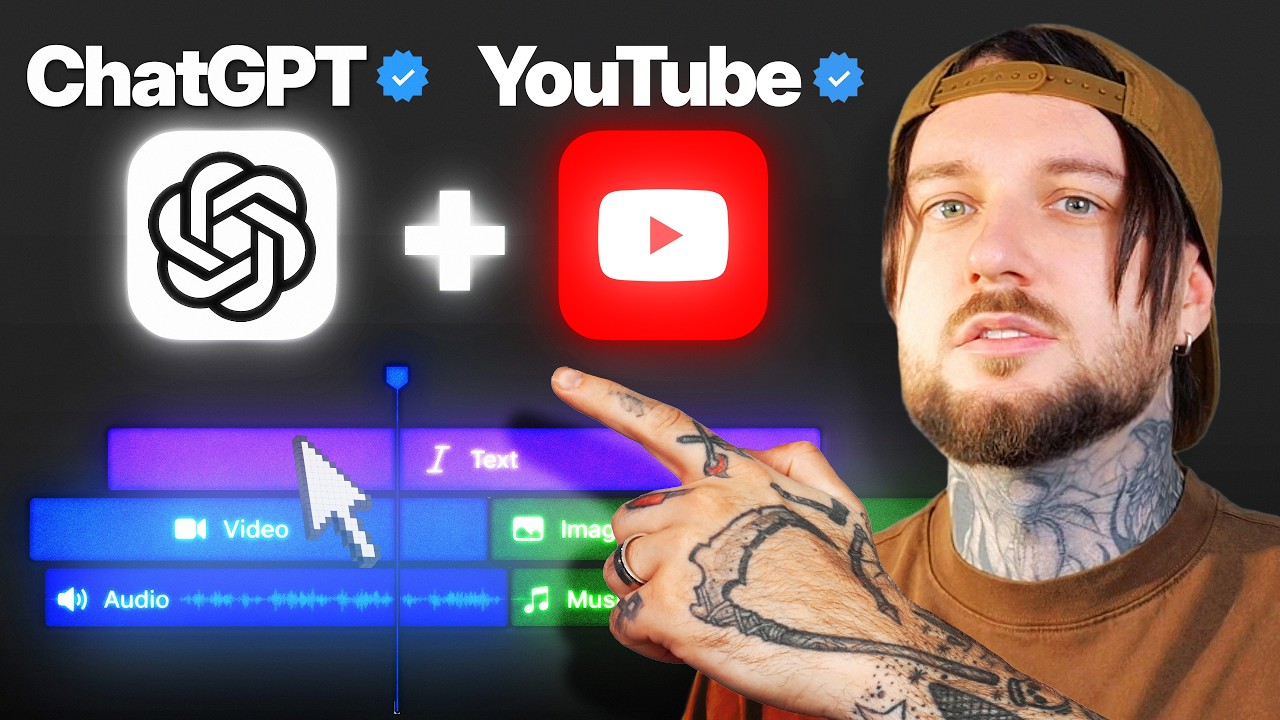
Holy sh Holy Check this out. Chat GPT, I want you to connect to DaVinci Resolve and edit this video for me. Make the cuts, the transitions, and then add motion graphics to it. Look Look at it go. I'm not touching it. Look at the timeline. It's literally editing in real time. It's making cuts in real time. Sorry, I didn't even position my camera right because I'm literally way too excited. So, everyone on the internet right now is talking about Chat GPT 6 Astra. But, I've seen no one talk about how you can actually connect it to a video editing
104 words, the words spoken in the first 30 seconds at 208 words per minute.
Free, no signup. See how the first 30 seconds hold attention, with rewrites.
Sentence shape
| Measure | This transcript |
|---|---|
| Sentences | 250 |
| Average words per sentence | 11.6 |
| Longest sentence | 54 words |
| Questions asked | 13 |
| Sentences containing a number | 6 |
Most used terms
Filler phrases
30 in total: literally 8 · like 7 · actually 6 · basically 5 · right? 3 · um 1.
A literal whole-word count of the same phrase list the Prepublish browser extension uses, so a phrase inside another word is not counted and a phrase used in its ordinary sense still is. It is a count and not a judgement.
Free, no account. See where attention is likely to drop, with a rewrite for each weak line. The free check shows the scores and the one issue costing the most. Or run it on the words above first.
Free · No login · See a sample audit first if you prefer.
What this transcript is
Every word below is the caption track YouTube publishes for this video, pulled from the video itself and reproduced unchanged. It is not Prepublish's writing, not a summary, and not a re-transcription: it is the video's own published captions. English captions, generated automatically by YouTube, in the video’s original language. Source: the video on YouTube. A channel that would rather this page did not exist can ask for its removal through the contact page, and it is removed.
Holy sh Holy Check this out. Chat GPT, I want you to connect to DaVinci Resolve and edit this video for me. Make the cuts, the transitions, and then add motion graphics to it. Look Look at it go. I'm not touching it. Look at the timeline. It's literally editing in real time. It's making cuts in real time. Sorry, I didn't even position my camera right because I'm literally way too excited. So, everyone on the internet right now is talking about Chat GPT 6 Astra.
But, I've seen no one talk about how you can actually connect it to a video editing program like DaVinci Resolve and have it make cuts for you and add footage to your video and literally edit the video for you. As you've seen from the intro of my video, Chat GPT can now literally edit the video for you. This is absolutely insane. And in this video, I want to teach you how you can make Chat GPT edit the videos for you.
So, here's how you can have Chat GPT edit videos for you. First of all, you want to have Chat GPT on your computer. Once you have Chat GPT on your computer and you open it, over here on the left where it says Chat GPT, I want you to click on this and select Codex because we want to be on the Codex section of Chat GPT. Then, down below over here where it says approve for me, for you it should probably say ask for approval.
So, you want to change this to approve for me. This way, we don't have to always approve commands Chat GPT is making on our computer. Then over here where it says Chat GPT Astra, I don't know what model you have selected, but make sure you select Chat GPT 6 Astra. And for this, we can reduce the efforts to medium to save credits. Then, what I want you to do is open your video editing program that also has an MCP to it.
For example, DaVinci Resolve has an MCP server to it, which means we can connect Chat GPT to DaVinci Resolve. So, what I'm going to do inside DaVinci Resolve over here as you can see, I'm I'm going to create a new project over here and I'm going to name it subscribe to Danny White. Okay? And I'm going to create a project. Now, over here inside the project, what I'm going to do is I'm just going to drag and drop my clip.
So, I'm going to take my video clip with myself over here and I'm simply going to drag and drop it over here in the media. And now, if I take my video and I add it on the timeline over here, we will see that my video has no cuts. So, I'm going to play this video for you so you understand that this video has no cuts. This is a raw video. So, let me play the video over here. As you can see, I'm not talking. I'm preparing myself.
I'm looking at the camera. And now I start. Right? If you look below over here to the audio, you'll see that there's no cut. If I play again, here I stop. I look at the camera. I think what I'm about to say next. So, that's how I record a video for YouTube. There's a lot of cuts. There's a lot of mistakes. And I have to make those cuts myself. And it takes a lot of time. But now, with ChatGPT, you can have ChatGPT make the cuts for you, which is absolutely insane.
So, let me show you how to do it. I'm going to leave the video on the timeline over here. I'm going to open ChatGPT over here. I'm going to activate the vocal message. And the first thing I'm going to do is ask ChatGPT to connect to DaVinci Resolve. Hey ChatGPT, can you connect to DaVinci Resolve? DaVinci Resolve have has an MCP server and I want you to connect with because in the future I want to send you commands such as edit the video for me.
That's it. I'm going to send this message to ChatGPT and within one or two or three minutes, ChatGPT should search for the MCP server and it should connect to it. As you can see, I'll check whether DaVinci Resolve MCP server is available and how it's configured. And it's basically going to do everything for you. You don't have to do nothing. You You don't need to know how to use the terminal, right? Because before we had to use the terminal and send those commands over here in the terminal ourselves.
But now, ChatGPT is going to do everything for you. Connected and verified with DaVinci Resolve. After this, what you want to do is restart Codex. So, just close ChatGPT and open ChatGPT again. So, I just closed the ChatGPT and open it again as you can see over here. And what I'm going to do is I'm going to change the effort level to this time I'm just going to increase it to ultra to see what happens. And over here, I'm going to again use the voice message and tell it to edit this video for me, to make the cuts.
Hey ChatGPT, I have DaVinci Resolve Studio opened and I have a video on my timeline. The video has empty spaces and cuts. What I want you to do is look at the video and edit the video for me. Make the cuts for me. Make sure there's no repetition inside my video and also make sure there are no empty spaces. So, basically you're creating the montage for my video. This is a one raw file which needs cuts in order to have flow and sound good.
So, go ahead and edit this video for me on the timeline. I'm going to put it I'm going to put ChatGPT over here. Let's see if this is going to work. So, as you can see, it knows that I have a 25-minute recording on my timeline. That's already insane. It's also saying I'm checking the spoken content, so it's going to listen to the audio so it knows where to make the cuts. So, as you can see over here, DaVinci Resolve started transcribing the audio and I didn't do anything.
I'm not I'm not even going to touch my mouse anymore. I'm going to keep my hands over here. So, as you can see, it analyzes the audio and it's creating a transcript. This is insane. I'm sorry, I'm really excited. I've seen no one share this online. This really changes everything. This literally changes video editing forever. This is just the beginning, right? Imagine 2 years from now, 4 years from now, 10 years from now.
Obviously, you're still going to need humans to make cuts and decisions if you want to make a movie or if you want to be authentic, but this is going to make things so much more efficient and it's going to save editors a lot of time because honestly, creating the montage it's boring. It's very repetitive. Over here on ChatGPT, as you can see, it says allow ChatGPT to use Resolve. I'm going to click allow this conversation.
No, I'm going to click always allow cuz I don't want to always click allow. So, from my understanding, how it works, it uses Resolve to create a transcript. As you can see over here, we have the audio with the transcript. And then based on that transcript, it's going to know where to make the cuts on the video because it's using the transcript combined with the audio. It's pretty cool, if you think about it. So, over here ChatGPT observed that the recording has many retakes of the same lines.
So, most of the cleanup will come from keeping one complete delivery for each point. That's exactly what I do when I have to cut and montage one video for myself. Sometimes I speak the same thing three times because I don't like the delivery of it, and I only pick the good one. So, ChatGPT should do this for me right now. Now, the reason why I keep telling you how this works and explaining all those things is because I find it incredible.
This is really interesting to understand how ChatGPT is using DaVinci Resolve to understand the audio and then make the cuts. This is really, really interesting. Now, for this prompt, I'm not sure if it's editing this timeline over here in real time or if it's creating another timeline for us with all the cuts ready. We'll wait and see. So, it just created a new timeline, I think. And I'm not sure what's happening. So, transcribing audio again.
Let me actually check out what happened over Oh my god, it made all the cuts. No way. Look, it it made all the cuts already. Oh my god, wait. Right now, in order to get monetized on YouTube It it keeps making cuts. Oh my god, let me see this. This is crazy. I want to see how good the cuts are. Like, how much empty space there is between the cuts. Let me zoom in a little bit. That's a lot of watch hours. Oh my god, that's really good.
That's a lot of watch hours. That's really good. Wow, okay. I I'm speechless. I'm going to stop ChatGPT now. And the reason why we didn't see the cuts in real time is because I was zoomed in on the timeline and you couldn't see the the cuts. So, what I'm going to do is I'm going to create a new project, and this time I'm going to be zoomed out so you can actually see the cuts. And as you can see over here on the timeline, this footage also has tons of empty spaces.
As you can see, I'm just looking at the camera, rearranging my hair. Over here, tons of empty spaces. So, I'm going to ask ChatGPT again to edit this footage for us, so we can see how it edits in real time. So, I'm going to ask ChatGPT to edit the footage. Hey ChatGPT, can you edit this footage for me? I've added a new footage. It's around 5 GB long. I want you to remove the pauses and make all the cuts, so the video flows.
So, just like before, it's transcribing the audio because this is the only way it can understand where to make the cuts because the audio is synced to the footage, so it exactly knows where to make the cuts. Okay, so it opened a new timeline. Um ChatGPT is using your computer, okay? I have no idea what's happening. So, my hands are here and I have a message telling me that ChatGPT is using my computer. My screen recorder can see it, so I'm going to use my phone to show you what I'm seeing.
So, my phone to show you what I'm seeing. So, it's saying ChatGPT is using your computer and I have these blue lines around my computer. Oh, and I think it's starting, but I already see a clip on the timeline. Can I actually zoom in myself? Yeah, let's see what happens. Okay, it's started adding clips and cutting them. There we go, it added another clip. This is incredible. Oh, it started moving my mouse. That's crazy.
It's the first time I see this. It's the first time I let ChatGPT control my computer. So, it literally moved the mouse for me. I actually want to record this with my phone as well, so you can see the what I'm seeing. Oh my god, it's doing cuts. So, it keeps making cuts as you can see, my mouse is literally over here, my hands are here and it just makes cuts for me. Look at it go. That's so interesting. It added another clip over here.
This is incredible. So, if I take the mouse myself and I zoom zoom out, we can see all the cuts over here being made. But, this is not it. Here's where things start to get crazy. We can actually use Hixfeld's MCP and then have ChatGPT create motion graphics for us and automatically add them inside DaVinci Resolve and sync them to our audio and visuals. Now, let me show you how you can do this. So, in order to have ChatGPT create the motion graphics for us, we need to connect the Hixfeld MCP.
For that, there's going to be a link down below in the description to Hixfeld's MCP. Go in the description and click on that link. Once you click on that link, it should send you to Hixfeld over here. On Hixfeld, make sure you select MCP and CLI over here at the top. After you select MCP and CLI, make sure you select ChatGPT and then all you have to do is click over here where it says add Hixfeld plugin. After you click on this button, it's going to add the Hixfeld MCP to ChatGPT.
That's it. That's all you have to do. Make sure you have a Hixfeld account and just connect it to ChatGPT. It's really that simple. Now, with Hixfeld, we can generate the motion graphics, we can generate text, we can generate 3D things, we can generate a lot of things. So, let me show you how to do this. I'm going to open DaVinci Resolve. I'm going to open ChatGPT and I'm going to prompt ChatGPT the following thing. Hey ChatGPT, can you use the Hixfeld skill to generate motion graphics for the video you just cut?
Basically, what I want you to do is create transparent motion graphics such as text or animations like cards that showcase whatever I'm talking about. Not only that, but you can also generate entire horizontal footage that basically showcases what I'm talking about. And overall, I want you to keep a specific style. For example, I always want a beautiful gradient blue as the background. The text should be white and bold and beautiful.
And try to make some motion graphics that basically help visualize what I'm talking about in this video. That's the prompt I'm going to be sending to chat GBT. And now chat GBT should start creating the motion graphics using the Hixfeld skill. And after it creates them, it's going to add them to DaVinci Resolve. So, as you can see, it started editing the timeline. So, I have no idea what it's doing. As you can see, my mouse is over here, but things are happening on the timeline.
So, we can see over here in chat GBT, we can see the motion graphics playing. They look incredible. Hixfeld is doing a really good job at generating those motion graphics. They look clean, and they're all using the same blue background. Creates that consistency in our style. Oh my god, it just started adding graphics, as you can see. Okay, there we go. It added another graphic. Okay, look at the timeline. It's adding all the graphics for me.
And it keeps adding graphics. Look at it. And it's checking everything. My hands are literally over here. I'm doing nothing. It's editing the entire video for me. This is insane. All right, I think it's ready, and you can we can already see the graphic over here. It looks amazing. Oh my god, this is crazy. This is crazy. What am I doing? I don't think I should even post this video. Seriously, what what am I doing? Okay, I'm just going to play the video.
I I'm really curious. This is crazy. So, let's see the final result. Let's continue with step number three. One of the biggest problems small creators face. What's really is how interesting the visuals are to the script. As you can see over here. And this is why originality originality matters, and it showcases the card with originality matters. That's insane. Let me see what else we have here. Think to yourself that maybe people are not going to be interested.
What if people don't click? What if it's interesting? They're talking about right now. For example, if several fishing As you can see, I don't like how this card over here shows on the graphics, but the graphics look amazing. So, what we can do is make sure we send a proper prompt that will only show the graphics, and this is going to look incredible. World fishing communities are suddenly talking about a specific fish or a specific fishing rod, you can research that topic and make a video about it.
This method is looks really good in any niche. So, if there's graphics you don't like, you can just delete them and recreate them. Yeah, this is absolutely insane. Now, if you want to learn more, there's going to be a video that appears on the screen. You might want to click on that video because inside that video, I'm going to teach you how you can monetize your YouTube channel much faster. So, if that sounds interesting, you might want to watch that video.
The words are the caption track's own and nothing is reworded or re-transcribed. Paragraph breaks are placed between sentences so the text reads as prose.
Free tools for your own script: paste a draft and see where it stands before you record it.
Paste your draft and see where viewers are likely to drop off, with a rewrite for each weak line.
Paste the first 30 seconds of your own draft for a hook score and rewrites.
Check your draft against YouTube's advertiser-friendly guidelines before you record it.
Read this channel's public videos and transcripts, and download a writing brief for it.