Getting the transcript
Reading the captions from YouTube. A video nobody has opened here before takes 10 to 30 seconds; this page fills in on its own.
Getting the transcript
Reading the captions from YouTube. A video nobody has opened here before takes 10 to 30 seconds; this page fills in on its own.
Zubair Trabzada | AI Workshop · @AI-GPTWorkshop
This video has no Most replayed graph yet: YouTube shows one only once a video has enough views. These are the moments viewers replayed most in Zubair Trabzada | AI Workshop's most watched videos.
Most replayed moment at 9:02
4.9x that video's typical replay level
July 7th on your plans on your cloud plans. So, go ahead and take advantage of that because after that it's going to get pretty expensive and move to usage. I've been building non-stop. So, I recently built my personal assistant and my second brain I updated with cloud Fable 5 and it's absolutely incredible.
Said at 8:55
Most replayed moment at 13:13
2.9x that video's typical replay level
capturing the humor uh so you can play around with this prompt on whatever character you're uh creating for your own use case so afterwards after that that comment is generated then I'm outputting this and this is where I'm utilizing this HTTP request tool to grab
Said at 13:06
Most replayed moment at 21:31
5.4x that video's typical replay level
you if you scroll down to the bottom, you'll see that I have built Jarvis AI assistant prompt. So I've given you this prompt back before this was back when I built Jarvis. So you can have access to that so that way you can build a version of Jarvis for yourself. And then afterwards at the bottom, you're also going to
Said at 21:23
The graph counts replays. It does not show where viewers stopped watching.
Words
3,681
Runtime
16:50
Speaking pace
219wpm
Reading time
15min
219 words per minute, above the 201 75th percentile of 349 measured videos. That distribution comes from the 349-video hook study.
Opening (first 30 seconds)
Let's get a new campaign spun up for the school community. Clicking create. >> Oh, he's doing it. He's taken over my screen. >> The campaign creation dialogue is up for a free community. Leads is the objective that fits there. >> Nice. >> Selecting that now. Leads selected. Now proceeding by clicking continue. We're in the campaign editor now. Let me rename it to something reflective. >> I love that he's narrating everything for me. So, I finally created a personal AI assistant that I've always wanted. This is Jarvis. Not only can Jarvis do things like send emails on my behalf, check my calendars, call restaurants, and call
110 words, the words spoken in the first 30 seconds at 219 words per minute.
Free, no signup. See how the first 30 seconds hold attention, with rewrites.
Sentence shape
| Measure | This transcript |
|---|---|
| Sentences | 244 |
| Average words per sentence | 15.1 |
| Longest sentence | 121 words |
| Questions asked | 25 |
| Sentences containing a number | 10 |
Most used terms
Filler phrases
139 in total: uh 50 · like 25 · right? 16 · actually 14 · um 13 · you know 10 · kind of 6 · basically 3 · I mean 1 · literally 1.
A literal whole-word count of the same phrase list the Prepublish browser extension uses, so a phrase inside another word is not counted and a phrase used in its ordinary sense still is. It is a count and not a judgement.
Free, no account. See where attention is likely to drop, with a rewrite for each weak line. The free check shows the scores and the one issue costing the most. Or run it on the words above first.
Free · No login · See a sample audit first if you prefer.
What this transcript is
Every word below is the caption track YouTube publishes for this video, pulled from the video itself and reproduced unchanged. It is not Prepublish's writing, not a summary, and not a re-transcription: it is the video's own published captions. English captions, generated automatically by YouTube, in the video’s original language. Source: the video on YouTube. A channel that would rather this page did not exist can ask for its removal through the contact page, and it is removed.
Let's get a new campaign spun up for the school community. Clicking create. >> Oh, he's doing it. He's taken over my screen. >> The campaign creation dialogue is up for a free community. Leads is the objective that fits there. >> Nice. >> Selecting that now. Leads selected. Now proceeding by clicking continue. We're in the campaign editor now. Let me rename it to something reflective. >> I love that he's narrating everything for me.
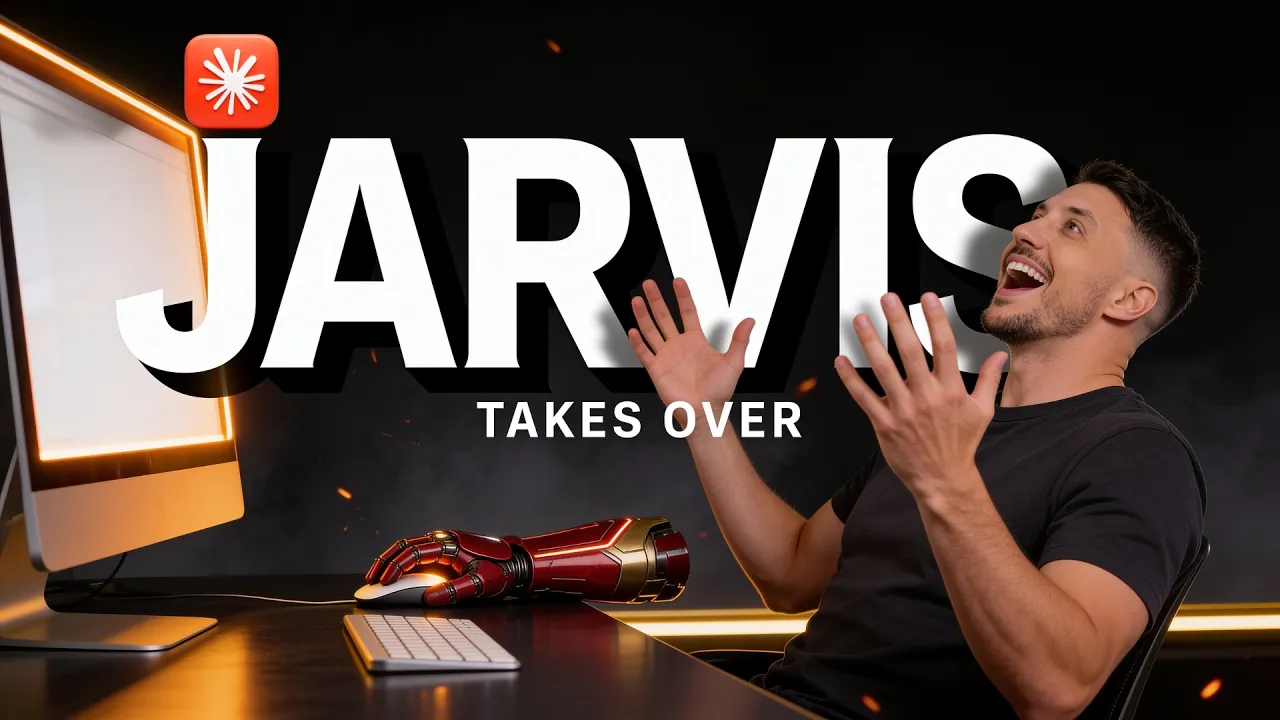
So, I finally created a personal AI assistant that I've always wanted. This is Jarvis. Not only can Jarvis do things like send emails on my behalf, check my calendars, call restaurants, and call businesses, but on top of that, now he can take over my screen and do everything for me while he is narrating. So, in this video, I'm going to show you the complete demo of what Jarvis is capable of with these new capabilities now.
And on top of that, I'm going to give you this prompt pack completely for free so you can build a personal assistant like Jarvis for yourself that can take over your screen, do things for you, show you where things are, and a bunch of other stuff that will allow you to create your own personal AI assistant today. So, make sure you stick around till the end because I promise you, you're going to want something like this for yourself.
All right, so let me start with a quick demo here. But by the way, for those of you who have seen my previous videos, obviously you're familiar with Jarvis at this point. But if you haven't, don't worry about it. I'm going to explain everything for you right here. So, not only can Jarvis do things on my behalf because it has access to tools like Gmail, Google Calendar, Google Drive, and it has access to a phone call, by the way, or a phone number.
So, it means that he can make phone calls on my behalf, book reservations, and so much more. Again, I did a previous video if you guys are interested in checking out that feature. Uh, take a look at it. But for this particular one, I'm going to show you this enhanced uh version of the screen share where he can do things on my behalf. So, on the bottom right here, I can click on this screen share. So, I'm going to go ahead and actually start with uh one of the main features is that it can point to things for me and show me exactly where things are.
So, this time I'm going to share my Instagram with them. So, I'm going to click on share. I can see your screen and I'm listening, sir. Just talk and feel free to cut me off. >> Hey, Jarvis, can you show me where is the button to click on and create a new Instagram reel? >> Let me have a look, sir. The plus icon in the left sidebar, sir. Click it and choose real from the menu that appears. >> Perfect. So there you go.
So this is the first feature where if you're looking for something, right? So uh let's say you're on a particular website and you don't know where things are, you can actually ask Jarvis, hey, can you show me exactly, you know, this particular feature or where is something that you're looking for, right? And in this case, obviously, I just said how do you click uh or how do you create a Instagram reel on a desktop app, right?
So uh that's why it's kind of like hidden here. So that's why I wanted to point that out. So you can see he clearly pointed to the right ones. So you click on the plus button right here and you can create a post. So you saw that it has the arrow which means that it'll it'll show you exactly where the button is or whatever you're looking for is specifically. So that way there's like no room for confusion there. >> Precisely, sir.
A pointing finger for the era of interfaces that hide the one button you actually want. 8,000 followers and Instagram still won't tell you where create lives. >> Yeah, thanks Jarvis. So there you go. I mean obviously Jarvis is always listening in the background. So uh he will give you his opinions as well as I'm talking to you guys here. All right. So now let's move uh forward and uh let me show you how he can actually take over the screen.
So for this one I'm going to actually switch to uh um the meta campaign because this is a very complicated thing to do actually if you're new to or if you don't know how to create a ads campaign on your meta business suit which a lot of people don't actually. It is a bit confusing. So, I'm just going to ask Jarvis to basically take over the screen and create a ads campaign for me instead of me trying to figure this out.
So, you'll see how efficient it is. Jarvis, can you take over my screen and create a new ads campaign for my free school community to drive traffic there? >> Okay, taking over the screen now, sir. >> My hands are off. >> Right, I can see we're already in Facebook Ads Manager for the AI workshop account. Let me start building a new campaign aimed at driving traffic to the school community. Clicking create to start a new campaign.
Loading campaign setup options. Waiting for it to finish. Manual traffic campaign is already selected for full control. Proceeding. Continuing into the manual campaign builder. Good. Campaign editor loaded. Naming the campaign clearly for the school community traffic push. Text selected. Typing the new campaign name. Now campaign named. Now scrolling down to review budget settings before setting an adset budget. Now on the adset page, naming it appropriately first.
Naming the ad set and switching conversion location to website since we want traffic to school, not messages. Selecting website as the conversion location to send traffic directly to the school community link. Maximize number of landing page views is a solid default for traffic goal. Continuing to scroll to find the budget field. Skipping value rules not needed for this simple traffic campaign. Continuing to scroll for budget schedule.
Attribution and delivery settings look standard, fine as is. Scrolling further to locate the budget and schedule section. Scrolling further to locate budget and schedule and audience sections. Found the budget and schedule section. Daily budget defaults to $20. That's a sensible starting point for testing, so I'll leave it. Scrolling down to check the audience section next. Audience section found with advantage plus targeting on meta's AI optimized targeting.
Scrolling further to check location, age, and detailed targeting controls. Good. More controls expanded showing minimum age 18. Scrolling to find detailed targeting to add AI techch interests. Clicking show settings to expand detailed targeting options for age, gender, and interests. Found detailed targeting field. Scrolling slightly more to click into it and add interests. >> Okay, Jarvis, that's enough. Stop. Stop.
I'll take over. >> Already at the wheel, sir. >> All right. So, I had him stop because I don't want to uh have him publish this ad. But as you saw, he took everything step by step, right? He went ahead and clicked on everything and he's giving you narration so that way you're not kept at the dark, right? And that I added that specifically kind of the narration part so that way I know exactly what's going on as Jarvis is taking over my screen.
He narrates exactly what he's doing. So that way if at any point I need to change something, I can just tell him to all right, stop uh stop Jarvis. I want to take over the screen or something like that and he'll stop and then hand me off the screen. So that way I can uh uh you know take over and make the changes myself. And of course, not only can he click on different things, on top of that, as you saw, he can actually type things.
So on top, you saw he added the title for his ad campaign as school community free traffic campaign, right? He typed everything himself and he went ahead and moved on to the next step. He clicked on like, you know, hide, unhide settings, the selection, and everything else. And of course, at the end, he's not going to just publish things for you, right? He's going to create everything in draft, whether it's a new ads campaign or whatever you're asking it to do. he won't actually uh have the final say in it.
And again, that's on purpose because you want to have some parameters set to make sure that he's not doing things on your behalf and making the final decision that ends up with you, right? So, the whole point is for Jarvis to be able to show you exactly and do things for you, but on top of that, but at the end of the day, it's going to be your decision. The final say is going to be yours. >> Exactly right, sir. I build the whole thing.
I show my work and then I stop at the button that spends your money, which is why it's still sitting. In Draft with Publish Untouched, the last click is a human's job and specifically yours. Frankly, an assistant with autonomous access to your card is called a co-founder, and those require far more paperwork. [laughter] Exactly. Thanks, Jarvis. All right, so All right, so let me go ahead and actually stop sharing my screen with Jarvis.
And as you can see, as soon as I stop sharing my screen, Jarvis disappears, which means that he can no longer see anything. So now, if I uh get away from that draft, and you can see right here. So if I click on my adsets, right, school traffic adset in draft, right? So you can see exactly with a $20 budget, right? Uh and it's sitting on draft, no publish or anything like that. So, that's how incredibly efficient now Jarvis has become where now uh like I said, he can not only show you things with that nice little arrow, but he can do things on your behalf.
And this is huge because if you're um you know new to something that you things like uh and the reason why I specifically chose the meta create campaign is because it's a very complicated setup. The first time I did this, I had to like literally screenshot everything to Claude and tell it, you know, ask, "Hey, how do I do this? How do I do this?" And that's why I built this for myself, right? Because I wanted Jarvis to actually do this for me instead of me manually putting screenshots back and forth with cloth.
So again, this is an incredibly uh useful feature uh for anybody who is looking to utilize an AI assistant like Jarvis. And of course, once you create these campaigns, right, you can always uh add that to your AI second brain, which is exactly what this is for those of those of you guys who are not familiar. Again, every note that you see here, this is something related to my business, right? for everybody. This is going to go good.
This is going to look different, but essentially all of the folders, files, everything is inside my computer and therefore Jarvis has access to this because everything is organized and he can pull things up for me. So, for instance, if I want to ask Jarvis, hey, can you pull up the free school community ads already? If there's something on my existing files and folder, he's going to pull that data for me. So, let me actually go ahead and do that.
J J J J J J J J J J J J J J J J J J J J Jarvis, can you pull up the free school community funnel for me quickly? There you go. So he's thinking now he's going to look through my files. I've pulled up all the information, sir. You can read it yourself or if you'd like say read it out loud and I shall. >> There you go. So now everything related to my free school community, the funnel is right here. I can click on these little notes, right?
So if I right click it shows you exactly top of the funnel school community YouTube channel videos drive viewers here and email funnel convert signups to air workshop paid trial. So there you go on top of that. So you can see all of my social posts that are related. So all these notes are related to this community. So now that I have all of this right now again Jarvis if he creates a new ad campaign for me I can um add an additional note or additional file that's related to my uh Facebook campaign.
So that way in the future if I ask Jarvis, hey, by the way, how is that, you know, uh what are the metrics of that particular ad or how much did we spend, I don't have to look through. I can just ask Jarvis and he'll be able to pull up all of the information for me. So that's kind of the usefulness of an AI second brain. Uh it's not just pretty visuals, right? It's actually useful if you give um give yourself uh an assistant like Jarvis where he can pull everything up for you.
Um and he has access to the long-term memory. And on top of that, like I said, he has access to all these tools. So, for instance, I could tell him, "Hey, can you go ahead and uh pull up a or create a um a new meeting with a particular client or information if I want to retrieve?" So, I can always uh um talk to him via my telegram. So, if I'm outside somewhere, I can ask him to pull up some information for me uh and I can ask him to create a invoice or something like that.
As you can see, I said, "Jarvis, the new lead, Mike Johnson, that recently came. Go ahead and create a 2500 invoice for AI reputation build and send him an email reminding him of the payment." So, I said, "Voice on because I wanted him to send me a voice note." And this is what he sent me. Take a look at this. >> Found Mike Johnson in your records, sir. Drafting the invoice now. It'll be on your phone inside a minute with a drive link. >> And there you go.
So, he sent me a voice. Voice note. Okay. That I found Mike Johnson because again, Mike Johnson is an existing employee. uh existing customer and this is where like I mentioned that AI second brain and h Jarvis having access to my files becomes very handy because now I don't have to mention who Mike Johnson is what business he is right he can just pull up that information from the files that he has access to and then he go after a few minutes or after a few seconds he went ahead and created an invoice for me and right here as you can see this says invoice 202606 Mike Johnson's 2500 view online and he gives gives me a Google Drive link.
And why? Because again, he has access to my Google Drive right here and my Google Docs, Google Sheets, and everything. So therefore, he uses the tools to generate that voice invoice for me and save it in my Google Drive. So I can click it and it opens up this invoice. There you go. Invoice AR reputation manager build, right? Quantity $2,500. And by the way, all these details that you can see, right? full reputation suit setup 15 cloth code skill orchestrator audit alerts request recover all of this is coming from his um the fact that he has access to my long-term memory so he looks through the leads right so this is a leads table so he looks up Mike Johnson he looks at u you know all of the information that's existing in inside my records and then afterwards he uh goes ahead and uh creates this invoice for me with all of the details same thing flat fee 2500 due on receipt reference he gives and puts the AI workshop studio LC and my uh business Gmail account.
So that's why like I said this is this becomes a true personal AI assistant because when you give him access to all these different tools and on top of that he can do things on your behalf he becomes a truly personal AI assistant and like I said he has access to a phone number. So I've given him um access through retail AI. Again, I did an entire demo on this on my previous video uh where I actually did the demo of him calling a restaurant and booking a table for me.
I don't want to add that in here because otherwise this video is going to become very long. But I will add that at the end of this video. So you guys can go ahead and click on that if you're interested in watching that part. But u I can also call him right because he has a phone number that I've bought for him through Twilio. Um, and he can call me as well in my cell phone, which means if I'm outside, if I need some kind of a, you know, quick answer about something, I can call him.
Hey, Jarvis, can you pull up this information about this client? I'm about to go jump on a meeting with him or something like that. He will be able to give me all of that information. Of course, it sits behind the security lay layer. Uh, he uh I have to give him a code, a pin code, and therefore uh afterwards once he validates the pin code, then he gives me those details. otherwise he hangs up on me basically which again is a huge security layer because you don't obviously you don't want anybody to call your personal AI assistant and give him access to everything about your business and files and everything else right all right so that was kind of the demo again uh you could do so much so much more right I can you know have him uh fill forms for me and a bunch of stuff but again that meta ads campaign hopefully gives you a good idea of how complex he can how what kind of complex task he can achieve when you have him or give uh the access to screen and take over your screen.
So now as far as building this, obviously this full build took me a long time to build, but I've given you guys this prompt pack. So this prompt pack will give you the guide on how to build these features, these uh pointer, narrator, and taking over screen uh with claw code. So you can just utilize that in order to get access to the prompt pack. Click on the link in the description, the free community. So I have two links.
One's going to be the paid, one's going to be the free. The free community which is called AI workshop light. If you come right here, click on join. Again, this is a free community. You go to the classroom section, you go to YouTube resources, and all of the resources are right here. You're gonna uh go down to the bottom. Um I have given you guys the prompt packs for previous versions of Jarvis, the different functionalities like phone calls.
Um that was Jarvis version six. Um and then let's see, this was a Jarvis and debate show. See the these promp packs are already there for you guys to build something of your own like this. And now this new prompt pack will be added there as well. So that way you can get started and uh you know build something of your own. And of course if you want this final readymate version right if you just if you're just lazy and you want to uh install this for yourself just through a zip file that's going to be inside the paid community.
Uh again that's going to be this the link in the description as well where you can just go to classroom section go to AI assistance and just download the zip file for Jarvis version 6 and all of these functionalities. the entire uh 3D world and everything else, the tools, everything will be readily available for you. And of course, most importantly, if you get stuck, if you have any questions, you can post them in the community.
Myself and my team and I will be able to help you out and uh make sure that you don't run into any issues. Anyways, hopefully you guys found this helpful. Make sure you like and subscribe because I've got a lot more content. I'll be creating more AI employees. Like recently I created a uh social media AI employee called called Spark which I'm going to do a video on which basically uh takes care of all your social media posting including auto DMs and everything else.
That's going to be a really good one. Again all of that's available inside the paid community. So hopefully I'll see you guys inside. If not, thanks for watching and I'll see you on the next one.
The words are the caption track's own and nothing is reworded or re-transcribed. Paragraph breaks are placed between sentences so the text reads as prose.
Free tools for your own script: paste a draft and see where it stands before you record it.
Paste your draft and see where viewers are likely to drop off, with a rewrite for each weak line.
Paste the first 30 seconds of your own draft for a hook score and rewrites.
Check your draft against YouTube's advertiser-friendly guidelines before you record it.
Read this channel's public videos and transcripts, and download a writing brief for it.