Getting the transcript
Reading the captions from YouTube. A video nobody has opened here before takes 10 to 30 seconds; this page fills in on its own.
Getting the transcript
Reading the captions from YouTube. A video nobody has opened here before takes 10 to 30 seconds; this page fills in on its own.
Nate Herk | AI Automation · @nateherk
This video has no Most replayed graph yet: YouTube shows one only once a video has enough views. These are the moments viewers replayed most in Nate Herk | AI Automation's most watched videos.
Most replayed moment at 5:28
3.3x that video's typical replay level
and then I want the lid to be put back on, no shadows, no hands, no reflections." It spits out this prompt, I put that into Kling, and here's the result. I haven't watched this yet, so hopefully it's good. Okay, interesting. I mean, obviously we
Said at 5:22
Most replayed moment at 11:53
5.0x that video's typical replay level
made by which AI? Well, let's just start taking a look at the results here. Okay. So, we've got Claude Code, we've got Codex. There's a few things that we're going to go over. First of all, let's do the reveal. Which one did Claude Code make? Claude Code made Formora and Codex made
Said at 11:46
Most replayed moment at 1:46
4.8x that video's typical replay level
says MCP and CLI. And we're going to first of all connect this to Claude in the web. This is just your typical Claude chat that you've probably been using for months now. You're going to go to the settings and you're going to click on connectors and you're going to have to add a custom connector. So, down here you can
Said at 1:39
The graph counts replays. It does not show where viewers stopped watching.
Words
3,047
Runtime
12:00
Speaking pace
254wpm
Reading time
13min
254 words per minute, above the 201 75th percentile of 349 measured videos. That distribution comes from the 349-video hook study.
Opening (first 30 seconds)
One of the great things about Codex is that right inside of it, it can make images for you. As you can see right here, I gave it these three images and I said, "Hey, I need a YouTube thumbnail." I described what I want and then I got it right here. But, if I asked it to turn this into an animated video, it wouldn't be able to do it with its native capabilities. It would have to find some other form. It would have to build code. Like here, it wants to use Hyperframes. So, typically what you do is you connect it to something like Higgsfield that has a bunch of video and image models like Seedance 2.5 and all of these other ones
127 words, the words spoken in the first 30 seconds at 254 words per minute.
Free, no signup. See how the first 30 seconds hold attention, with rewrites.
Sentence shape
| Measure | This transcript |
|---|---|
| Sentences | 159 |
| Average words per sentence | 19.2 |
| Longest sentence | 91 words |
| Questions asked | 5 |
| Sentences containing a number | 44 |
Most used terms
Filler phrases
59 in total: like 31 · actually 9 · basically 5 · kind of 4 · you know 4 · literally 2 · sort of 2 · I mean 1 · um 1.
A literal whole-word count of the same phrase list the Prepublish browser extension uses, so a phrase inside another word is not counted and a phrase used in its ordinary sense still is. It is a count and not a judgement.
Free, no account. See where attention is likely to drop, with a rewrite for each weak line. The free check shows the scores and the one issue costing the most. Or run it on the words above first.
Free · No login · See a sample audit first if you prefer.
What this transcript is
Every word below is the caption track YouTube publishes for this video, pulled from the video itself and reproduced unchanged. It is not Prepublish's writing, not a summary, and not a re-transcription: it is the video's own published captions. English captions, generated automatically by YouTube, in the video’s original language. Source: the video on YouTube. A channel that would rather this page did not exist can ask for its removal through the contact page, and it is removed.
One of the great things about Codex is that right inside of it, it can make images for you. As you can see right here, I gave it these three images and I said, "Hey, I need a YouTube thumbnail." I described what I want and then I got it right here. But, if I asked it to turn this into an animated video, it wouldn't be able to do it with its native capabilities. It would have to find some other form. It would have to build code.
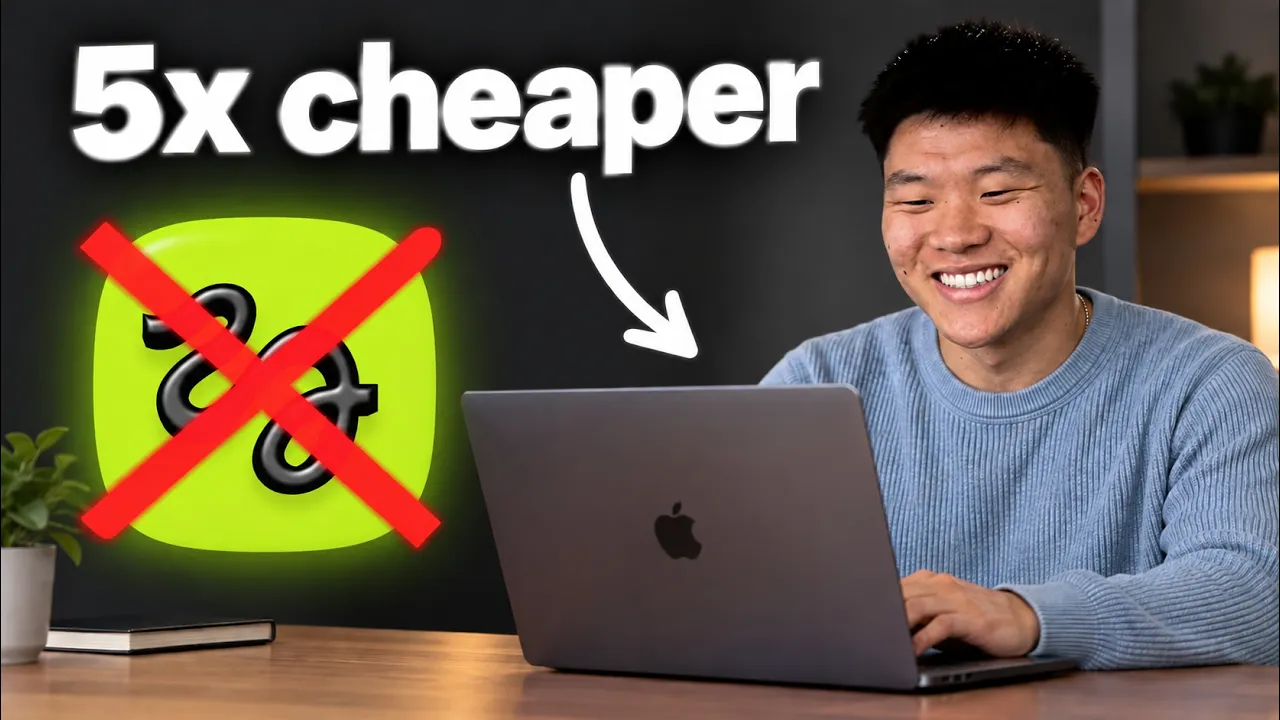
Like here, it wants to use Hyperframes. So, typically what you do is you connect it to something like Higgsfield that has a bunch of video and image models like Seedance 2.5 and all of these other ones like Klang and Omniflash and Minimax. The problem with Higgsfield was that it was way more expensive because you had to get on a subscription. If we look at the monthly, if you wanted to use Seedance 2.5, you had to be on a 60 bucks a month plan and you still had a limited number of credits.
But, Higgsfield just actually dropped an API, which means that you can actually just pay per usage. Meaning, you can connect Codex to Higgsfield API and then you're not actually paying every single month. You're only paying for the times that you actually make requests. So, today I'm just going to show you real quick how easy this is to set up. So, let's get right into it. So, this is a completely separate account. What you're going to do is you're going to go to Google and you're going to type in Higgsfield API and then you're pretty much going to click on this first link right here and it's going to take you to this API dashboard where you'll be able to create your own key and create your own account.
And when you sign up, you're going to get a ton of discounts because they just dropped this, which is 15% off sale models, up to 50% off your favorites, and you get 15 bucks right away in your account to play with. So, create an account and then when you're inside of that, it's going to look like this. What you're going to want to do is you're going to go to either the quick start on this right-hand side and you can copy this prompt if you want, but you don't have to.
It's it's a lot easier than that. But, you do have to make an API key. So, you'll click on create API key, you'll type in a name, so I'll just call this one demo, and you'll create your key. And then all you have to do is copy this key right here and then hop into Codex and I'll show you what to do next. Real quick, before we hop into Codex, I just wanted to show you guys how to make sure you take full advantage of this launch because this is a 7-day limited offer.
So, these things up here that we see, 15% off all sale models, that is just when you sign up, you'll already have that discount. In order to get up to 50% off your picks, you have to come into the pricing section and it says choose three models with max discount up to 50% off. And then you would just come in here and choose two video models and one image model and you can see all of the prices over here. As you can see, with 30% off, we would be getting it for this price compared to the original current price.
And then the last one is getting 15 free dollars to play with on your account. All you have to do here is connect a credit card and use an eligible business domain email. And then once you've claimed all of that stuff, you now have that API key, you now have everything set up and you can run 30 generations at a time. So let's hop back into Codex and I can show you how to get this all set up. So you're going to open up a new chat and you're just going to say, "Hey, inside of my .env file, can you just create me a placeholder for Higgs Field API?
I'm going to drop you in a Higgs Field API key and then you can just figure out how that all works so we can start running some image and video generations." And then just shoot that off and it will tell you exactly where to paste in your key. You don't want to paste it right in here into the chat thread, you want to paste it into the .env file. So you can see I already have that in there, so it says, "Hey, that already exists." it doesn't, it'll give you a placeholder and then all you have to do is ask for the file path so you can actually open this up.
So I could right click this, go to open with and I can just open this with whatever I want. I'll choose default app. That opens up my notes where I can go ahead and see right here it added Higgs Field API key and then you will just go ahead and paste in your API key right there. And then make sure you save that before you close out of it and then just go, "Okay, cool. I put in that API key. Can you see what models are available for me through that Higgs Field API?" And then just go ahead and shoot off a test video generation where there is a man sitting at a laptop using Higgs Field and using Codex to generate videos.
But you guys don't have to worry about that at all because I have this skill right here called Higgs Field API generations and it has all these defaults in here. It has all of the settings, it has all of the different things that you might need or you would have your agent have to normally go out and do research on. Everything's right here. So basically all you have to do is you've put in your Higgs Field API key into your .env and now you can see it's basically going to use that whenever you need an image or a video and it knows exactly how to work with Higgsfield API.
It knows about all of the different functionality and options that it has in there, and now it's just generating me a bunch of different images and videos that you can see right here on screen with just using natural language. So, pretty cool stuff. If you want to grab this skill, it's completely free in my free school community. Link for that is down in the description. Just get into the free school community, you're going to go to classroom and click on all YouTube resources, and there will be a huge database with a bunch of resources.
You should be able to find it right in there. And that skill is also going to tell you exactly how much each of your generations cost you so that you don't have to be constantly going back into your Higgsfield dashboard to look at the analytics. You will just get that right there in your chat thread. So, while that's running, I'll just go over here and show you real quick what actually this stuff can look like. So, we have Higgsfield API benchmark.
Out of all of these videos that I generated, so I'll show you each one like how much it costed, or sorry, cost. My goodness. How dare I? You can see that the total spend for these was $7.40. And we were using models like C-Dance 2.5. And once again, this would have been only available to us on a 60 bucks a month plan. And then you're just sitting there paying 60 bucks a month even if you don't generate anything that month.
So, anyways, we have some video outputs here. You can see this is C-Dance 2.5. This one has no audio, but you can generate these with audio as well. So, that's a super super clean shot. Same exact prompt went off to Kling 3.0. And this one has, I don't know, those letters look a little bit different compared to that image, but they have similar sort of like background. The letters in this one are also off. So, it's really good to get in here and shoot off the same prompt to a bunch of different AI models and see which one comes back best.
In this case, Nova came through only as Nova in C-Dance 2.5. So, in this case it was the best. But of course, with C-Dance 2.5 you are going to be paying a little bit more, but once again, it's only pay per usage. So, here this one was 1.6 bucks. This one was only about 20 cents, and this one was only about 50 cents. But they also can generate sound. So, let me play you guys a few examples of some UGC content, and we'll take a look at the cost as well. >> I used to skip breakfast.
Now, I grab Nova protein coffee. 20 g of protein, real coffee, and I'm out the door. >> So, this was Cidens 2.5 and it was $3.23. Here is Kling 3.0. >> I used to skip breakfast. Now, I grab Nova protein coffee. 20 g of protein, real coffee, and I'm out the door. >> And as far as realism, I think Kling 3.0 did a really, really good job here with this character, you know, selfie style UGC for only 60 cents. Whereas this one you wouldn't say, I don't know.
It's like it's not noticeably better as far as like makes a huge difference. But in general, I mean Cidens 2.5 is, in my opinion, the leading video generation model right here. But we also have Mini Max and this one was $1.10. >> I used to skip breakfast. Now, I grab Nova protein coffee. 20 g of protein, real coffee, >> Anyways, I think that this one was clearly the worst out of just these three very, very simple videos.
But it's important, like I said, shoot off the same prompts at different models, see how the cost differs, see how the quality differs, see what they're good at. Because Cidens 2.5 might be the best at like people and product shots, but maybe Mini Max or Kling is better at different sort of like cartoon animations or something like that. And then of course, you can use Codex image generation, GBT image 2.5 is really, really good.
It's probably my favorite. But there are also other image models you can try out like Higgsfield Marketing Studio here or Grok Imagine 2.0, Soul 2.0. And these are obviously much cheaper than generating videos. But I did take this exact same prompt and put it into Codex. And this is what we got here. So, if you like this better, then maybe you want to just stick with GBT 2.5. And then you also have the benefit of this just counting towards your Codex subscription or your ChatGPT subscription rather than paying separately per usage for that.
Anyways, hopping back here into Codex, what's cool about this is Codex will go ahead and do all the research. So, you don't have to think about the API endpoints. You don't have to give it anything else. You just tell it to figure it all out and it will. And so, that's why back in here you can copy this prompt if you want or you can just say like figure it out because you can see this prompt is literally pointing it to the actual Higgs Field API documentation.
You can see it says your key authenticated successfully, the live catalog returned 76 endpoints, 18 are text to video, 44 are image to video, 11 are text to image, and plus there's a few other routes. And it's going to use SeaDance 2.0 for this first run. The request was accepted with this ID and now it's basically just going to keep polling on that request until the generation is done. And polling just means it's going to check in and then if it's not done it's going to wait and it's going to check in again if it's not done it's going to wait and it's going to keep polling or checking until that video is actually done and then it will download the MP4 locally.
And so while this is finishing up, let me just show you what else is available inside of the Higgs Field API. If you go to pricing, right now it says that you can get up to 50% off. And this is only for the next 7 days, so if you're watching this early, go here and you can choose two video and one image models to get 50% off on. So you'll literally just come in here and it will say, "Hey, what are your models you want to choose?" I personally chose SeaDance 2.5 and Kling 3.0.
And then for the image model I chose the Marketing Studio image. But then you can just go ahead and look at all of the models in here and you can see the different modes that they run in like standard or turbo or, you know, 4K, whatever it is. And you can see all of the information about all these different types of models and their pricing. And then the analytics will basically just show you how much you've spent, um what is your request looking like, what are the models you like to use, and things like that.
So just a pretty little analytics dashboard for you. You can see we have this video back. Now, this is already looking a little bit weird with SeaDance 2.0 because the laptop is facing the wrong way, but let's give this a quick play. Now, I'm really not quite sure if anybody uses a laptop like that, but either way this was SeaDance 2.0 and there is a better model out there now. But what's important to realize is that the model isn't just going to run perfectly for you.
You have to be able to prompt it in the right way and you will start to build skills around how you like to prompt image generations and video generations and that's where this gets really powerful is when you work in all of these different skills, and you can add things too like your brand guidelines or a consistent character that you want to have, and then over time your ability to just inside of Codex generate these different videos and image assets is going to get better and better.
Now, I did want to end off this video talking about is this actually cheaper? And the answer is yes and no. It all depends on the break-even point. Because now that you're being charged per usage rather than based on your credits that reset every month, there's a break-even point. And if you're paying per usage to the point where you're going over that break-even point, then this is probably where you'd want to be on a subscription.
But, if you're only infrequently generating videos and images on a monthly basis, and you're below that break-even point, then it's much cheaper obviously to be on the pay-per-usage billing. Especially when you're trying to figure out like what is your cadence, then starting with pay-per-usage is a lot safer than just committing to a monthly subscription. And so, I've run the math here, and on the plus and ultra plans within Hatch Field, this is what it would kind of look like as far as those break-even points.
So, if you're on the plus monthly, it's about fewer than 19 clips. And if you're on the plus annual, then it's roughly 16 clips. And if you're below that, then the API makes more sense. If you're on ultra, it looks like 50 on monthly or 39 on annual. So, ultimately, these are the three kind of questions I wanted to answer here. If you're maxing out your subscription plan every single month consistently, then you probably just want to stay on a subscription.
If you're only generating things occasionally like maybe some months you'll run, you know, 15 videos, some months you won't do any at all, then API will win. And if you need programmatic workflows or you want to bake this API into your own, I don't know, your own website or SaaS product or your own internal tools or whatever it is, then the API is going to win there as well. So, it's always hard in the AI space or in the text space to just come out of the gate and say, "Yes, this is objectively cheaper." or "Yes, this is objectively better." It's always very situational.
So, hopefully this all kind of makes sense and you can kind of use this to figure out in your specific situation what is probably the right path for you. And what's really cool is when you get all that dialed in, you can do all of this in bulk. So, we've actually done things where we've generated assets for like our events or for, you know, ads or whatever it is, and we basically just use Codex or Claude to help us brainstorm all the briefs and all the angles, and then we just shoot off a bunch of workers to generate all those assets.
And then you wake up and everything is done. So, anyways guys, that is going to do it for this one. I hope you enjoyed, you learned something new, and if you did, please give it a like, it helps me out a ton. And as always, I appreciate you guys making it to the end of the video, and I'll see you on the next one. Thanks, everyone.
The words are the caption track's own and nothing is reworded or re-transcribed. Paragraph breaks are placed between sentences so the text reads as prose.
Free tools for your own script: paste a draft and see where it stands before you record it.
Paste your draft and see where viewers are likely to drop off, with a rewrite for each weak line.
Paste the first 30 seconds of your own draft for a hook score and rewrites.
Check your draft against YouTube's advertiser-friendly guidelines before you record it.
Read this channel's public videos and transcripts, and download a writing brief for it.